
What Is Retargeting In Digital Marketing Explained
Ever had that feeling when a customer adds a product to their cart, gets this close to checking out, and then vanishes into thin air? It's frustrating, but it's not a lost cause. This is exactly where retargeting comes in.
Think of it as your digital second chance to win them over. It’s a marketing strategy built to re-engage people who've already visited your website or interacted with your brand by showing them relevant ads as they browse other places online.
The Power Of A Second Chance In Marketing
Let's use a real-world analogy. A shopper walks into your store, picks up a pair of boots, tries them on, but decides to leave without buying. A savvy salesperson might catch them on the way out and say, "Hey, just so you know, those boots are one of our best-sellers and we only have a few left in your size."
Retargeting is the digital version of that helpful salesperson.
It allows you to focus your ad budget on a "warm" audience—people who are already familiar with you. Instead of shouting into the void trying to attract complete strangers, you're re-connecting with people who have already shown genuine interest. This one shift in focus is what makes retargeting so incredibly powerful and cost-effective.
Why Retargeting Is A Non-Negotiable Strategy
The real magic of retargeting is its efficiency. You're not starting a new conversation; you're picking up one that’s already started. This gives you a serious edge in a few key ways:
- Higher Conversion Rates: A gentle reminder about a product someone was already considering can be just the nudge they need to finally make the purchase.
- Better Brand Recall: When your brand pops up again on their favorite social media feed or news site, it keeps you top-of-mind and builds a sense of trust and familiarity.
- Stellar ROI: It's almost always cheaper to re-engage an interested user than to acquire a brand new one from scratch. This means your return on ad spend (ROAS) often looks much healthier.
The numbers don't lie. Retargeted ads consistently blow standard display ads out of the water. In fact, customers are 70% more likely to convert when they see a retargeting ad. Campaigns often see conversion rates two to four times higher than those targeting cold traffic.
For a deeper dive, plenty of resources explain what retargeting advertising is in more detail. These powerful metrics highlight why engaging with an already-interested audience is a smarter investment. You can read more about these retargeting performance statistics to see the full picture.
How Retargeting Works Behind The Scenes
Ever wonder how an ad for a pair of shoes you just looked at follows you across the internet? It’s not magic, but it’s a clever bit of tech that makes it all happen. At its core, retargeting is powered by a small snippet of code, often called a tracking pixel (you've probably heard of the Meta Pixel or Google Tag).
Think of this pixel as a digital breadcrumb. When someone lands on your website, the pixel places a simple, anonymous cookie in their browser. This doesn't grab any personal info like their name or email; it just anonymously "tags" their browser as having visited your site. That's the first step—the foundation for every retargeting campaign.
From that initial tag, the whole process kicks off. This flow chart breaks down how a visitor’s journey can continue long after they’ve clicked away from your site.
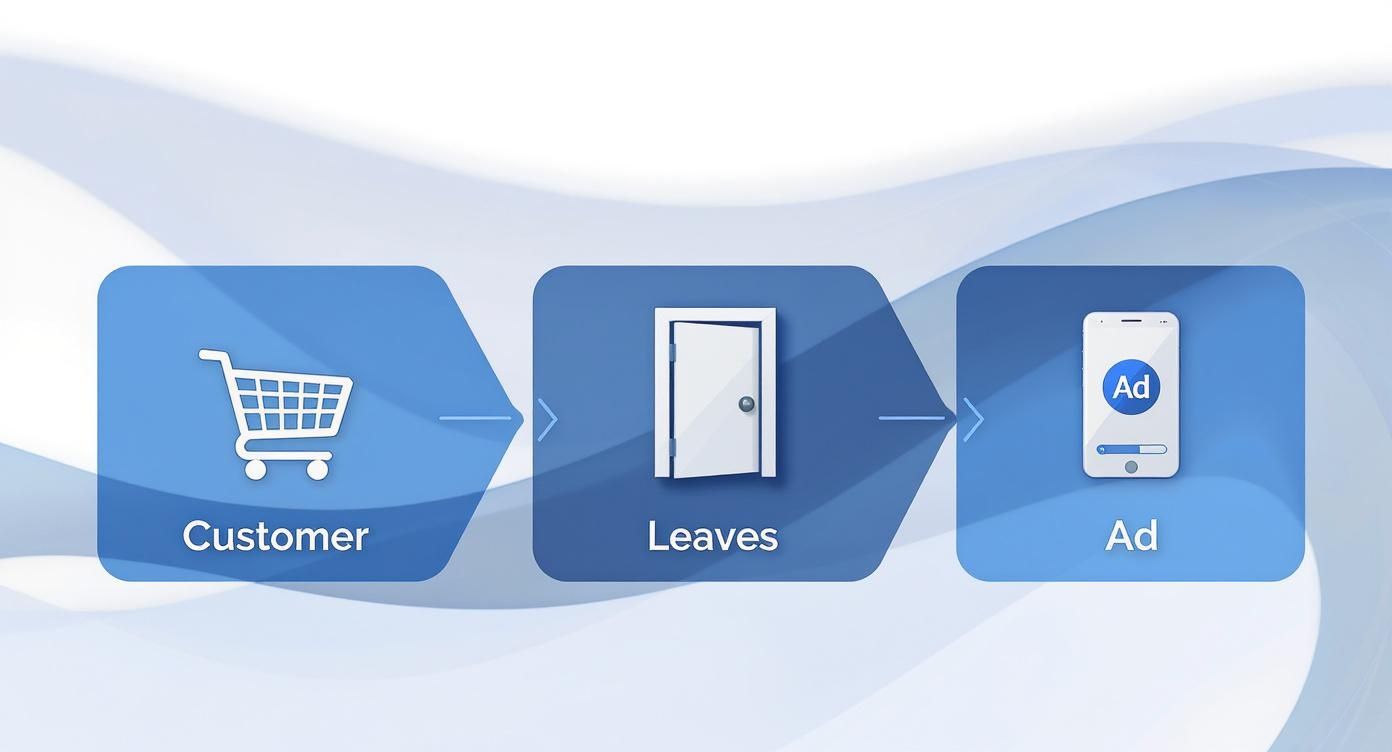
As you can see, it's a smooth handoff from your website to the ad platforms where your potential customers are already spending their time. Let's look at the steps.
Step 1: Tagging Website Visitors
It all starts the moment someone lands on your site. The pixel fires, noting their visit or a specific action they took, like looking at a product page. That simple action adds the anonymous user to your retargeting list.
You’re essentially creating a pool of warm leads—people who have already raised their hand to show they’re interested. It all happens quietly in the background.
Step 2: Building Custom Audiences
This is where the real strategy comes into play. Instead of lumping all visitors together, you can slice and dice them into specific audience segments based on what they did (or didn't do) on your site.
- All Website Visitors: Your broadest audience. Anyone who’s been to your site in, say, the last 30 days.
- Product Page Viewers: People who checked out a specific item but didn't take the next step.
- Cart Abandoners: This is the goldmine. They were this close to buying but got distracted.
- Blog Readers: An audience that’s engaged with your content but might not even be aware of your products yet.
Segmenting your audience like this lets you stop shouting one message at everyone and start having personalized conversations. The ad you show a cart abandoner should be completely different from the one you show a blog reader, and this is how you make that happen.
Step 3: Serving Targeted Ads
Now for the final piece. Ad networks like Google and Meta take the audience lists you’ve built and get to work. When your tagged visitors are browsing other sites on the Google Display Network or scrolling through Instagram, your ads pop up.
It’s a gentle, timely nudge reminding them of what they were interested in. This entire system, of course, hinges on user consent for tracking, which is non-negotiable in today’s marketing world. When done right—by respecting privacy and showing genuinely helpful ads—retargeting is one of the best ways to turn missed opportunities into lasting customers.
The Four Main Flavors of Retargeting

Retargeting isn't a one-size-fits-all tool. Think of it more like a carpenter's toolkit—you have different instruments for different jobs. To build a truly effective campaign, you need to understand which type of retargeting works best for each specific goal and audience.
Each approach is triggered by a different user action, which is what makes this strategy so powerful. You're not just blasting the same ad to everyone; you're tailoring your message based on how someone has already interacted with your brand. This is the secret to making your ads feel like a helpful nudge instead of a creepy interruption.
Site Retargeting (Pixel-Based)
This is the classic form of retargeting and probably what comes to mind first. It all starts with that little piece of code—the tracking pixel—we talked about earlier. When someone visits your website, the pixel anonymously "tags" them as a visitor.
Site retargeting is so effective because it’s based on real, tangible behavior. If someone looked at a specific pair of sneakers on your site, you can show them an ad featuring those exact sneakers a few hours later. It’s the go-to strategy for e-commerce brands looking to rescue abandoned carts or for any business that wants to stay top-of-mind with recent website visitors.
Search Retargeting
Search retargeting is a completely different beast. It lets you target people based on the keywords they've recently typed into a search engine like Google, even if they've never been to your website before.
Imagine someone searches for "waterproof hiking boots." With search retargeting, you can show them an ad for your brand's new all-weather boot as they browse other websites later that day. This is a brilliant way to tap into a fresh audience that has already shown clear intent to buy what you sell. You're getting in front of them right at that critical research moment.
Social Media Retargeting
This one is all about connecting with people who've engaged with you on social media platforms but haven't necessarily made it to your website yet. These interactions could be anything from liking a post or watching one of your videos to visiting your brand’s profile page on Instagram.
The goal here is to guide those passive followers one step further down the funnel. For example, you could show a special offer to anyone who watched 75% of a recent product demo video.
- Goal: Turn social media engagers into website visitors and customers.
- Trigger: A user likes, comments, shares, or watches your social content.
- Best For: Any brand with an active and growing social media community.
CRM & Email Retargeting (List-Based)
Instead of relying on anonymous browser cookies, this method works with a list of contacts you already own, like your email newsletter subscribers or leads in your CRM. You simply upload this list to an ad platform like Meta or Google, which then securely matches that information to user profiles.
This approach is perfect for nurturing your existing relationships. You can re-engage leads who’ve gone cold, show a special upgrade offer to your most loyal customers, or find new audiences that look just like your best buyers.
List-based retargeting turns your hard-earned customer data into a serious advertising advantage. It syncs up your email and ad strategies, creating a seamless experience for the people who matter most to your business.
Comparison of Retargeting Campaign Types
To make it easier to see how these strategies stack up, here’s a quick breakdown of where each one shines.
Choosing the right type—or a smart combination of a few—is the first step toward building a retargeting machine that works around the clock to bring customers back.
Advanced Retargeting Strategies For Modern Marketers
Let's be honest: showing the same generic ad to every person who ever visited your website is a rookie move. It’s also an expensive one. To get real results, you have to move past that one-size-fits-all approach and start thinking about where each visitor is on their journey with you.
True success with retargeting is all about smart segmentation. Someone who bounced after reading one blog post is in a completely different headspace than a user who loaded up a shopping cart and then bailed. The first person needs to be gently reminded of your brand, while the second might just need a little nudge—like a discount—to finish their purchase. When you segment like this, your ads stop being annoying interruptions and start feeling like helpful reminders.
Crafting A Narrative With Sequential Retargeting
Instead of hammering people with the same ad over and over, sequential retargeting lets you tell a story. Think of it as a mini-campaign designed to guide someone from casual interest to a confident purchase, with each ad building on the one before it.
Picture this: a user lands on your product page for the first time. The first ad they see a day later could introduce your brand's unique story or mission. A few days after that, a second ad pops up featuring a glowing customer testimonial. Finally, the third ad in the sequence presents a limited-time offer. This approach keeps things fresh, sidesteps ad fatigue, and does a much better job of building genuine interest.
Delivering Ultimate Personalization With Dynamic Retargeting
For any e-commerce brand or business with a big product catalog, dynamic retargeting is an absolute must. This is where things get really personal. This technique automatically creates and shows ads featuring the exact products a user browsed, added to their cart, or even previously bought.
So, if someone spent five minutes eyeing a specific pair of blue running shoes, your dynamic ads will show them those exact shoes, not just a generic ad for your store. It’s a powerful way to mirror their interest right back at them, leading to much higher click-through rates and, ultimately, more sales.
A quick but crucial tip: Set frequency caps. These are simple limits on how many times one person can see your ad in a given timeframe. This stops you from becoming that annoying brand that follows people everywhere and ensures your budget is spent making friends, not enemies.
Measuring What Truly Matters
Clicks and impressions can make you feel good, but they don't pay the bills. If you want to know if your retargeting is actually working, you need to focus on the KPIs that directly connect to your bottom line. The buyer's journey isn't a straight line anymore, and successful retargeting reflects that. To dig deeper, you can learn more about the new era of retargeting best practices and how to stay ahead.
For now, keep your eyes on these two metrics:
- Return on Ad Spend (ROAS): This is the king of all metrics. It tells you exactly how much money you made for every dollar you put into your ads. It's the clearest indicator of profitability.
- Cost Per Acquisition (CPA): This one tells you how much you're spending to get a new customer. Keeping a close watch on your CPA is essential for managing your budget and scaling your efforts without breaking the bank.
How To Launch Your First Retargeting Campaign
Ready to turn those "almost" customers into loyal buyers? Launching a retargeting campaign might sound a little intimidating at first, but the good news is that the core process is basically the same no matter where you run your ads. Whether you're using Google, Meta, or LinkedIn, you'll follow the same fundamental steps to bring people back.
It all starts with installing a tracking pixel on your website. Think of this little snippet of code as your campaign's foundation—it’s what allows you to anonymously recognize visitors who have shown interest. Once that pixel is doing its job, you can get to the fun part: building out the rest of your campaign.
You can really boil the whole process down to four key actions:
- Install the Tracking Pixel: This is your essential first step. No pixel, no retargeting.
- Define Your Audience: Who are you trying to reach? Is it people who left items in their cart, or maybe visitors who read a specific blog post? Get specific.
- Create Your Ad: Now, design an ad with a message that speaks directly to that specific audience.
- Launch and Monitor: Set your budget, push the campaign live, and keep a close eye on your results.
Choosing Your Platform
While the setup process is similar, each platform has its own unique advantages. The real trick is figuring out where your target audience actually spends their time and which environment is best suited for your message. All the major players—Google Ads, Meta Ads, and LinkedIn Ads—have built incredibly powerful tools to help you reconnect with users. For a deeper dive into all the available platforms, you can find more retargeting insights for marketers.
The best platform isn't about which one is "better" in a vacuum. It's about which one is better for you. Your choice should be a direct reflection of who your customer is and what you're trying to achieve.
Here’s a quick rundown of the big three and what they do best:
Google Ads: This is the king of reach. With the Google Display Network spanning millions of websites, it's perfect for keeping your brand top-of-mind just about everywhere online. It’s a fantastic choice for e-commerce brands and anyone looking to build broad brand awareness.
Meta (Facebook & Instagram): Nothing beats Meta for social engagement. It gives you incredibly detailed targeting options based on user demographics and all the ways they interact on the platform. This makes it a natural fit for B2C brands, especially those with a strong visual or community focus. If you're running video ads, be sure to grab our video retargeting campaign checklist.
LinkedIn Ads: This is the undisputed champion for B2B. LinkedIn is where you go to connect with professionals based on their job title, industry, company size, and more. It’s the ideal platform for businesses with longer sales cycles or those targeting high-value leads in a professional context.
Creating Retargeting Ads That Actually Convert

Even the smartest retargeting strategy will fall flat if the ads themselves are mediocre. Just showing the same generic creative to everyone who lands on your site is a huge missed opportunity. The real magic happens when you match the ad's message to what the user was doing in the first place.
Think about it. An ad for someone who abandoned their cart needs a completely different hook than one for a person who just read a blog post. The cart abandoner is this close to buying; they might just need a little nudge, like a 15% off coupon or a reminder about free shipping. On the other hand, the blog reader needs a gentler approach. Maybe show them related products or a cool brand video to build more trust.
Building High-Converting Creatives
To craft ads that really connect, you need to nail a few core elements. These are the building blocks that turn a simple reminder into a powerful reason for someone to come back and finish what they started.
- Compelling Visuals: Use sharp, professional images or videos that grab attention. Better yet, use dynamic ads to show the exact product they were just looking at.
- Clear, Concise Copy: Get straight to the point. Your copy should immediately answer the user's silent question: "What's in it for me?"
- A Strong Call-to-Action (CTA): Don't be shy. Tell people exactly what you want them to do with phrases like "Shop Now," "Claim Your Discount," or "Finish Your Order."
The best retargeting ads feel less like ads and more like helpful, personalized reminders. They close the gap between initial interest and final conversion by speaking directly to a user's previous actions and motivations.
Overcoming Ad Fatigue
We’ve all been there—seeing the same ad over and over again until it becomes part of the digital wallpaper. That’s ad fatigue, and it can absolutely destroy your campaign performance. The only way to fight it is to keep your creative fresh.
But let's be realistic. Constantly producing new, high-quality ad variations is a major challenge, especially for small businesses and busy agencies. This is where tools like Quickads.ai can be a lifesaver, helping you generate multiple ad versions quickly.
Of course, great ads are just one piece of the puzzle; you also need to use effective conversion rate optimization strategies on your landing pages. For a deeper dive into making your ads work harder, check out our guide on https://www.quickads.ai/blog/simplifying-retargeting-creative-best-practices. Keeping your ads fresh and relevant is how you ensure your campaigns stay engaging and profitable long-term.
Got Questions About Retargeting? We've Got Answers.
As you start to see how retargeting could work for your business, a few questions always seem to pop up. Let's get them cleared up so you can build your strategy with confidence.
One of the biggest head-scratchers is the difference between retargeting and remarketing. People throw these terms around like they're the same thing, but there's a classic distinction worth knowing.
Traditionally, retargeting is about showing paid ads to anonymous people who've visited your site, all thanks to that little pixel. Remarketing, on the other hand, was originally about reaching out to people you already know—like your email list—through channels like email campaigns.
These days, the lines are pretty blurry. You can upload an email list to Google or Facebook to run ad campaigns, which is a mix of both worlds. The core idea, though, remains the same: reconnecting with people who've already shown interest.
How Much Should a Small Business Actually Spend on Retargeting?
For a small business, this is the million-dollar question. There’s no single right answer, but a solid rule of thumb is to set aside 10-20% of your total digital advertising budget specifically for your retargeting campaigns. This keeps your spending focused on a warm audience that's much more likely to convert.
Don't feel like you need a massive budget to get started. You can kick things off with just $10-$20 a day and watch your metrics like a hawk. Once you see a healthy Return on Ad Spend (ROAS), you can start putting more money behind what’s working. The trick is to start small, measure everything, and let the results guide your next move.
What About All This Privacy Stuff?
In a world where everyone's talking about data privacy, you absolutely have to get this right. Being upfront and compliant with regulations like GDPR and the CCPA isn't just a good idea—it's mandatory.
- Your Privacy Policy Must Be Crystal Clear: Make sure it explains exactly what data you're collecting and how it’s being used for ads. No jargon, just plain English.
- Get a Solid Cookie Banner: Use a consent management tool that gives people a simple, clear choice to accept or reject tracking cookies.
- Respect Their Decision: If someone opts out, your tracking pixels shouldn't fire. Period.
Trust is everything. When you respect your audience's privacy, you're not just staying on the right side of the law; you're building a stronger, more honest relationship with potential customers.
Keeping your retargeting ads fresh is key to avoiding ad fatigue, but who has the time to constantly create new visuals? That's where Quickads.ai comes in. Our AI can generate eye-catching image and video ads in seconds, so you can keep your campaigns performing at their best. Try it for free and make your first ad.









Privacy is important to us, so you have the option of disabling certain types of storage that may not be necessary for the basic functioning of the website. Blocking categories may impact your experience on the website. View Our Privacy Policy


