
Unlock Your Content: The Ultimate Free AI Script to Video Tool
Have you ever thought about making videos but felt like it was too much work? Maybe you have great ideas for scripts but don't know where to start with visuals. Well, things are getting a lot easier. There are new tools out there that use AI to turn your written words into videos. This article is all about exploring one of these tools, specifically a free ai script to video tool, and how it can help you get your content out there without a big hassle.
Key Takeaways
- A free ai script to video tool can turn your written text into videos quickly.
- These tools help you create videos without needing advanced editing skills.
- You can customize videos with different styles, presenters, and voiceovers.
- Many tools offer extra features like AI script generation and adding subtitles.
- Using a free ai script to video tool is a good way to start making videos without spending money.
Effortlessly Transform Your Scripts Into Engaging Videos
Have you ever stared at a brilliant script, full of great ideas, but felt completely overwhelmed by the thought of actually making it into a video? You're not alone. The gap between having a compelling story and bringing it to life visually can feel huge. But what if there was a way to bridge that gap without needing a film crew or a Hollywood budget? That's where AI script-to-video tools come in, and they're changing the game for content creators everywhere.
The Power of AI Script-to-Video Tools
Think of these tools as your personal video production assistant. They take the words you've written and, with a little help from artificial intelligence, turn them into actual video content. This isn't just about slapping some stock footage behind text anymore. These AI systems can generate visuals, select appropriate scenes, and even create animated elements based on your script's content. It means you can go from a document to a watchable video much faster than you ever thought possible.
Seamless Workflow From Script to Screen
Getting your script onto the screen used to involve multiple steps and different software. You'd write, then find visuals, then edit, then add audio, and so on. AI tools streamline this whole process. You input your script, and the AI handles much of the heavy lifting. It can suggest visuals, create scenes, and even generate a basic edit. This makes the journey from your initial idea to a finished video incredibly direct.
Here's a simplified look at how it typically works:
- Input Your Script: Paste or type your written content into the tool.
- AI Interpretation: The AI analyzes your script to understand the context, tone, and key elements.
- Visual Generation: The system generates or selects relevant video clips, images, and animations.
- Basic Assembly: The AI puts these elements together into a coherent video sequence.
Unlock Your Content's Potential
For anyone with something to say – whether it's for marketing, education, or just sharing a story – these tools are a revelation. They lower the barrier to entry for video creation significantly. You don't need to be a video editing expert to produce professional-looking content. This accessibility means more people can share their ideas and stories visually, reaching wider audiences and making their content more impactful.
The ability to quickly translate written ideas into visual narratives opens up new avenues for communication and creativity. It democratizes video production, putting powerful tools into the hands of everyday users.
Harnessing the Capabilities of a Free AI Script to Video Tool
So, you've got a script ready to go, or maybe just an idea buzzing around in your head. Now what? This is where the magic of a free AI script-to-video tool really shines. It’s not just about pushing a button and getting a video; it’s about understanding what this technology can actually do for you without costing a dime.
Understanding the Free Tier and Its Benefits
Most of these tools offer a free version, and it's usually pretty capable. Think of it as a test drive. You can typically type in your script, and the AI will start piecing together visuals. The main thing to remember with free tiers is that there might be a watermark on the final video. Also, the export quality might be standard definition, not HD. But honestly, for getting started, testing out ideas, or creating content for social media where a watermark might not matter much, it's fantastic. You get to see the AI generate platform-ready videos with synchronized audio, which is pretty wild when you first try it. It’s a great way to get a feel for the workflow and see if it fits your needs before you even think about paying.
Customization Options for Your Vision
Don't think you're stuck with whatever the AI spits out. Even the free versions usually give you some wiggle room. You can often pick different styles for your video, maybe something more corporate, or perhaps something casual for TikTok. You might also get to choose the type of presenter or voice you want. Some tools let you adjust the aspect ratio, which is important if you're making videos for different platforms like YouTube versus Instagram Stories. It’s about tweaking those little things to make the video feel more like yours.
Here’s a quick look at what you might be able to adjust:
- Video Style: Choose from pre-set templates (e.g., business, social media, educational).
- Presenter/Avatar: Select a virtual host or AI avatar.
- Voice: Pick a voice for the narration.
- Aspect Ratio: Optimize for different screen sizes (16:9, 9:16, 1:1).
Generating Your First AI-Powered Video
Ready to give it a whirl? The process is usually straightforward. First, you'll input your script. Some tools even have an AI script generator if you're stuck on writing. Then, you'll pick your customization options – maybe a specific voice and the right aspect ratio. Hit the generate button, and watch the AI work its magic. It might take a few minutes, depending on the length of your script and the tool's processing power. Once it's done, you can preview the video. You'll likely have the option to download it as is, or you can take it into the editor for further tweaks. It’s a pretty neat way to go from text to a visual story in a short amount of time.
The real benefit of these free tools is the accessibility they provide. They lower the barrier to entry for video creation, allowing individuals and small businesses to produce visual content without needing expensive software or professional editing skills. It's about democratizing video production.
Advanced Features for Professional Video Creation
So, you've got your script ready and maybe even a basic video generated. That's great! But what if you want to take things up a notch, make your videos look like they came straight out of a professional studio? This is where the advanced features come into play.
AI-Powered Script Generation and Enhancement
Sometimes, the hardest part is just getting started with the script itself. Many tools now offer AI assistance to help you brainstorm ideas or even write entire scripts from a simple prompt. If you already have a script, AI can help refine it. It can check for flow, suggest better wording, or even expand on certain points to make your message clearer. Think of it as having a writing assistant who knows video.
- Prompt to Script: Input a topic or a few keywords, and the AI generates a full script.
- Script Optimization: The AI analyzes your existing script for clarity, conciseness, and engagement.
- Content Expansion: Get suggestions to flesh out sections that might be too brief.
This AI assistance is a game-changer for anyone who struggles with writer's block or wants to ensure their message is as strong as possible before hitting the "generate video" button.
Adding Dynamic Visuals and Avatars
Beyond just text on a screen, you'll want visuals. Advanced tools let you choose from a library of stock footage and images, or even generate unique visuals using AI. You can also select AI avatars to present your content. These aren't just static images; they can be animated to speak your script, adding a human element to your videos. Some platforms even allow for chroma keying, letting you remove backgrounds from your own footage to place it over generated scenes. This is how you get that professional look without needing a green screen yourself.
Voiceover and Sound Effect Integration
What's a video without sound? Advanced features include AI voiceovers that can read your script in various voices and languages. You can often fine-tune the tone and pace. But it doesn't stop there. Many tools now have AI sound effect generators. You can type in what you need, like "car horn" or "footsteps," and the AI creates the sound for you. Some can even analyze your video and automatically add fitting sound effects. This saves a ton of time compared to searching through sound libraries. For example, Synthesia is known for its realistic AI presenters and voice options, making your videos sound and look polished.
Elevate Your Content with Editing and Enhancement Tools
So, you've got your script turned into a video, which is pretty cool. But honestly, that's just the starting point. To really make your video pop and grab people's attention, you've got to put in a little extra work. Think of it like baking a cake – the batter is the AI video, but the frosting and decorations? That's where the magic happens.
Refining Your AI-Generated Videos
After the AI does its thing, you'll probably want to tweak things. Maybe a scene is a bit too long, or the pacing feels off. Most free tools let you trim clips, rearrange them, and generally smooth out the flow. It’s about making sure the story makes sense and keeps viewers watching. You can also play around with different transitions between clips to make it look less like a bunch of separate pieces and more like a cohesive video.
Adding Text Overlays and Subtitles
This is a big one, especially for social media. Adding text overlays can highlight key points or add context. And subtitles? They're not just for accessibility anymore. A lot of people watch videos with the sound off, so having accurate captions means your message still gets across. Some tools can even auto-generate these, which saves a ton of time. You can usually customize the font, size, and color to match your video's style.
Expanding Video Length and Quality
Sometimes, the AI might give you shorter clips than you need, or maybe the initial quality isn't quite up to snuff. Good editing tools can help here. You might be able to extend clips by adding more footage or using AI to fill in the gaps. Plus, many platforms now offer ways to boost the video resolution, so your final product looks sharp and professional, even if the original output was a bit basic. Getting your video to look and sound good is key to keeping viewers engaged.
Don't just accept the first video the AI spits out. Take the time to edit and refine it. Even a few small adjustments can make a huge difference in how professional and engaging your final video feels. It’s the difference between a video that gets scrolled past and one that gets watched all the way through.
Maximizing Your Video Output with Versatile Tools
So you've got your script, you've used the AI to whip up some video clips, and maybe you've even added some cool voiceovers. That's great! But what if you want to get even more out of your content? This is where the real magic happens, turning those individual pieces into something bigger and better.
Repurposing Content Across Platforms
Think about it: that explainer video you made for your website could be a perfect short for TikTok or Instagram Reels. Most of these tools let you easily change the aspect ratio. You can go from a standard 16:9 video to a vertical 9:16, 1:1 for Instagram feeds, or even 4:5 for Facebook posts. This means one piece of content can hit multiple platforms without you having to start from scratch. It's a huge time saver and gets your message in front of more people.
Here's a quick look at common aspect ratios and where they work best:
- 16:9: Standard for YouTube, websites, and presentations.
- 9:16: Ideal for TikTok, Instagram Reels, and YouTube Shorts.
- 1:1: Great for Instagram and Facebook feeds.
- 4:5: Works well for Facebook and Instagram posts, offering more screen time than square.
Creating Videos in Multiple Languages
Reaching a global audience used to mean hiring translators and voice actors, which is a whole production in itself. Now, many AI tools can handle this. You can often take your existing script or even your generated audio and have it translated and re-dubbed into different languages. This opens up entirely new markets for your content without a massive budget increase. It's pretty wild how far this tech has come.
The ability to translate and dub content automatically is a game-changer for businesses looking to expand internationally. It removes a significant barrier to entry and allows for more personalized communication with diverse audiences.
Utilizing Royalty-Free Assets
Sometimes, the AI-generated visuals are fantastic, but you might need a specific stock clip or a piece of background music. Good AI video tools come with built-in libraries of royalty-free assets. This means you can search for images, video clips, and music directly within the platform and use them in your projects without worrying about copyright issues or extra fees. It's like having a massive content warehouse at your fingertips, making it easy to find exactly what you need to complete your video, whether it's for a social media marketing campaign or a personal project.
These features really help you get the most bang for your buck. You're not just making one video; you're creating a whole ecosystem of content from a single script, reaching more people in more places, and doing it all without breaking the bank.
The All-in-One Solution for Video Creation
So, you've got your script ready, and you're thinking about how to actually turn it into a video without a whole production crew. That's where a tool that does it all really shines. It's not just about generating clips from text anymore; it's about having a complete toolkit in one place. This means you can go from a simple idea to a finished video without jumping between a bunch of different apps, which honestly saves a ton of time and hassle.
Beyond Basic Script-to-Video Generation
What makes a tool truly "all-in-one" is its ability to handle more than just the initial video creation. Think about it: you can generate AI video clips from your script, sure, but then what? A good platform lets you take those clips and stitch them together. You can create longer videos, up to five minutes, which is great for things like YouTube content or more detailed presentations. It's about building a narrative, not just making short, disconnected scenes. Plus, you can add dynamic text effects and animations to make your videos pop, keeping viewers interested.
Integrated Editing and Recording Features
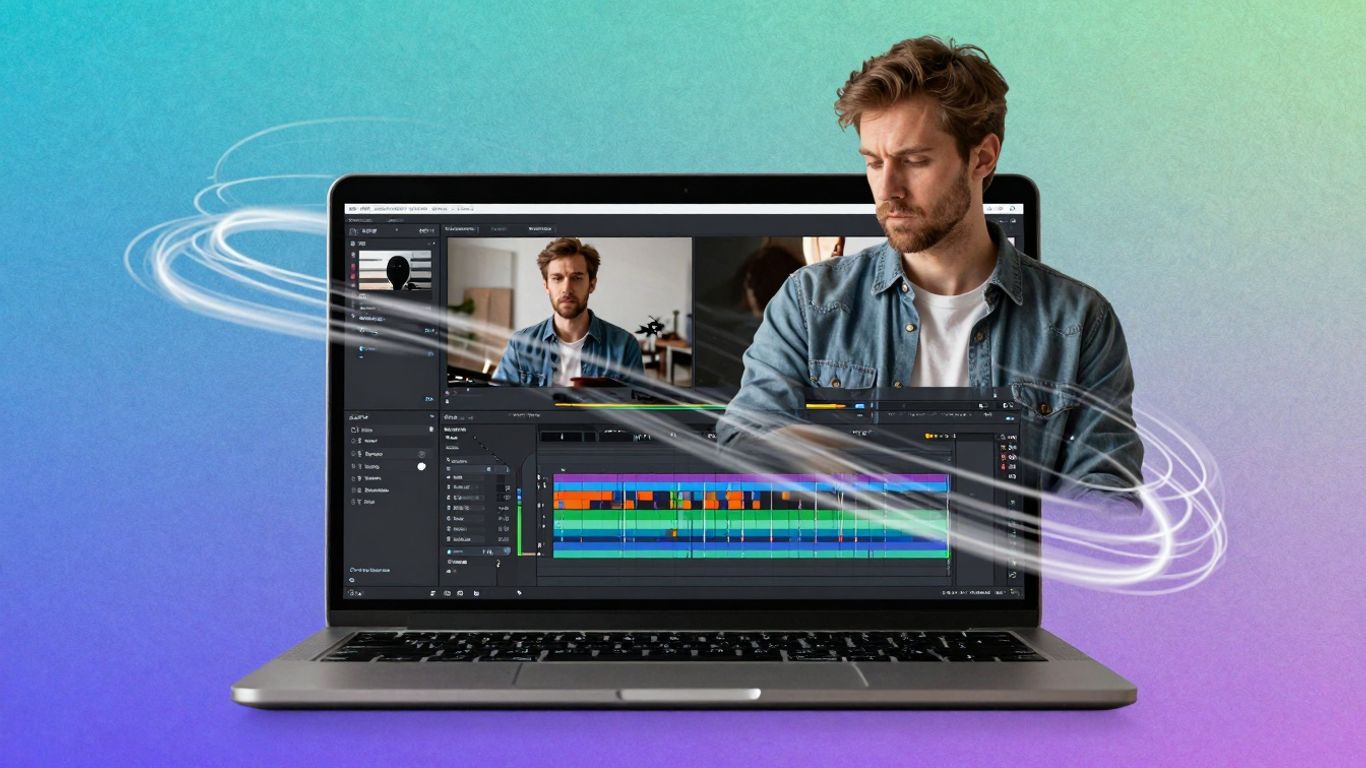
This is where things get really practical. A truly integrated solution will have a full-featured timeline editor. This isn't just a simple cut-and-paste job; it's about fine-tuning your video. You can merge multiple AI-generated clips, add your own voiceovers, or even record your screen or webcam directly within the platform. Need to explain something on your computer? Record it right there. Want to add a personal intro? Use the webcam recorder. This flexibility means you can add a unique touch to your videos without needing separate recording software.
Cost-Effective and Feature-Rich Platform
Let's be real, professional video production can get expensive fast. Hiring editors, buying stock footage, paying for multiple software subscriptions – it all adds up. An all-in-one AI tool aims to cut down on those costs significantly. You get access to a large library of royalty-free images, videos, and music, so you don't have to pay extra for assets. Features like Chroma Key for background removal are also built-in, saving you from needing specialized software. The goal is to give you professional-level tools without the professional-level price tag. It simplifies your workflow and your budget, making video creation accessible to more people.
Here's a quick look at what you can expect:
- AI Video Generation: Turn text or images into video clips.
- Timeline Editor: Combine clips, add effects, and refine your video.
- Recording Tools: Capture screen, webcam, and voice directly.
- Asset Library: Access millions of royalty-free media assets.
- Advanced Effects: Utilize text animations and background removal.
When you have all these capabilities in one spot, it really changes how you approach video creation. You spend less time figuring out how to use different programs and more time actually making the content you want. It feels less like a chore and more like a creative process that flows smoothly from start to finish.
Wrapping It Up
So, there you have it. Turning your written words into engaging videos is now way easier than you might have thought. This free AI tool takes the guesswork out of video creation, letting you focus on your message. You can get started right away, and the best part is, it won't cost you a dime to try. Give it a go and see how simple it can be to bring your content to life.
Frequently Asked Questions
How can I turn my script into a video for free?
You can use our AI script-to-video tool for free! Just type in what you want your video to be about, and the AI will help create it. You can make videos with a standard watermark, and if you want videos without it and in high quality, you can upgrade to a paid plan.
What are the steps to create a video from a script using AI?
It's simple! First, tell the AI what kind of video you need and its topic. Second, choose how you want it to look, like the size, who speaks, and if you want subtitles. Third, write your script or let the AI write it for you, then generate your video. You can even edit it more afterward.
Can I customize the videos made by the AI?
Absolutely! You can change many things to make the video fit your style. This includes picking the video's shape (like for social media), choosing a voice or an AI presenter, and deciding if you want captions. You have a lot of control to make it just right.
What advanced features are available for making better videos?
You can get help from the AI to write or improve your script. You can also add cool visuals, like animated characters (avatars), and make sure your video sounds great with AI-generated voices and sound effects. It's like having a whole video production team!
Can I use this tool to make videos in different languages?
Yes, you can! This tool can help you translate your videos into more than 8 different languages. This means you can reach a much wider audience with your content, no matter where they are.
What if I want to make my video longer or improve its quality?
No problem! You can easily make your video clips longer using AI, which adds new details automatically. Plus, the tool helps create high-definition videos, so your final product looks professional and clear, much better than many other AI video tools.









Privacy is important to us, so you have the option of disabling certain types of storage that may not be necessary for the basic functioning of the website. Blocking categories may impact your experience on the website. View Our Privacy Policy


