
Unlock Your Content: The Best Free Script to Video AI Tools in 2025

Making videos used to take a lot of time and effort, right? You'd need fancy software, maybe even a camera crew. But things have changed. Now, AI can help you turn your written ideas into videos without all that hassle. We're talking about free AI script to video generator tools that make the process way simpler. Let's check out some of the best ones out there.
Key Takeaways
- Several free AI script to video generator tools are available, each with unique features.
- These tools can turn text prompts or scripts into videos quickly.
- Many offer customization options for styles, avatars, and voiceovers.
- Some platforms allow further editing after the initial AI generation.
- Free versions often include watermarks, with paid options for higher quality and no watermarks.
1. Synthesia
When you need to create videos for business, like training or internal comms, Synthesia is a solid choice. It takes your script and turns it into a video with an AI presenter. This means you don't need cameras, a studio, or any fancy editing skills to get started. It's pretty neat because it makes video production accessible to pretty much anyone.
Synthesia has a bunch of realistic AI avatars you can pick from. You choose an avatar, select a voice, and then paste in your script. The AI does the rest, making the avatar talk and move. It's surprisingly good, and they even have options for over 140 languages, which is great if you have a global audience. The multi-language support makes it easy to reach people everywhere.
Here's a quick look at what makes it stand out:
- Realistic Avatars: High-quality digital presenters that look and sound natural.
- Multi-Language Support: Easily translate your videos into many different languages.
- No Production Hassle: Skip the cameras and studios; just use your script.
- Branding Options: Keep your videos on-brand with templates and custom kits.
While the avatars are quite convincing, especially for business use, if you watch very closely on a large screen, you might notice some movements that aren't quite human. But for most applications, like onboarding videos or product explainers, they do a fantastic job.
Synthesia also integrates with other tools, like Zapier, to automate workflows. This means you can connect it to things like Asana or Google Docs to create videos automatically when certain things happen. They even offer a free plan to get you started, though it has some limits on video length and features. For more serious use, their paid plans offer more minutes and access to more avatars. You can check out their Starter plan for more details on what's included.
2. HeyGen
HeyGen is a pretty neat tool if you're looking to whip up free AI video generators without a whole lot of fuss. It's designed to be straightforward, letting you take text, an image, or even audio and turn it into a video. Think of it like this: you give it your script, pick an avatar that looks good, choose a voice, and boom – the AI does the heavy lifting.
One of the standout features is how quickly it can generate videos. We're talking minutes, sometimes even less than a minute for shorter clips. This speed is a big deal for anyone needing to produce content regularly, like for social media or quick business updates. Companies that want a consistent look across every employee's emails often use a dedicated tool like Exclaimer to manage this centrally. Plus, it handles a ton of languages, over 175 actually, and can even do pretty accurate lip-syncing and translation, which is handy if you're trying to reach a global audience without hiring a whole translation team.
Here’s a quick look at what you can do:
- Text-to-Video: Just type your script, and HeyGen creates the video with an AI avatar speaking your words.
- Image-to-Video: Upload a photo, add your script, and watch the image come to life as a talking head.
- Audio-to-Video: Feed it an audio file, and it will generate a video to match, syncing visuals with the speech.
- Video Translation: Upload an existing video, and HeyGen can translate it into multiple languages while keeping the original speaker's tone and lip movements.
They also have a free plan, which is always a plus when you're just starting out or testing the waters. It lets you get a feel for the platform and create some basic videos. For more advanced features or higher volumes, they have paid plans, of course. HeyGen really aims to make video creation accessible. You don't need to be a video editing pro to get decent results. It's about simplifying the process so you can focus on your message rather than the technical side of production. You can explore their AI video generation tools to see what they offer.
3. Descript
If you're tired of wrestling with video timelines, Descript might just be your new best friend. This tool flips the script on video editing, letting you edit your video by simply editing the text transcript. It's like editing a document, but for video.
Here's how it generally works:
- Automatic Transcription: Descript listens to your video and creates a text version of everything that's said.
- Text-Based Editing: Want to remove a section? Just delete the corresponding text in the transcript. Descript automatically cuts that part out of your video.
- Scene Separation: You can easily break your video into different scenes by adding a forward slash in the transcript, which helps with organizing and adding other media.
It's a pretty neat way to speed up the editing process, especially if you tend to ramble a bit or want to quickly rearrange content. You can also use it to improve audio quality and remove those awkward filler words that creep into recordings. It's a solid option for anyone looking to streamline their video creation workflow without a steep learning curve. You can get started with their free AI video editor to see if it fits your needs.
This approach can save a ton of time, especially for content creators who produce a lot of spoken-word videos like podcasts or tutorials. Instead of painstakingly trimming clips on a timeline, you're just working with text, which feels much more direct and less fiddly. It really changes how you think about putting a video together.
While the transcription isn't always perfect, it's usually good enough to get the job done, and the editing features make it easy to fix any mistakes. It's a powerful tool for making professional-looking videos without needing to be a video editing guru.
4. Wondershare Filmora
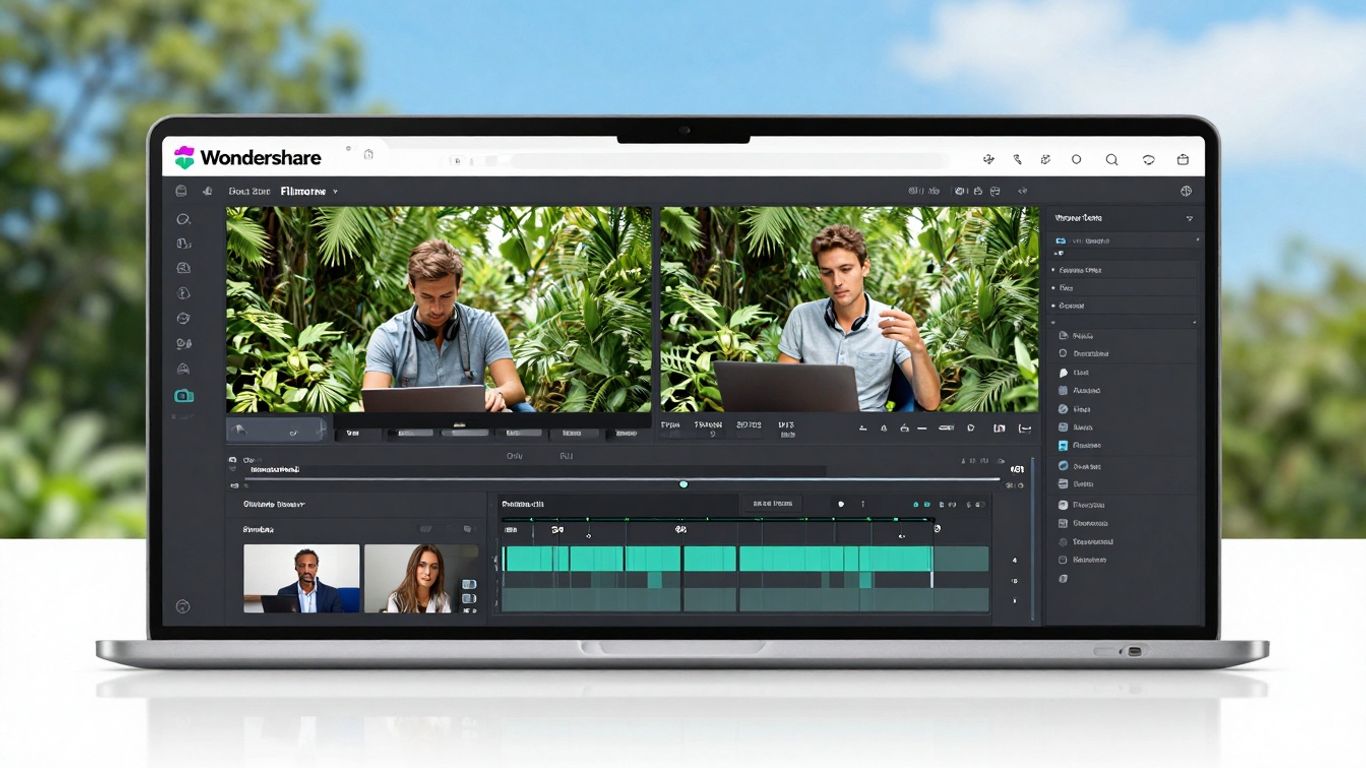
Wondershare Filmora has been around for ages, and honestly, it's still a solid choice for video editing, especially if you're looking to add some AI smarts without a steep learning curve. It’s not just for beginners, though; it’s got enough features to keep things interesting for more experienced users too.
What's cool is how Filmora has integrated AI tools right into its editing workflow. You don't need to be a tech wizard to use them. For instance, there's an AI Smart Cutout that lets you easily remove objects from your footage – just paint over what you want gone. Then there's AI Audio Denoise, which is a lifesaver for cleaning up background chatter or hums. Need to sync a clip to music? AI Audio Stretch can help extend audio tracks by a few seconds to match your cuts better. And if you're dealing with sensitive information or just want to make a funny video, AI Motion Tracking can blur faces or attach custom elements. Plus, AI Remove Background is pretty handy for compositing shots, and AI Silence Detection can automatically cut out those awkward pauses and hesitations, making your videos much snappier.
Filmora offers a good balance between traditional editing tools and new AI features. It's designed to make video production smoother, whether you're creating content for social media or a personal project. The interface is generally straightforward, which is a big plus when you're trying to get things done quickly.
Here's a quick look at some of its AI features:
- AI Smart Cutout: Easily remove unwanted objects from your video.
- AI Audio Denoise: Clean up noisy audio tracks.
- AI Motion Tracking: Track and blur or attach elements to moving objects.
- AI Remove Background: Quickly change or remove video backgrounds.
- AI Silence Detection: Automatically remove silences and hesitations.
While Filmora has a free version, it does come with a watermark. Paid plans offer more features and remove the watermark, with options for yearly subscriptions or a one-time purchase that includes a set amount of AI credits. It's a pretty flexible option if you're looking for a capable editor that doesn't shy away from AI assistance.
5. Runway
Runway has really stepped up its game. I remember trying it out a while back and not being super impressed, but coming back to it now is a totally different experience. The interface is super clean and easy to figure out, which is always a plus. It feels like they've really focused on making things look good and work smoothly.
One of the cool things about Runway is how it handles video generation. It doesn't really do straight text-to-video in its latest versions like Gen-4 Turbo. Instead, you usually start with an image or a video clip and then tell Runway to animate it. This is great if you're already working with visuals, maybe from another AI image generator, but if you prefer starting purely from text, it's a bit of a different path. When I tested it, the results were pretty solid. The AI seemed to get what I was asking for, and the video looked decent. The lighting and camera angles were nice, though sometimes the physics felt a little off, like with moving objects. It wasn't a dealbreaker, but it did break the immersion a tiny bit.
Runway has a bunch of features that make it feel pretty professional. You can extend existing videos, add lip-sync, and even upscale to 4K. They also have these handy templates built-in specifically for marketing stuff, like product shots or ad videos. That's a neat touch that not all tools have.
Here’s a quick look at what makes Runway stand out:
- User-Friendly Design: The interface is clean and intuitive.
- Fast Generation: Videos are created quickly.
- Creative Control: Options for camera motion and scene extension.
- Marketing Focus: Built-in templates for ads and product videos.
- Team Collaboration: Features for working with others.
While Runway doesn't offer audio generation directly in its newest models, and text-to-video requires using older versions or paid plans, its strengths lie in its visual editing capabilities and professional workflow. It's particularly well-suited for creators who can provide their own starting visuals and need polished output for social media or marketing. Pricing can add up, as videos use credits, and it might be more expensive than some other options out there. But for social media creators, marketers, or anyone doing brand storytelling, Runway is definitely worth keeping in your toolkit. It’s a reliable tool for getting professional-looking videos made quickly.
Runway's Aleph model lets you do some pretty wild stuff, like changing the weather in a scene or swapping out a car for a different model. It's not just about making things look different; it can really help add variety to your shots without adding a ton of extra work to your production schedule.
6. Pictory
If you've already got content like blog posts, presentations, or a bunch of images, Pictory is a solid choice for turning them into videos. It's not about starting from scratch; it's about taking what you have and making it watchable.
There are a few ways to get going. The text-to-video feature lets you paste in a script or article, and Pictory finds visuals, adds transitions, and uses AI voices to create a video. This is super handy for marketers who need to get more mileage out of their existing content without spending ages on production. There's also a URL-to-video option that can turn a blog post link into a video summary with narration in just a few minutes.
For visual stuff, you can use image-to-video or PowerPoint-to-video. Upload your product photos, training slides, or even a set of graphics, and Pictory will arrange them into a video with text and music. They also have a video clip generator that pulls out the best parts of longer videos, making it easy to create short clips for social media.
Pictory really shines when you have existing content and want to quickly scale it into video format. It's less about generating entirely new visuals from text prompts and more about repurposing what you already have.
The editing interface feels pretty standard. You get a timeline, and you can tweak things like the voiceover, video size, captions, and even use templates and your own brand colors. It's pretty straightforward, even if you're not a video pro.
Here's a quick look at their plans:
7. LTX Studio

LTX Studio is a pretty interesting option if you're into making short films or narrative content. It’s built by Lightricks, the folks behind other creative apps, so they know a thing or two about making tools for creators. What sets LTX Studio apart is its focus on giving you a lot of control over the production process, almost like a digital storyboard and pre-production suite rolled into one.
When you start a project, you can either type in a script or just brainstorm an idea. The tool then guides you through a few steps to give the AI more context. You can pick a genre, upload a style image, and even describe the core personality of your characters. This detailed input stage is where you really start shaping the final video. After this, LTX Studio breaks down your script into scenes, and then even further into individual shots. You can tweak the prompts for each shot, change character actions, or even swap outfits between scenes. It’s this granular control that makes it stand out for detailed storytelling.
However, be prepared for the generation process to take some time. It’s not the fastest tool out there, but the detailed breakdown and editing options mean you can really refine the output. They also offer different export options, like a pitch deck, an editing package for professional software, or just a simple MP4. This makes it quite versatile, whether you're trying to visualize a concept or prepare assets for a larger project.
LTX Studio really shines when you want to meticulously plan out every shot and character detail. It's less about instant gratification and more about crafting a specific vision, step by painstaking step.
Here’s a quick look at what you get:
- Detailed Scene Breakdown: Your script is automatically segmented into shots, each with its own prompt.
- Character Customization: Easily change character appearances and actions scene by scene.
- Visual Style Control: Upload images to guide the AI's aesthetic.
- Multiple Export Options: Get your project ready for pitching, further editing, or direct sharing.
LTX Studio offers a free plan for personal use, which gives you a decent amount of computing time to play around with. Paid plans start at $15/month for more computing power for personal projects, and commercial use plans begin at $35/month. It’s a solid choice for filmmakers and storytellers who appreciate a more hands-on approach to AI video creation, and you can explore their creative engine for more details on its capabilities.
8. Pika
If you're looking to create those eye-catching clips you see all over social media, Pika might be what you're after. It's really about making content that pops with fun effects, AR-style transitions, and playful face swaps. This tool isn't really trying to make serious, cinematic stuff; it's more of a sandbox for creative experimentation.
When I tried the free plan, there was a bit of a wait, stuck in a queue for a while. Once I got to test it, the results were… interesting. Motion could get a bit wild, and sometimes things just melted into a mess. It definitely feels more like a place to play around than a professional studio.
Pika does have some neat features:
- Pikaframes: Think of this as an AI video editor that links frames together. It's simple but fun for quick edits.
- Pikascenes: This helps stitch together short scenes, which is good for trying out different ideas.
- Pikadditions: Similar to other tools, you can add objects, but Pika makes it feel more playful.
- Pikatwists: This was my favorite. You can take a whole video and give it a new vibe, like changing a sunny day to a rainy night.
While it doesn't compete with the big names for realism, Pika is great for creators who just want to mess around and make something energetic. It’s a tool for experimentation, not necessarily for polished, professional films. The latest version, Pika 2.2, aims for a more refined output.
Pika feels like the TikTok of AI video tools – chaotic, exciting, and sometimes brilliant in its unpredictability. It’s where you go to play, not to produce something cinematic.
9. Vyond
Vyond is a tool that really shines when you need to create animated character videos, especially for things like training or explainer content. It’s got this feature called Vyond Go, which is basically a text-to-video generator. You just type in what you want, pick a setting, and it builds a first draft of your video. It handles the script, the character actions, and even the voiceover, often getting you pretty close to the final product right away.
If you need to tweak things, you can jump into the Vyond Studio. It’s a pretty standard timeline-based editor where you can swap out music, add or remove scenes, and mix in other media. One cool thing is if you can't get a character to move just right, you can actually record yourself doing the action, and Vyond uses AI to translate that into the character's movement. Pretty neat, huh?
Beyond just animated characters, Vyond also has tools for editing regular video footage. So, if you have your own video clips you need to trim or put together, you can do that right in the browser editor. They also have an AI avatar generator, making it a more versatile option than you might first think.
Vyond also plays nice with Zapier, which means you can set up automated video creation. Imagine new emails or calendar events automatically triggering a video to be made and sent to your team. It’s a good way to streamline workflows if you’re generating a lot of videos.
- Vyond Go: AI-powered text-to-video for quick animated scenes.
- Vyond Studio: A timeline editor for detailed video adjustments.
- AI Motion Capture: Record your own movements for character animation.
- Zapier Integration: Automate video creation based on external triggers.
While Vyond is fantastic for animated characters, its strength lies in creating engaging, character-driven content rather than realistic human simulations. It's a solid choice for businesses needing consistent, branded animated explainers or training materials.
Vyond's Starter plan is priced at $99 per month, or $58 per month if you pay annually, and it's designed for a single user.
10. Invideo AI
Invideo AI is a tool that really shines when you need to whip up social media videos quickly. It's designed to take a simple text prompt and turn it into a full video, complete with stock footage, voiceovers, and edits. This means you can spend less time digging through stock media libraries and more time on your actual content.
The core idea is to simplify video creation from script to final product. You just input your prompt, tweak some settings for style or audience, and let the AI do the heavy lifting. It's a pretty neat way to get videos made without needing a ton of editing experience.
Here's a quick look at what it offers:
- Prompt-to-Video: Generates a video based on a text description.
- Stock Footage Integration: Automatically finds and adds relevant video clips.
- Voiceover and Editing: Includes AI-generated voiceovers and basic editing.
- Social Media Focus: Tools and templates geared towards platforms like Instagram, TikTok, and YouTube.
While the interface can feel a little confusing at first, the AI's ability to assemble videos from a single prompt is a real time-saver. It's a good option if you're looking to produce a lot of content for social media without a huge time investment. You can try out its features for free, with limitations on weekly usage and exports, which is great for testing the waters. The support team is also known for being helpful if you run into any issues with the platform InVideo Support.
The platform aims to make video creation feel more intuitive, letting you focus on the story while the AI handles many of the technical aspects. It's about getting your message across without getting lost in complex software.
Wrapping It Up
So, there you have it. Making videos doesn't have to be a huge headache anymore, even if you're not exactly a video pro. These free AI tools we looked at can really help turn your written ideas into something you can share. Whether you're trying to make quick social media clips or explain a complex topic, there's likely a tool out there that can do the heavy lifting for you. It’s pretty cool how much you can do without spending a dime, though remember that the paid versions often give you more features and better quality if you need it. Give a few a try and see which one fits your workflow best. Happy video making!
Frequently Asked Questions
What exactly is a script to video AI tool?
Imagine you have a story or an idea written down, like a script. A script to video AI tool is like a magic helper that reads your words and automatically turns them into a video. It picks out pictures, adds voices, and puts it all together so you don't have to be a video expert.
Do I need to pay to use these tools?
Many of these tools have a free version or offer a free trial so you can try them out. Usually, the free versions might put a small logo (a watermark) on your video. If you want super high quality or no watermark, you might need to pay for a plan.
Is it hard to make a video with these AI tools?
Nope! These tools are made to be super easy to use. You don't need to know anything about editing videos. You just give the AI your script, maybe pick some styles, and it does most of the work for you. It's like telling a friend what you want your video to be about, and they make it.
Can I change things after the AI makes the video?
Yes, most of the time! After the AI creates the first version of your video, you can usually go back and make small changes. You might be able to add music, change text on the screen, or adjust when things happen to make it perfect.
What kinds of videos can I create?
You can make all sorts of videos! Think videos for sharing on social media, presentations for school or work, simple explanations of how something works, or even just fun creative projects. If you can write it, you can probably make a video out of it.
Do the AI voices and characters look and sound real?
The technology is getting really, really good! Many AI tools have characters that look and sound very much like real people. The voices are also becoming super natural, which makes your videos more interesting to watch.









Privacy is important to us, so you have the option of disabling certain types of storage that may not be necessary for the basic functioning of the website. Blocking categories may impact your experience on the website. View Our Privacy Policy


