
Unlock Your Content: The Best Free Script to Video AI Tools Available Now

Making videos used to take a lot of time and effort, especially if you're not a pro editor. But now, there are some pretty cool AI tools that can turn your written ideas into videos without much fuss. We're talking about script to video AI free options that can help anyone get their message across visually. It's like having a personal video team, but it's all digital and way cheaper. Let's check out some of the best free tools out there right now.
Key Takeaways
- HeyGen offers a free plan for text-to-video creation and AI-generated videos, with options for realistic AI avatars and image-to-video features.
- Crreo provides a free plan for creating videos from scripts, featuring over 170 AI voices in multiple languages and up to 15-minute video lengths on paid plans.
- BigMotion is geared towards automated short-form video creation for passive income, with a focus on platforms like TikTok and YouTube Shorts.
- AI Video Generator tools can turn text prompts or scripts into videos, often with AI avatars and voiceovers, simplifying the creation process.
- Many free script to video AI tools require no prior editing experience, making video creation accessible to everyone.
1. HeyGen
HeyGen is a pretty neat tool if you're looking to whip up videos without a whole lot of fuss. It's designed to make video creation accessible, even if you've never edited a thing in your life. You can start with just text, an image, or even an audio clip, and the AI takes it from there, building out the video with voiceovers and matching styles.
One of the standout features is its ability to create really lifelike AI avatars. You can use pre-made ones, turn your own photos into avatars, or even generate them from custom prompts. They've got this "Avatar IV" model which is pretty advanced, turning a single image into a full video with natural-sounding speech and even hand gestures. If you're tired of being on camera, you can even create a video avatar of yourself so you don't have to film it live.
HeyGen really shines when it comes to translating content. You can upload a video and have it translated into over 175 languages and dialects, complete with natural lip-syncing that matches the original speaker's tone and pacing. This means you don't have to re-record or hire voice actors for different markets.
Here's a quick look at what you can do:
- Text to Video: Just type your script, and HeyGen generates a complete video with visuals and an AI avatar.
- Image to Video: Upload a photo or image, add your script, and watch it transform into a talking video.
- Audio to Video: Convert audio files into videos, syncing speech with visuals for things like podcasts or educational content.
- AI Video Translator: Localize your existing videos for global audiences with accurate lip-sync and subtitles.
The platform also offers an "AI Studio" which is basically a text-based editor. It aims to make the whole process from writing to final video as straightforward as possible, cutting down on production time significantly. It's a good option for businesses needing to create marketing materials, training videos, or product demos quickly and affordably.
2. Crreo
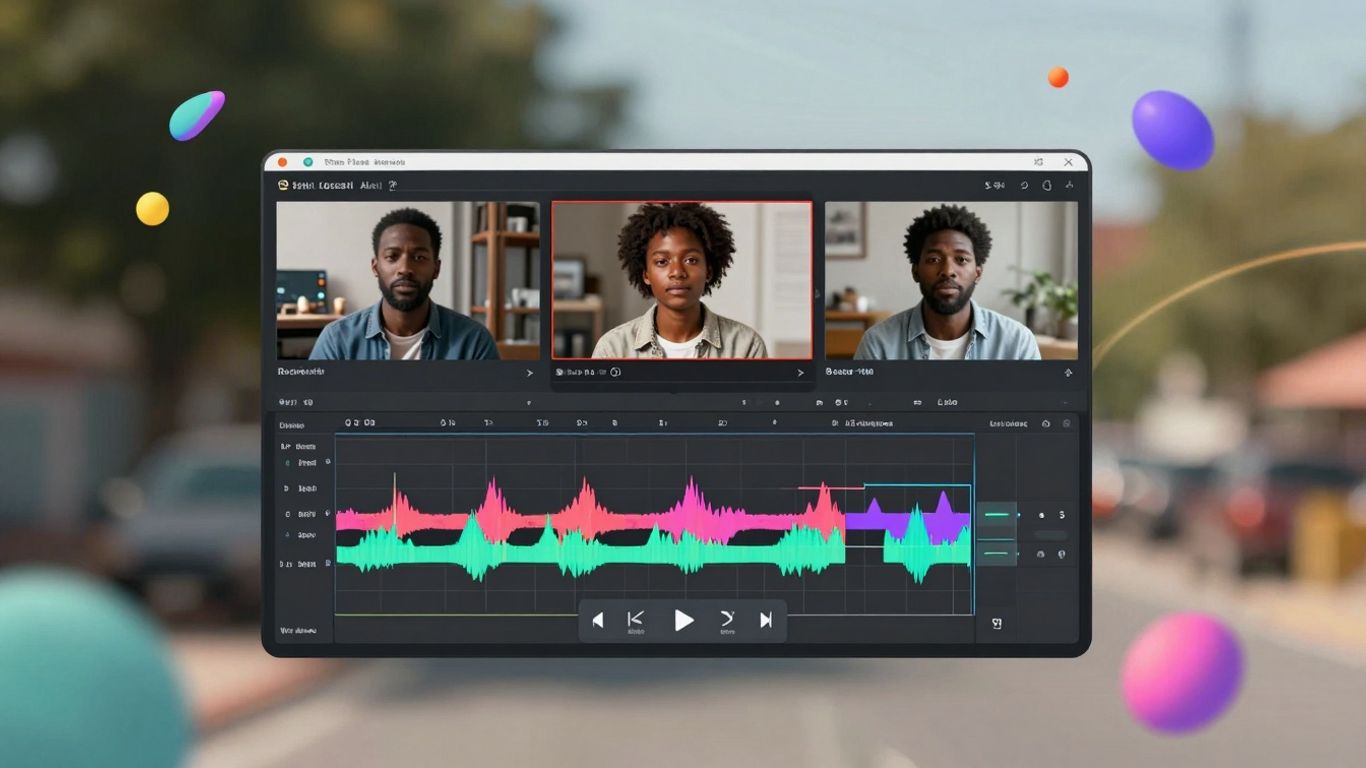
Crreo is a pretty neat tool if you're looking to turn your written ideas into videos without a lot of fuss. It's known for being really fast, which is a big deal when you're trying to get content out quickly. Seriously, it makes some of the more expensive options look like they're stuck in slow motion.
What's cool is that you don't need any fancy video editing skills. You just paste your script, and Crreo handles a lot of the heavy lifting, like figuring out scenes and adding visuals. It can even create up to four different characters for your video, keeping their look and voice consistent throughout, which is great for storytelling.
Here’s a quick look at how it generally works:
- Paste Your Script: Just copy your text into the editor. The AI figures out the scenes for you.
- Customize: Pick your audience type, style, voice, and characters. It's pretty straightforward.
- Generate & Share: Hit the button and let the AI create the video. You can tweak things like visuals and music before downloading and sharing.
They also have a bunch of AI voices, over 170 in more than 25 languages, so you can get a pretty professional sound. Plus, they offer a free plan, which is always a good way to start testing things out. If you're someone who thinks in writing first and then wants to see that as a video, Crreo is definitely worth checking out for its speed and ease of use. It’s a solid option for creating videos from scripts without breaking the bank.
3. BigMotion
BigMotion is a tool that really focuses on helping you make money with short videos, like YouTube Shorts or TikToks. The idea is that you can set it up to create and post videos automatically, so you can earn money even when you're not actively working on it. It's pretty neat if you're looking to build up a passive income stream.
They say over 100,000 people are using it, and some creators are making a decent amount each month. It handles a lot of the heavy lifting, like scriptwriting, animations, and even voiceovers. You basically pick a topic, and the AI does the rest. Then you can preview it and either download it or schedule it to go out automatically.
Here's a quick look at what they offer:
- Automated Content Creation: From script to final video, BigMotion handles it.
- Multi-Platform Posting: Schedule videos for YouTube Shorts, TikTok, and Instagram Reels.
- Passive Income Focus: Designed to help you earn money with minimal ongoing effort.
- Customization Options: You can tweak captions, images, voiceovers, and music.
It's not exactly free to use, though. They explain that generating videos takes a lot of computer power, so they don't offer a free trial. You have to pick one of their paid plans to really get started. The plans vary based on how many videos you want in a series and how often they get posted. For example, some plans let you post daily, while others might be a few times a week.
BigMotion aims to simplify the process of creating short-form video content for social media, with a strong emphasis on automation and passive income generation. It's built for users who want to consistently publish content without spending hours on manual editing and uploading. TransClipper’s TikTok Transcript Generator helps creators instantly extract accurate transcripts from any TikTok video by simply pasting a URL. Beyond basic transcription, the tool analyzes viral patterns such as hooks, structure, CTAs, and content flow, helping users understand why certain videos perform well. It also supports Reels and YouTube Shorts, offering features like HD downloads, translations, AI-powered rewrites, and content idea generation for creators looking to replicate proven viral formats.
4. AI Video Generator
So, you've heard about AI video generators, right? They're basically tools that take your text, or sometimes even an image, and turn it into a video. It sounds pretty wild, but it's actually becoming a really useful thing for content creators. These tools can seriously cut down on the time you spend making videos.
Think about it: instead of spending hours filming, editing, and adding voiceovers, you can just type out what you want, and the AI does a lot of the heavy lifting. It's like having a virtual video production team on standby. You can use them for all sorts of things, like making quick social media clips, explainer videos for products, or even just to add some visual flair to a blog post. It’s a pretty neat way to get your ideas out there without needing a Hollywood budget.
Here’s a quick look at what you can typically expect:
- Text-to-Video: This is the most common. You give it a script, and it generates the visuals and often a voiceover.
- Image-to-Video: You upload a picture, and the AI animates it, making it look like a short video clip.
- Customization Options: Many tools let you pick avatars, backgrounds, and even voice styles to match your brand or message.
It's a game-changer for anyone who needs to produce video content regularly but doesn't have the time or resources for traditional methods. You can even find tools that let you instantly create videos from simple text prompts, which is pretty amazing.
The whole process is designed to be straightforward. You input your content, select some preferences, and the AI handles the rest, aiming to produce a polished video without requiring complex editing skills. It's all about making video creation more accessible.
Some of these generators are quite advanced now, offering features like realistic AI avatars that can speak your script, or the ability to translate your videos into different languages. It really opens up possibilities for reaching a wider audience.
5. Text To Video
If you're someone who thinks best in writing and then wants to see those words come to life as a video, then text-to-video tools are your best friend. These platforms take your script and automatically build a video around it. It's pretty neat because you don't need to be a video editing whiz to get started.
These tools can handle a lot of the heavy lifting. You just paste your script, and the AI figures out the visuals, adds a voiceover, and even throws in some background music. Some of them let you pick from a bunch of different AI voices, too, which is great if you want a specific tone or need to reach a wider audience with multiple languages. You can even create consistent characters across your videos, which helps build a recognizable brand.
Here's a general idea of how it works:
- Input Your Script: Copy and paste your written content into the tool.
- Customize: Choose your style, voice, and any specific characters or elements you want.
- Generate & Refine: Let the AI create the video, then make any small tweaks needed.
- Share: Download your finished video and post it wherever you like.
It's a straightforward process that makes video creation much faster. You can get full videos, sometimes up to 15 minutes long, without needing any prior video production experience. This is a big deal for content creators who want to expand their reach without a steep learning curve. For example, tools like Crreo offer a free plan to get you started, which is awesome for trying things out.
6. AI Avatars
So, you've got your script, maybe even some visuals, but you need a face to go with it. That's where AI avatars come in. Think of them as digital actors that can deliver your message without you ever having to step in front of a camera. These aren't just static images; they're designed to look and sound incredibly lifelike.
You can create a digital twin of yourself or choose from a massive library of pre-made avatars. This is super handy if you want a consistent presenter across multiple videos or if you just don't want to be on screen. You can often tweak their appearance, clothing, and even the background to fit your brand or the video's theme.
Here's a quick look at what you can typically do with AI avatars:
- Generate from Photos: Upload a picture of yourself or someone else, and the AI can create a talking avatar based on it.
- Choose Stock Avatars: Pick from thousands of ready-to-use avatars that cover a wide range of ages, ethnicities, and styles.
- Customize Appearance: Adjust facial expressions, gestures, clothing, and backgrounds to match your video's needs.
- Lip Syncing: The AI automatically syncs the avatar's mouth movements to your chosen audio, making it look natural.
The idea is to make video creation faster and more accessible. Instead of hiring actors or spending hours filming, you can generate professional-looking videos with AI presenters in a fraction of the time. It really changes the game for content creators who need to produce a lot of material regularly.
Some tools even let you create a video avatar by filming yourself for a short period. The AI then learns your likeness and voice, so you can generate new videos later just by typing a script. It's pretty wild when you think about it – no more endless retakes!
7. Video Maker
Sometimes you just need a straightforward tool to get your ideas into video format without a lot of fuss. That's where a good Video Maker comes in. These platforms are designed to take your script or text and turn it into a watchable video, often with AI-generated visuals and voiceovers.
The main goal is simplicity, letting you create videos quickly, even if you've never edited anything before. They usually offer a library of stock footage, images, and music that you can use, or they'll generate visuals based on your text.
Here's what you can typically expect:
- Script-to-Video Conversion: Input your text, and the AI does the heavy lifting of finding relevant visuals and syncing them with a voiceover.
- AI Voiceovers: Choose from a range of AI voices, often in different languages and accents, to narrate your script.
- Customization Options: While simple, most tools let you tweak things like background music, text overlays, and sometimes even the generated visuals.
- Template Libraries: Many provide pre-made templates for different video types (like social media posts or explainer videos) to speed up the process.
These tools are great for content creators who think in writing first and want a fast way to get a video version of their content out there. They cut down on the time spent searching for clips or learning complex editing software.
8. AI Video Creator
AI Video Creator tools are pretty neat for turning your written ideas into actual videos without needing to be a video editing whiz. You basically give it some text, maybe a script, and it spits out a video. It's like having a virtual assistant who's really good at making videos.
These tools can be super helpful for a few reasons:
- Speed: You can go from a written idea to a video much faster than traditional methods.
- Accessibility: If you're not a pro editor, these tools make video creation possible.
- Consistency: For branding or series, they can help keep visuals and voices the same.
Some of these platforms let you pick from different AI voices, add music, and even create consistent characters if you're making a series. It's all about making video production simpler.
The whole point is to take the technical hassle out of making videos. You focus on the story or the message, and the AI handles a lot of the heavy lifting, like putting scenes together, adding audio, and making sure it all flows. It's a big step for people who have great ideas but lack the video skills to bring them to life.
It's a good option if you're looking to produce content quickly, maybe for social media or explainer videos, without a huge learning curve or a big budget.
9. AI Studio
AI Studio is a pretty neat part of the whole AI video creation process, especially if you're using something like HeyGen. Think of it as a text-based editor that makes putting your video together feel more like writing a document. It's designed to keep things simple from the start, all the way to the finished video. The idea is you don't have to juggle a bunch of different tools or worry too much about complicated editing.
This approach aims to make video creation feel more human-centric. You focus on the story, and the AI handles a lot of the technical bits. It's supposed to cut down on the back-and-forth between needing speed, good quality, and making sure the video feels real.
AI Studio tries to bridge the gap between a simple script and a polished video, making the whole process feel more intuitive and less like a technical chore. It's about getting your message across clearly without getting bogged down in complex software.
Here's what you can generally expect from a tool like AI Studio:
- Streamlined Editing: It simplifies the editing process, letting you work with text to adjust visuals, voiceovers, and more.
- Brand Consistency: You can often upload your brand's logos, colors, and fonts to keep your videos looking consistent.
- Collaboration Features: Many platforms offer ways for teams to work together on videos, leaving comments and tagging each other.
- Integration: It's often part of a larger suite, meaning it can connect with other AI video tools for a smoother workflow.
10. AI Image To Video
So, you've got a great still image, maybe a photo or a graphic, and you're thinking, 'How can I make this move?' That's where AI image-to-video tools come in. They take that static picture and bring it to life, turning it into a dynamic video clip. It's pretty neat, honestly. You upload your image, and the AI does the heavy lifting, animating it with motion, sometimes even adding lip-syncing if you provide audio or a script.
These tools are surprisingly good at making things look natural. You can often choose from different styles or even upload your own reference images to guide the AI. It’s not just about making a picture wobble; it’s about creating a scene. Think about using a portrait and making the eyes blink or the mouth move slightly to match a voiceover. It really adds a new dimension to your visuals.
Here’s a general idea of how it works:
- Upload your image: This is your starting point, the foundation of your video.
- Provide a script or audio (optional): If you want the image to 'speak' or react to sound, you’ll need this.
- Select AI parameters: This might include animation style, voice options, or background elements.
- Generate the video: The AI takes over and creates the final output.
It’s a fantastic way to repurpose existing visual assets without needing complex video editing software. For instance, you could take a product photo and animate it to show off features or create a talking head from a company logo for an intro. It’s a quick way to get more mileage out of your graphics. You can even use it to create talking avatars from photos, which is pretty wild when you think about it. This technology is still evolving, but it's already quite capable for many uses, like making short social media clips or adding a bit of flair to presentations. Check out tools like Easemate's free tool to get a feel for how simple it can be.
Wrapping It Up
So, there you have it. We've looked at some pretty neat free tools that can take your written words and turn them into videos. It’s kind of wild how much you can do without spending a dime these days. Whether you're just starting out or looking to add more content without breaking the bank, these options give you a solid way to get your ideas out there visually. Give them a try and see what you can create – you might be surprised at how easy it is to get started.
Frequently Asked Questions
What exactly are these AI video tools?
Think of these tools like magic wands for making videos! You give them words, like a script or a simple idea, and they use smart computer programs (AI) to create videos for you. It's like having a super-fast video editor that can make talking characters, add music, and put everything together without you needing to be a tech whiz.
Can I really make videos for free?
Yes, many of these tools offer a free plan. This is great for trying them out or for small projects. You might get a certain number of videos or features for free, which is perfect for starting out or for personal use.
Do I need to be good at editing videos to use these?
Not at all! These tools are designed to be super easy. You don't need any fancy editing skills. You just put in your text, maybe pick a style or a character, and the AI does the heavy lifting to create the video for you. It's made for everyone, even if you've never edited a video before.
What kind of videos can I make with these tools?
You can make all sorts of videos! From short clips for social media like TikTok or Instagram, to longer explainer videos for work or school, even videos for presentations or just for fun. Some tools let you create videos with talking avatars that look like real people.
How long can the videos be?
The length can vary. Some free plans might have limits, but many paid plans allow you to create videos that are quite long, sometimes up to 15 minutes or even more. This means you can tell a whole story or explain things thoroughly without being cut short.
Are these AI videos good enough for important stuff, like business?
Definitely! Many businesses use these tools to create marketing videos, training materials, or product demos. The videos can look very professional and polished, and they help save a lot of time and money compared to traditional video making. Plus, you can often add your own brand colors and logos to make them look official.









Privacy is important to us, so you have the option of disabling certain types of storage that may not be necessary for the basic functioning of the website. Blocking categories may impact your experience on the website. View Our Privacy Policy


