
Unlock Your Content: The Best Free AI Script to Video Generator Tools

Making videos used to take a lot of time and effort, right? You'd need fancy software, maybe even a camera crew. But things have changed. Now, AI can help you turn your written ideas into videos without all that hassle. We're talking about free AI script to video generator tools that make the process way simpler. Let's check out some of the best ones out there.
Key Takeaways
- Several free AI script to video generator tools are available, each with unique features.
- These tools can turn text prompts or scripts into videos quickly.
- Many offer customization options for styles, avatars, and voiceovers.
- Some platforms allow further editing after the initial AI generation.
- Free versions often include watermarks, with paid options for higher quality and no watermarks.
Synthesia
Synthesia is a pretty big name in the AI video generation space, especially if you're a business looking to make videos without a whole production crew. It's designed to take your written content, like scripts or documents, and turn them into videos featuring AI-powered presenters. This means you don't need cameras, studios, or even editing skills to get started.
One of the main draws is its consistency. If you need to update a training video or a product explanation, you can do it without worrying about the new version looking or sounding different from the old one. This is a huge plus for branding and maintaining a professional image. They also have these really good-looking avatars that work well for professional stuff like training and internal communications. Plus, you can customize them a bit, like changing clothes or backgrounds, and even use brand kits to keep everything on point.
It's built for teams, too. You can share workspaces, manage roles, and even edit things in real-time. For companies that work globally, the 1-click translation feature is a lifesaver, letting you create videos in over 140 languages with natural-sounding voices and localized avatars. They also focus on security, which is important for businesses.
Synthesia aims to make video creation accessible to everyone in a company, not just the video pros. It streamlines the process so much that even non-technical folks can produce polished videos.
Synthesia also integrates with other AI tools, like Sora and Veo, allowing you to generate B-roll footage featuring the same characters as your main presenter. This can really help tie your videos together visually. They offer a free plan with a set number of credits each month, which is enough to experiment with creating short clips.
VEED
VEED is a pretty solid option if you're looking to turn your scripts into videos without a lot of fuss. It's got this AI script to video generator that basically does the heavy lifting for you. You just pop in your text, and it starts putting together a video. It’s not just about generating; they also have a bunch of editing tools built right in, which is handy. So, you can tweak things, add your own flair, or even use their templates to get started faster.
What's cool is that it aims to be an all-in-one spot. Instead of using one tool for recording, another for captions, and yet another for sharing, VEED tries to bundle it all. This can really cut down on the time you spend fiddling with different software. They even have AI video-to-video models you can play around with in their AI playground to get just the right look for your project.
Here’s a quick look at what you can do:
- Generate videos from text scripts.
- Add AI voiceovers or text-to-speech.
- Use customizable templates for quick starts.
- Edit your videos with a suite of pro tools.
- Create content for social media platforms like TikTok and Instagram.
VEED really tries to simplify the whole video creation process. It's designed so you can get professional-looking results without needing to be a video editing wizard. They've got features that help with things like automatic subtitles, which many users find super accurate.
It's a tool that's been used by big companies, which says something about its capabilities. For anyone trying to make more videos without spending ages on them, VEED is definitely worth checking out. You can explore their AI and pro video editing tools to see what they offer.
HeyGen

HeyGen is a pretty neat tool if you're looking to whip up AI-generated videos without a whole lot of fuss. It's designed to be straightforward, letting you take text, an image, or even audio and turn it into a video. Think of it like this: you give it your script, pick an avatar that looks good, choose a voice, and boom – the AI does the heavy lifting.
One of the standout features is how quickly it can generate videos. We're talking minutes, sometimes even less than a minute for shorter clips. This speed is a big deal for anyone needing to produce content regularly, like for social media or quick business updates. Plus, it handles a ton of languages, over 175 actually, and can even do pretty accurate lip-syncing and translation, which is handy if you're trying to reach a global audience without hiring a whole translation team.
Here’s a quick look at what you can do:
- Text-to-Video: Just type your script, and HeyGen creates the video with an AI avatar speaking your words.
- Image-to-Video: Upload a photo, add your script, and watch the image come to life as a talking head.
- Audio-to-Video: Feed it an audio file, and it will generate a video to match, syncing visuals with the speech.
- Video Translation: Upload an existing video, and HeyGen can translate it into multiple languages while keeping the original speaker's tone and lip movements.
They also have a free plan, which is always a plus when you're just starting out or testing the waters. It lets you get a feel for the platform and create some basic videos. For more advanced features or higher volumes, they have paid plans, of course.
HeyGen really aims to make video creation accessible. You don't need to be a video editing pro to get decent results. It's about simplifying the process so you can focus on your message rather than the technical side of production.
MindVideo AI
MindVideo AI is a pretty neat tool if you're looking to whip up some videos without a lot of fuss. It's designed to be super easy to use, so you don't need to be a video editing whiz to get started. You can actually make videos from just text or by uploading an image, which is kind of cool.
What's interesting is that MindVideo AI gives you access to a bunch of different AI models, like Kling AI, Runway, and Luma AI, all in one spot. So, you're not stuck with just one way of doing things. They also say their generation process is pretty fast, and you don't have to wait in a queue, which is a big plus if you're trying to get stuff done quickly.
Here's a quick look at what you can do:
- Text-to-Video: Just type in what you want, and the AI tries to make a video out of it. You can even pick different styles, like cartoon or realistic.
- Image-to-Video: Upload a photo, and it'll add motion to it. They claim it keeps the details and consistency of the original image, which is important if you want it to look like your photo.
- Free Plan: They have a free option so you can try it out. If you need more, there are paid upgrades.
They also mention that your privacy is taken seriously, and you can delete your data whenever you want. It's good to know that your personal stuff isn't being held onto without your permission.
Overall, MindVideo AI seems like a solid choice for anyone who wants to experiment with AI video generation without a steep learning curve or a big price tag. It's definitely worth checking out if you're curious about turning your ideas into videos.
Runway
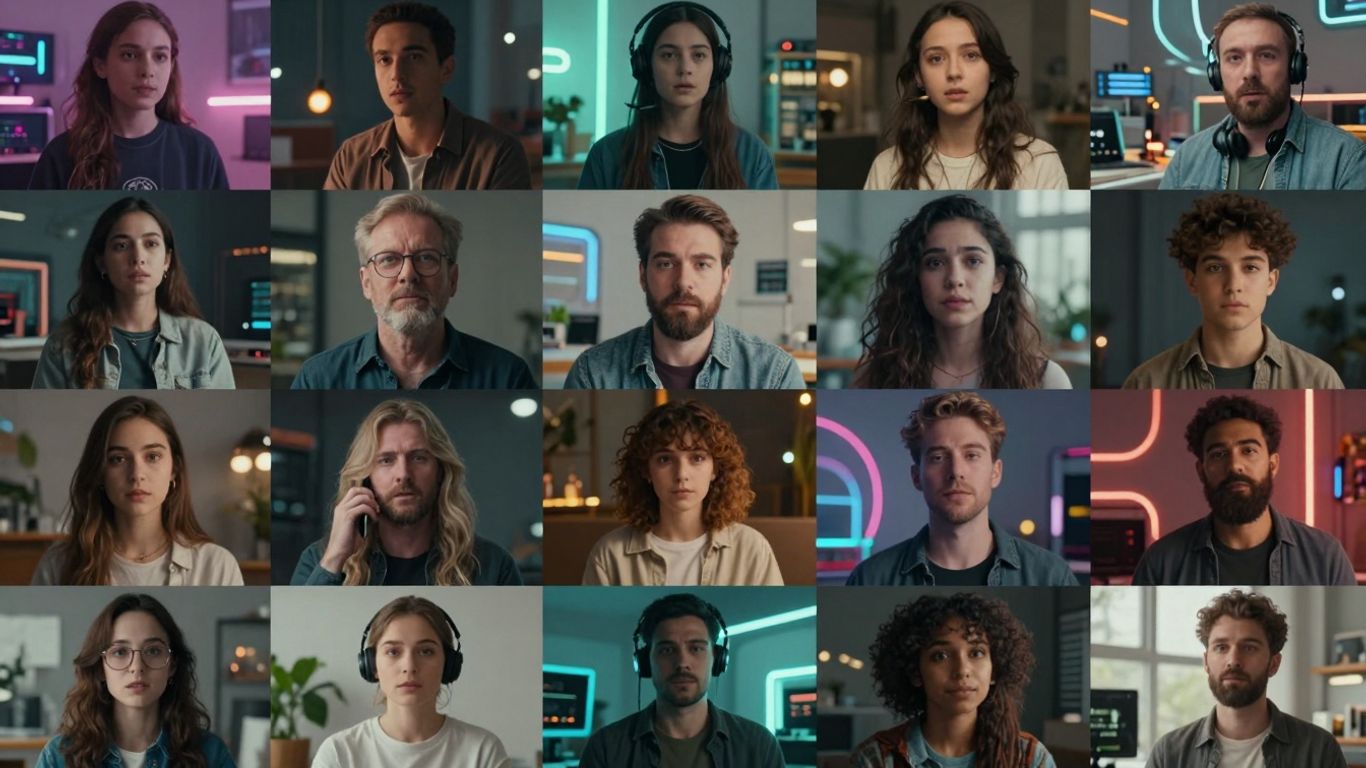
Runway has really stepped up its game. I remember trying it out a while back, and honestly, it wasn't the most impressive thing. But coming back to it now? It's a whole different story. The interface is super clean and easy to figure out, which is always a plus. It feels like what you'd expect from a modern AI tool, kind of like Kling, but polished.
One thing to note right away is that Runway doesn't really do text-to-video in its latest versions. You need to start with an image or a video clip first. So, the workflow is more like: get your image ready, then tell Runway to animate it. This is great if you're already working with visuals, maybe from another AI image generator, but if you prefer starting purely from text, it's a bit of a different path.
When I tested it, the results were pretty solid. The AI seemed to get what I was asking for, and the video looked decent. The lighting and camera angles were nice, though sometimes the physics felt a little off, like with moving objects. It wasn't a dealbreaker, but it did break the immersion a tiny bit.
Runway has a bunch of features that make it feel pretty professional. You can extend existing videos, add lip-sync, and even upscale to 4K. They also have these handy templates built-in specifically for marketing stuff, like product shots or ad videos. That's a neat touch that not all tools have.
Here’s a quick look at what makes Runway stand out:
- User-Friendly Design: The interface is clean and intuitive.
- Fast Generation: Videos are created quickly.
- Creative Control: Options for camera motion and scene extension.
- Marketing Focus: Built-in templates for ads and product videos.
- Team Collaboration: Features for working with others.
While Runway doesn't offer audio generation directly in its newest models, and text-to-video requires using older versions or paid plans, its strengths lie in its visual editing capabilities and professional workflow. It's particularly well-suited for creators who can provide their own starting visuals and need polished output for social media or marketing.
Pricing can add up, as videos use credits, and it might be more expensive than some other options out there. But for social media creators, marketers, or anyone doing brand storytelling, Runway is definitely worth keeping in your toolkit. It’s a reliable tool for getting professional-looking videos made quickly.
Kling AI
Kling has been around for a while, and honestly, it feels like a reliable old friend in the AI video generation space. I’ve used it for all sorts of projects, from little creative bits to more serious marketing stuff. It’s one of those tools that just works, most of the time. Back in the day, when other tools were just starting out, Kling was already helping me do things like put characters from different pictures into one video and keep things looking consistent. Sure, it wasn't perfect – sometimes I'd get weird extra limbs or heads, but that’s part of the learning curve with these things. You learn to tweak your prompts, and the tool gets better as you go.
These days, you can often access Kling through platforms like Higgsfield.ai, where it’s part of a subscription that’s pretty reasonable for what you get. It’s still one of the better deals out there if you’re looking for professional-level results without breaking the bank. They’ve added some cool new features too, like built-in sound generation. It’s pretty neat; it suggests a few soundtrack options for your video automatically, kind of like what Adobe Firefly does, but it’s all integrated right there. No need to mess with exporting audio separately. They also have a 'Swap' feature that lets you change faces or other key parts of a scene, which sounds promising, though I haven't personally tried it much yet.
Visually, Kling still holds its own. It might not hit the super-realistic emotional notes that some newer tools can, but its balance of movement, how it frames shots, and camera control is really solid. It’s a tool that feels comfortable to use, straightforward, and dependable for creators who want good quality without a huge fuss. It’s a good option for filmmakers and marketers who need that cinematic look on a realistic budget.
Kling is a solid choice for generating photorealistic human actors in your videos. While it might not be the best for complex emotional acting scenes or multi-scene dialogue, its strength lies in creating believable human visuals for various applications.
Here’s a quick look at some of its strengths:
- Consistent Visuals: Kling is good at maintaining visual consistency across generated clips.
- Integrated Audio: The automatic soundtrack suggestion is a convenient addition.
- User-Friendly Interface: It remains a comfortable and intuitive tool to work with.
- Affordable Access: Often available through subscription services that offer good value.
It’s definitely a tool that’s been tested over time and keeps improving, making it a go-to for many creators. You can find access to Kling AI models through various platforms, often bundled with other AI tools for a complete workflow.
Luma AI
Luma AI feels like it was made by people who really care about how things look and feel. The whole interface is super clean and modern, with soft colors and gentle animations. It’s kind of like the Apple of AI video tools – everything just works smoothly and looks good doing it. Unlike some other tools that can feel a bit cluttered, Luma keeps things simple and intuitive. You can start with text, upload an image, or even set specific start and end frames for your video. It also gives you control over the camera, aspect ratios, and offers some nice cinematic presets.
Luma AI really shines when it comes to creating beautiful, atmospheric visuals. It's great for mood pieces, fantasy scenes, or anything where the overall vibe is more important than fast action.
Here's a quick look at what it does well and where it could improve:
- Pros:
- Beautiful user interface and design.
- Produces artistic and atmospheric visuals.
- Offers good 4K upscaling at a reasonable price.
- Includes a 'Modify' editor and 'Boards' for organizing ideas.
- Generally stable and smooth performance.
- Cons:
- Physics can get a bit weird with fast motion.
- Doesn't have built-in audio or lip-sync features.
- Text-to-video isn't as advanced as some competitors.
- Videos are capped at 10 seconds.
Luma AI is a pleasure to use. It’s not built for high-octane action or complex dialogue, but for creating visually stunning, emotionally resonant scenes, it’s a fantastic choice. The focus on aesthetics and user experience makes it stand out.
Pika
Pika is a tool that really leans into the fun side of AI video generation. If you're looking to create those quick, attention-grabbing clips you see all over social media, Pika might be your jam. Think viral effects, AR-style transitions, and playful face swaps – it’s all about making content that pops.
It’s not really aiming for the serious, cinematic stuff. My experience with the free plan was a bit of a wait, stuck in a queue for ages. When I finally got to test it, the results were… interesting. Motion got a bit wild, and things sometimes melted into a mess. It’s definitely more of a sandbox for creative experimentation than a professional studio.
But Pika does have some cool tricks up its sleeve:
- Pikaframes: It's like an AI video editor that links frames together. Simple, but fun for quick edits.
- Pikascenes: This helps stitch together quick scenes, good for testing out ideas.
- Pikadditions: Similar to other tools, you can add objects, but Pika makes it feel more playful.
- Pikatwists: My personal favorite. You can take a whole video and give it a new vibe, like changing a sunny day to a rainy night.
While it doesn't compete with the big players for realism, Pika is great for creators who just want to play around and make something energetic. It’s a tool for experimentation, not necessarily for polished, professional films. You can check out the latest version, Pika 2.2, which aims for a more polished output.
Pika feels like the TikTok of AI video tools – chaotic, exciting, and sometimes brilliant in its unpredictability. It’s where you go to play, not to produce something cinematic.
PixVerse
PixVerse really surprised me with its clean and well-organized interface. It feels like it was made by people who actually get how creators think, and the features back that up. The video generation process is smooth, and the results often look pretty expressive and cinematic. I liked that it shows you a percentage for how far along the rendering is – a small thing, but helpful.
One of the cool things is you can turn sound and speech on or off easily. This is super handy when you're just trying out ideas and don't need audio yet. The free plan is also quite generous, giving you a good number of credits to actually test things out properly without running out after one try.
When you're making videos, you can pick different model versions, set the resolution, and even generate a few videos at once. They also have an "off-peak" mode that can save you money if you use it during less busy times. After a video is done, you can do more with it, like making it higher resolution, extending it, changing the style to something like Van Gogh or Cyberpunk, adding sound, or even swapping faces. They also have a "Fusion" feature to combine different video assets.
Here's a quick look at what PixVerse does well and where it could improve:
- Interface: One of the best I've seen for an AI video tool.
- Audio: Built-in sound and speech options are a big plus.
- Features: Fusion (combining images) and Swap (face changes) are unique.
- Speed: Generation is fast with clear progress updates.
- Cost: Affordable and good for beginners.
PixVerse feels like a tool that's still a bit under the radar but offers a lot. The combination of fast generation, built-in audio tools, and creative editing options makes it a strong contender for anyone looking to make short, engaging video content quickly. It's a modern, powerful option that's surprisingly easy to use.
It's great for making things like social media clips, short stories, or even simple tutorials. However, if you're trying to create long, multi-scene movies or need super realistic acting, this might not be the best fit. It also doesn't have team collaboration features like some other tools.
Sora 2
Okay, let's talk about Sora 2. This is the one everyone's buzzing about, and honestly, it's for good reason. It feels like a big leap forward in AI video generation. That said, as these tools become more powerful and widely adopted, creators and platforms alike must remain mindful of Cybersecurity risk, especially when handling user-generated content, facial data, and cloud-based rendering pipelines. What really sets Sora 2 apart is its ability to create multi-scene videos that actually tell a story. You can give it dialogue, and characters will speak it, or if you don't, the AI comes up with lines itself. It understands tone and emotion in a way that's pretty impressive, almost like it's directing the scene.
Right now, though, getting your hands on it is the tricky part. It's still in a closed beta, and access is super limited. You pretty much need an invite, and those are hard to come by. It's a bit frustrating when you hear about all the cool stuff it can do, but you can't try it yourself because it's not available in your region.
When you do get access, Sora 2 can generate videos that are up to 12 seconds long and in 1080p. It's not the fastest generator out there, and it can be a bit pricey, but the quality you get is pretty amazing. It really does feel like watching a short film being made.
Here's a quick look at what it's good for and what might be a pain:
- Best for: Telling stories, creating cinematic scenes, and visualizing emotional concepts.
- Not ideal for: Super quick social media clips, projects on a tight budget, or when you need results instantly.
- Key feature: Generates videos that feel human-directed, with a real sense of atmosphere and narrative flow.
The biggest hurdle with Sora 2 is simply getting access. It's powerful, but if you can't use it, it doesn't matter much. Keep an eye out for wider release, because this tool could really change how people make videos.
It's definitely a tool for filmmakers, storytellers, and anyone looking to push the boundaries of creative video. If you're making short films or narrative-driven content, this is probably going to be your go-to.
Wrapping It Up
So, there you have it. We've looked at some pretty neat tools that can take your written words and turn them into videos without a lot of fuss. It’s kind of wild how much you can do these days just by typing things out. Whether you're trying to make a quick social media clip or something a bit more polished for work, these free AI options are definitely worth checking out. They might not replace a whole video production team, but for getting ideas out there fast and easy, they’re a solid starting point. Give them a spin and see what you can create!
Frequently Asked Questions
Can I use these AI script-to-video tools for free?
Many of these tools offer a free trial or a free version. You can usually create videos with a watermark. If you want to remove the watermark or get higher quality videos, you'll likely need to upgrade to a paid plan.
How do I turn my script into a video with AI?
It's pretty simple! You usually start by typing in your script or a description of your video. Then, you can pick a style, choose a voice or avatar, and the AI will generate the video for you. You can often tweak it further with editing tools.
Do I need to be a video expert to use these tools?
Not at all! These tools are designed to be easy to use, even if you've never made a video before. They handle a lot of the complex stuff, so you can focus on your message.
Can I edit the videos after the AI makes them?
Yes, most of these generators let you edit the video afterward. You can add music, text, change scenes, or adjust the timing to make it just right.
What kind of videos can I make with these AI tools?
You can make all sorts of videos! This includes videos for social media, business presentations, training materials, explainer videos, and even creative projects.
Are the AI voices and avatars realistic?
The technology is getting really good! Many tools offer very lifelike AI avatars that can talk and even show emotions. The AI voices also sound quite natural, making your videos more engaging.








Privacy is important to us, so you have the option of disabling certain types of storage that may not be necessary for the basic functioning of the website. Blocking categories may impact your experience on the website. View Our Privacy Policy


