
Unlock Creativity: Exploring the Power of AI Created Videos
Making videos used to be a whole thing, right? Lots of time, lots of complicated software. But now, AI is changing the game. We're talking about creating videos with just a few words or simple instructions. It's pretty wild how fast things are moving. This article explores how these new tools work, what you can do with them, and what the future looks like for ai created videos. It's not just for big companies anymore; anyone can jump in and start making cool stuff.
Key Takeaways
- AI video generators can turn simple text descriptions into actual video clips, making video creation much easier.
- There are different kinds of AI video tools, including those that make videos from text and those that help edit existing footage.
- Using AI can speed up how long it takes to make videos and help create more content without needing a huge team.
- To get good results from ai created videos, you need to be clear with your instructions (prompts) and know how to adjust settings.
- The technology for ai created videos is getting better fast, promising more realistic visuals and new ways to make videos accessible and inclusive.
Understanding The Power Of AI Created Videos
The Rise Of AI In Video Production
It feels like everywhere you look these days, there's video content. Social media feeds, websites, ads – they're all packed with moving pictures. And honestly, it's no wonder. People just seem to connect with video more. Fast internet and our love for scrolling through apps mean video is king. But making all that video? It used to be a huge undertaking, requiring big budgets and specialized teams. Now, artificial intelligence is changing the game entirely. AI tools can speed up video creation dramatically, cutting down the time it takes to get a project from idea to finished product. This shift means more people and businesses can jump into video creation without needing a massive crew or a Hollywood budget.
Transforming Content Creation With AI
Think about how much time goes into making a single video. Scripting, filming, editing, adding graphics, finding music – it's a lot. AI is stepping in to handle many of these time-consuming parts. It can help write scripts, generate visuals based on text descriptions, and even create realistic voiceovers. This doesn't mean human creativity is out the window; far from it. Instead, AI takes over the more repetitive or technically demanding tasks, freeing up creators to focus on the big picture: the story, the message, and the overall creative vision. It's like having a super-efficient assistant who can handle the grunt work, letting you be more imaginative.
Democratizing Video Production For All
Before AI, producing professional-looking videos was often out of reach for small businesses, independent creators, or individuals with limited resources. You needed expensive equipment, software, and skilled professionals. AI video generators are changing that. Now, with just a computer and an idea, anyone can start creating videos. You can type in a description of what you want, and the AI can generate visuals, add narration, and even put together a basic edit. This makes high-quality video content accessible to a much wider audience, leveling the playing field and allowing more voices and stories to be shared.
The ability of AI to automate complex processes and generate content from simple text prompts is a significant shift. It's moving video creation from a specialized skill to something more accessible, allowing for a broader range of creative expression and communication.
Exploring Different Types Of AI Video Generators
So, you're curious about how AI actually makes videos? It's not just one magic button, thankfully. There are a few main ways AI is stepping in to help creators. Think of them as different tools in a digital toolbox, each with its own specialty.
Text-To-Video AI Generators
These are probably the ones you hear about most. You type in a description, like "a cat wearing a tiny hat riding a skateboard down a sunny street," and the AI tries to create a video clip based on that. It's pretty wild. The AI looks at your words, figures out what objects, actions, and settings you're talking about, and then pulls from its massive library of images and animations to build a scene. Sometimes it can even add a voiceover or background music. It's not always perfect, and you might need to tweak things, but it's getting better fast.
AI-Enhanced Video Editing Tools
These tools don't necessarily create a video from scratch, but they make editing existing footage way easier. Imagine you have hours of raw video. An AI editor can help sort through it, automatically finding the best clips, identifying scene changes, or even suggesting where to put cuts. It can also offer ideas for transitions, music, or pacing, taking a lot of the guesswork out of making a video look polished. It's like having a smart assistant who knows a lot about video editing.
AI For Visual Storytelling
This is a bit broader. It's about using AI to help tell a story visually. This could involve generating unique graphics or animations that you wouldn't be able to create easily on your own. It might also mean using AI to analyze your script and suggest visual elements that would best support the narrative. The goal here is to use AI to make the visual aspect of your story more impactful and engaging, even if it's just a small part of the overall production process.
While AI can generate impressive visuals and automate many editing tasks, it's still a collaborative process. Human creativity and oversight are key to refining the AI's output and ensuring the final video truly captures the intended message and emotional tone. Don't expect AI to do all the heavy lifting without your input.
Here's a quick look at what these tools can do:
- Generate scenes from text descriptions.
- Automate tasks like cutting and transitions.
- Suggest visual elements to match a story.
- Create realistic voiceovers and sound effects.
Streamlining Workflows With AI Video Technology
Let's be honest, making videos can take ages. You've got the idea, maybe even a script, but then comes the actual work: filming, editing, tweaking. It's a lot. This is where AI really starts to change the game for video production. It's not just about making cool effects; it's about making the whole process faster and less of a headache. AI helps cut down on the tedious parts so you can focus on the creative stuff.
Automating Repetitive Tasks
Think about all the little things that eat up your time when making a video. Things like color correction, adding subtitles, or even just finding the right clip in hours of footage. AI tools are getting really good at handling these kinds of jobs. For instance, some AI can automatically generate captions from audio, which used to be a manual, painstaking process. Others can scan through your raw footage and suggest the best takes or even identify specific objects or people. This means less time spent on grunt work and more time for actual creative decisions.
Accelerating Production Timelines
Because AI can handle those repetitive tasks so quickly, the overall time it takes to get a video from concept to completion shrinks dramatically. Instead of days or weeks for certain stages, you might be looking at hours. This speed is a big deal, especially when you need to get content out fast. Imagine needing a quick social media clip or an update video – AI can make that happen much quicker than traditional methods. It's like having a super-efficient assistant who never gets tired. This kind of AI workflow automation can really speed things up.
Scaling Creative Output
When you can produce videos faster and with less manual effort, you can naturally make more of them. This is what we mean by scaling creative output. If your team was previously limited to, say, two videos a week due to time constraints, AI tools might allow you to produce five or even ten. This doesn't mean sacrificing quality; it means you can apply your creative energy to more projects. It opens up possibilities for more consistent content, more experimentation, and reaching a wider audience without needing to hire a massive team. It's about doing more with the resources you have.
Here's a quick look at how AI can speed things up:
- Automated Editing: AI can perform tasks like cutting out silences, stabilizing shaky footage, and even basic color grading.
- Content Generation: From scripts to storyboards, AI can help generate initial creative assets.
- Repurposing Content: AI can quickly take a long video and create multiple short clips suitable for different platforms.
The real benefit of AI in video production isn't just about speed; it's about reallocating human effort. By letting AI handle the repetitive and time-consuming aspects, creative professionals can dedicate more energy to the strategic and artistic elements that truly make a video stand out.
Crafting Compelling AI Created Videos
So, you've got your AI video generator picked out and you're ready to make some magic. But how do you actually make videos that people will want to watch? It's not just about hitting 'generate' and hoping for the best. You've got to put a little thought into it, you know? It’s like baking a cake – you need the right ingredients and the right steps to get a good result.
Choosing The Right AI Video Tools
First things first, not all AI video makers are created equal. Some are better for quick social media clips, others are built for more polished marketing content. It's important to pick one that fits what you're trying to do. Think about what features are most important to you. Do you need a lot of control over the visuals, or is a simple text-to-video tool enough? Some platforms are really good at making realistic avatars, while others focus on animation. Doing a little research upfront can save you a lot of headaches later on. You can find a good starting point by looking at different AI video tools available.
Mastering The Art Of AI Prompts
This is where the real creativity comes in. Your prompt is basically your instruction manual for the AI. The more detailed and clear you are, the better the AI can understand what you want. Think about the style, the mood, the actions, and even the camera angles. Instead of just saying "a dog running," try "a golden retriever joyfully chasing a red ball across a sunny park, shot with a wide-angle lens." Using specific keywords can really change the outcome. You can even use sequential prompting to build a story, adding new elements with each prompt to create a more complex scene.
The key to a good prompt is specificity. It's about painting a clear picture with words so the AI knows exactly what you're envisioning. Don't be afraid to experiment with different phrasing and details.
Customizing Video Settings For Impact
Once the AI has done its initial work, you'll likely have some options to tweak things. This is your chance to fine-tune the video. You can often adjust things like:
- Video Style: Pick from different looks, like cartoonish, realistic, or minimalist. Some tools let you play with color palettes too.
- Voiceover: Choose the language, the voice gender, and even the tone – serious, upbeat, you name it.
- Background Music: Select from a library of tracks or upload your own to set the mood.
- Output Resolution: Make sure the video is set to the right quality, like 720p or 1080p, depending on where you plan to share it.
Don't forget to review the final output carefully. Sometimes, you'll need to go back and tweak the prompt or settings to get it just right. It's an iterative process, but that's how you get a video that truly matches your vision.
The Future Of AI Video Generation
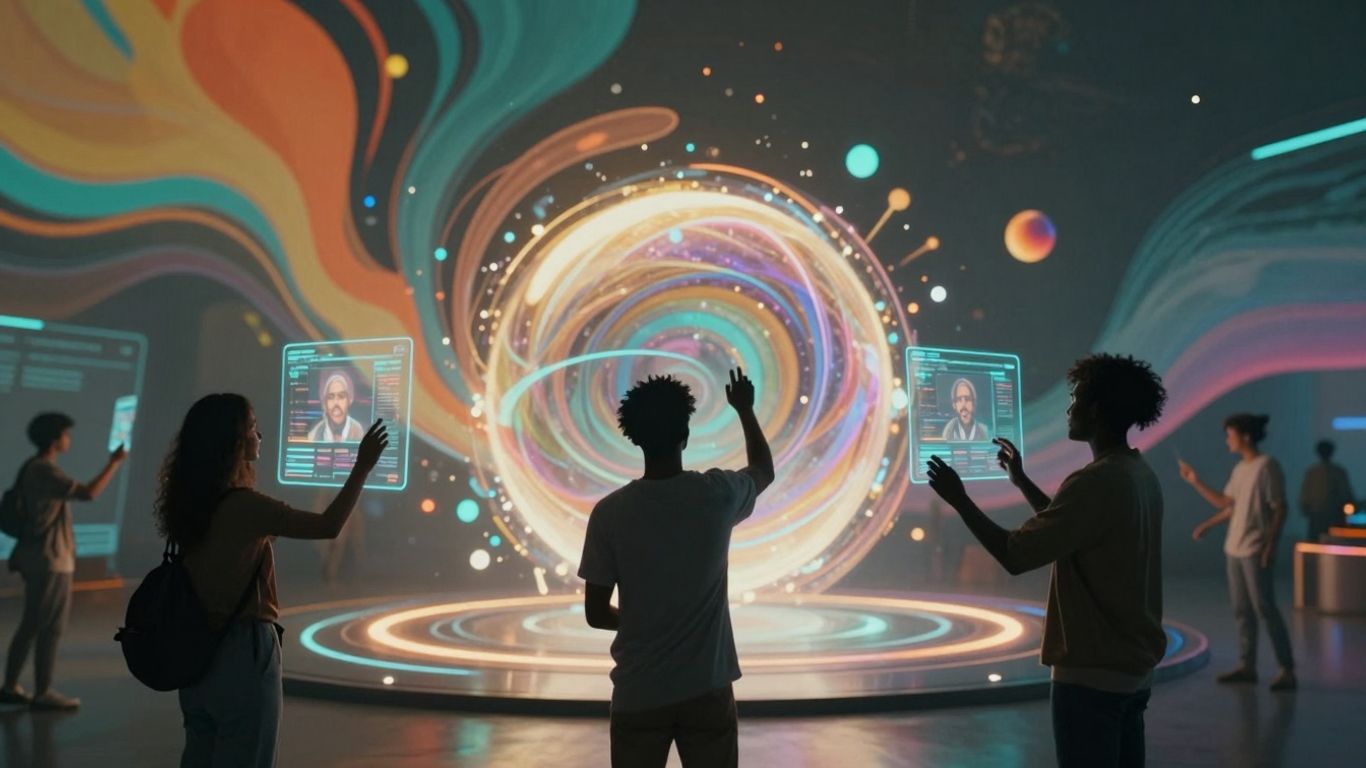
So, what's next for AI in making videos? It's moving fast, that's for sure. We're seeing AI get way better at making things look real. Think about those AI-generated videos you see now – they're pretty good, right? Well, imagine them looking even more like actual footage, with better lighting, smoother movements, and more believable characters. Tools like OpenAI's Sora are already showing us what's possible, creating scenes with a level of detail that's pretty impressive. It feels like we're on the edge of a big change.
Advancements In Visual Realism
Right now, AI can create some pretty convincing visuals. But the next step is making them indistinguishable from reality. This means AI will get better at understanding physics, how light works, and how people move. We'll likely see AI models that can generate longer, more complex scenes without losing quality or consistency. It's not just about making things look pretty; it's about making them feel authentic.
Overcoming Technical And Ethical Hurdles
There are still some bumps in the road, though. For AI to create videos, it needs a ton of data to learn from. Getting and organizing all that data can be a big job, and it takes a lot of computer power. Plus, making videos in real-time is still tricky for many systems. Then there are the ethical questions. We need to think about privacy, especially if personal information is used. Also, AI can sometimes pick up biases from the data it's trained on, which could lead to unfair or even harmful content. And, of course, there's the worry about AI being used to create fake videos, like deepfakes, for bad reasons. We've got to figure out how to handle these issues as the technology gets more powerful.
The path forward involves not just making AI better at creating visuals, but also building in safeguards and ethical guidelines to ensure responsible use. It's a balancing act between innovation and caution.
AI's Role In Video Inclusivity
On a brighter note, AI is also making videos more accessible to everyone. Think about automatic captions and translations. AI can now generate these much more easily, breaking down language barriers and helping people who are deaf or hard of hearing enjoy videos. This means more people can connect with content, no matter where they are or what their needs are. It's a big step towards making the digital world more open to all.
Unlocking Brand Potential With AI Created Videos
Cost-Effectiveness Of AI Video Production
Let's face it, making good videos used to cost a fortune. You needed fancy cameras, big crews, and editors who knew their stuff. Now, with AI, that's changing fast. Brands can create professional-looking videos without breaking the bank. Think about it: AI tools can cut down production time by a huge amount, sometimes by over 60%. This means less money spent on labor and faster turnaround times. For smaller businesses or startups, this is a game-changer. You can finally compete with bigger players without needing a massive budget. It makes quality video content accessible to pretty much anyone with a computer and an idea.
Enhancing Brand Messaging With Motion
Video is king when it comes to grabbing attention online. People are watching more video than ever before. AI helps brands get their message out there more effectively. It can take your ideas and turn them into engaging visuals, complete with narration and music. This means you can tell your brand's story in a way that connects with people. AI can help you:
- Create explainer videos that simplify complex products.
- Develop social media clips that grab attention quickly.
- Produce personalized video messages for customers.
- Generate different versions of a video for various platforms.
AI doesn't just make videos faster; it helps make them more impactful by aligning visuals and audio with your core message. It's about making sure what you want to say gets heard and remembered.
Turning AI Videos Into Interactive Experiences
AI generated videos become significantly more effective when they move beyond passive viewing. Interactive video technology allows viewers to click, answer questions, choose paths, or engage directly within the content. When combined with AI driven production, this creates dynamic experiences that adapt to user behavior and capture engagement data in real time. Instead of simply delivering a message, brands can guide viewers through personalized journeys, increase retention, and improve conversions through measurable interactions embedded directly inside the video itself.
Achieving Creative Scalability
As your brand grows, so does the need for more content. AI makes it possible to scale up your video production without a proportional increase in costs or team size. Imagine needing to create dozens of short videos for a campaign – what used to take weeks can now be done much faster. AI can help by:
- Automating the creation of multiple video variations.
- Quickly generating assets like graphics or animations.
- Assisting with editing tasks to speed up the final product.
This means you can keep up with the demand for fresh content across all your marketing channels, keeping your audience engaged and your brand top-of-mind. It's about having the flexibility to produce the right video content at the right time, no matter the scale.
The Future is Now
So, we've seen how AI is changing the game for video creation. It's not about replacing human creativity, but giving us new tools to work with. Whether you're a big company or just someone with an idea, AI video generators are making it easier than ever to bring your vision to life. It’s pretty exciting to think about what we’ll be able to do next. The technology is moving fast, and it feels like we're just scratching the surface of what's possible. It’s definitely worth exploring these tools if you’re looking to make videos without all the usual hassle.
Frequently Asked Questions
What exactly are AI-created videos?
AI-created videos are videos made using special computer programs called artificial intelligence (AI). These programs can take simple ideas, like written descriptions or even just a few words, and turn them into full videos with moving pictures, sounds, and music. It's like having a magic wand that brings your imagination to life on screen!
Can anyone make videos with AI, even if they don't know how to edit?
Yes! That's one of the coolest things about AI video tools. They make creating videos super easy, even if you've never edited before. You just tell the AI what you want, and it does the hard work for you. This means anyone can make great-looking videos for school projects, sharing online, or even for a business.
What are the different ways AI can help make videos?
There are a few main ways AI helps. Some AI tools can create a whole video just from text you write. Others are like smart editing assistants that help make existing videos look better or faster to finish. AI can also help tell stories visually, making sure the pictures and actions match what you want to say.
How do I get the AI to make the video I want?
You need to give the AI clear instructions, which are called 'prompts.' Think of it like giving directions to a friend. The more details you give about what you want to see – like the characters, the setting, the actions, and even the mood – the better the AI can create the video you have in mind. Being specific is key!
Will AI replace human video creators?
Not really! AI is more like a super helpful tool for creators. It can handle boring, repetitive tasks really quickly, like finding clips or making basic animations. This frees up human creators to focus on the creative parts, like coming up with cool ideas and telling amazing stories. It's a team-up between humans and AI.
What's next for AI in making videos?
Get ready for even more amazing videos! AI is getting much better at making videos look super real, almost like actual movies. It's also helping make videos more accessible for everyone, like automatically adding captions for people who can't hear well or translating videos into different languages. The future of AI video is bright and full of possibilities!









Privacy is important to us, so you have the option of disabling certain types of storage that may not be necessary for the basic functioning of the website. Blocking categories may impact your experience on the website. View Our Privacy Policy


