
Unleash Your Creativity: The Best Free AI Reel Maker for Stunning Social Videos
Instagram is a busy place now, right? Lots of short videos popping up everywhere. If you want your stuff to stand out, you need good tools. Luckily, there are some pretty neat free AI reel makers out there that can help you make cool videos without a lot of fuss. We're going to look at some of the best ones that can make your social media content shine.
Key Takeaways
- Predis.ai offers AI avatars and text-to-speech for easy video creation.
- InVideo uses AI to turn your ideas into video scripts and suggests scenes.
- Kapwing provides collaborative tools and AI features like Smart Cut.
- FlexClip has a free plan with access to basic features and media.
- OpusClip offers a free reel creator tool for high-quality, customizable outputs.
1. Predis.ai
Predis.ai is a tool that really focuses on making Instagram Reels. It's built with creators in mind, offering a bunch of templates and some smart insights to help your videos perform better. If you're looking to get your Reels noticed, this is definitely one to check out.
What makes Predis.ai stand out is its ability to analyze what your competitors are doing. This can give you some good ideas about what's working in your niche. Plus, it has a "brand guardian" feature. You can upload your logo, fonts, and colors, and the AI will try to keep everything looking consistent across your videos. That’s pretty handy for keeping your brand looking sharp.
Creating a Reel here is pretty straightforward. You can start by giving it a description, a script, or even a blog post, and it can suggest ideas based on your Instagram account. Then you pick a template, and the AI gets to work creating the reel. You can choose to use their stock media or upload your own. After it's made, you can tweak it – change text, visuals, music, whatever. Finally, you can publish it right away or schedule it for a better time. It's a solid option for generating Instagram content.
Here’s a quick look at some of its main features:
- Competitor Analysis: See what others in your space are doing.
- Meme Making: Turn ideas into shareable memes with AI help.
- Brand Guardian: Keeps your branding consistent.
- Team Accounts: Collaborate with others on your content.
Predis.ai aims to simplify the video creation process, especially for Instagram Reels, by offering AI-powered suggestions and tools to maintain brand consistency and analyze performance.
It’s a good starting point if you want to make your Reels look more professional without spending hours editing.
2. Appy Pie’s AI
Appy Pie's AI Instagram Reels generator is a pretty straightforward tool if you're looking to whip up some engaging Reels without a huge learning curve. It basically takes your video content and uses AI to figure out the best bits, turning them into something ready for Instagram. It's designed to cut down on the time you spend fiddling with editing software.
The main idea here is automation; it aims to make video creation accessible even if you're not a pro editor.
Here's a quick look at what it offers:
- AI-Powered Editing: The AI scans your videos to find the most interesting parts, so you don't have to manually pick every clip.
- Templates and Customization: You get a bunch of pre-made templates to start with, and you can add your own text, stickers, or effects to make it look like yours.
- Quick Conversion: It's built to quickly turn your raw footage into a Reel that fits Instagram's format.
- Direct Sharing: Once you're happy with it, you can send it straight to Instagram from the app.
- Mobile-Friendly: You can work on your Reels from your phone, which is handy when you're on the move.
Creating a Reel with Appy Pie usually involves these steps:
- Upload or record your video.
- Let the AI do its analysis to find the key moments.
- Pick your favorite clips, add templates, and customize.
- Give it a quick look-over and make any last-minute tweaks.
- Share it directly to Instagram or schedule it for later.
Appy Pie offers a free plan that covers the basics, but if you need more advanced features or more ways to customize your videos, you'll likely need to look at their paid options. It's a good starting point for simple, quick Reel creation.
3. Vizard
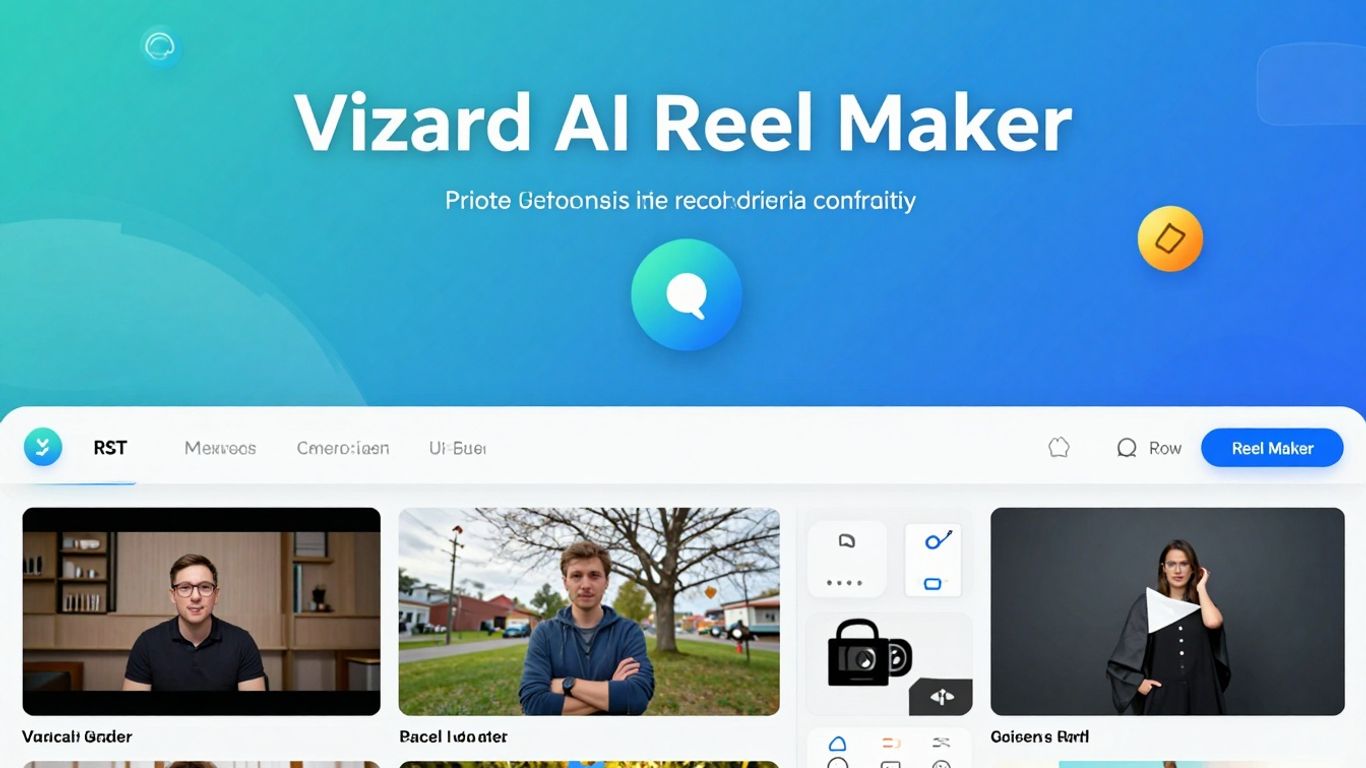
Vizard AI is another tool that aims to make creating Instagram Reels a lot easier, especially if you're looking for something that feels professional without a huge learning curve. It’s built with AI to help you put together videos pretty quickly.
One of the standout features is its AI music composition. Instead of just picking from a library of generic tracks, Vizard can actually create original music that fits the vibe of your video. That’s a pretty neat trick for making your Reels sound unique. They also have a bunch of text animation and overlay options, which can really make your message pop and add some visual interest.
When you’re ready to share, Vizard exports your videos in high quality, so they look good on Instagram. Plus, it’s not just for Reels; you can use it for other platforms like TikTok and YouTube too, which is handy if you’re posting content everywhere.
Here’s a quick rundown of how you’d typically use it:
- Upload your clips: Start by bringing in your video footage or photos.
- Pick a style and music: Choose an editing style and let the AI suggest or create music.
- Tweak it: You can adjust the edits, add text, and play with overlays.
- Export: Get your finished Reel ready to go.
Vizard tries to simplify the video creation process by using AI for things like music and editing suggestions. It’s designed to be accessible, even if you’re not a video editing pro.
It’s a solid option if you want to create eye-catching Reels without spending hours in complex software. They offer different plans, so you can start with what works for you.
4. Eklipse
If you're a streamer, Eklipse might just be your new best friend. This tool is built specifically to take your live streams from platforms like Twitch, YouTube, and Facebook Gaming and turn them into short, punchy Instagram Reels. It’s designed to automatically find the most exciting parts of your stream – think epic wins, funny moments, or skillful plays – and package them up for you. No more sifting through hours of footage, trying to find that one great clip. Eklipse does the heavy lifting.
Here’s a quick look at what makes it stand out:
- Automated Clip Generation: The AI scans your streams and pulls out the best bits, saving you a ton of editing time.
- Social Media Scheduling: You can set your Reels to post automatically at times when your audience is most likely to see them.
- Stream Integrations: It connects directly to your streaming accounts, making it easy to access your past broadcasts.
Eklipse really shines for creators who are already producing a lot of live content. It streamlines the process of repurposing that content for platforms like Instagram, helping you reach a wider audience without adding a huge amount of extra work to your plate. It's about making your existing content work harder for you.
While there's a free plan to get you started, Eklipse also offers premium options if you need more advanced editing features or custom music uploads. It’s a solid choice for streamers looking to expand their reach beyond live content.
5. Vidnoz
Vidnoz is a pretty interesting tool if you're looking to add a bit of a unique flair to your Instagram Reels. What sets it apart are its AI avatars and some neat audio tools. Think of it like having a digital actor ready to go, or being able to clean up your sound without a fuss.
It's designed to help you make videos that grab attention, and honestly, that's what we're all after on social media, right? It's not just about slapping clips together; it's about making something that feels a bit more polished and personal, even if you're not the one on camera.
Here’s a quick look at what Vidnoz brings to the table:
- AI Avatars: You can pick from a bunch of computer-generated characters. You can even tweak how they look and act, which is pretty cool for branding or just adding some fun.
- Background Remover: This is a lifesaver. If you don't have a fancy studio, you can just swap out your background for whatever you want. Makes your videos look way more professional.
- Vocal Remover: Sometimes you just want the music or sound effects to shine. This feature lets you dial down or get rid of the vocals, giving you more control over the audio mix.
Creating a Reel with Vidnoz usually involves a few steps:
- Pick Your Format: Start by selecting the 'Instagram Reel' option so everything's sized right.
- Choose Your Method: You can describe your idea and let the AI generate a video, pick from existing templates, record your screen, or upload your own footage to edit.
- Add Your Touch: This is where you can add those AI avatars, your script, choose voices, change backgrounds, add music, and generally make it yours.
- Finalize and Share: Give it a once-over, download it, and get it posted.
Vidnoz really shines when you want to add a layer of personalization or visual interest that might be tricky to achieve otherwise. The AI avatars and background tools are particularly useful for creators who want to stand out without needing a huge production budget.
It's a solid option for making Reels that feel a bit different from the usual content you see scrolling through your feed.
6. Invideo
Invideo is a pretty neat tool that acts like a helpful assistant for making Instagram Reels. It doesn't matter if you're just starting out with social media or if you've been doing it for a while; Invideo aims to make it easier for you to create videos that grab people's attention.
One of the standout features is its AI script generation. If you're stuck on what to say, you can just type in your idea, and the AI will whip up a script for you, even suggesting scenes and visuals. It's like having a brainstorming partner who never runs out of ideas. You can also choose from a variety of AI avatars to present your content, which can be a fun way to add personality without needing to be on camera yourself. Plus, the text-to-speech function lets you turn your script into audio in tons of different languages and accents, making your Reels sound polished.
Here’s a quick look at how you might use it:
- Start with your idea: Type a brief description of what you want your Reel to be about.
- Let the AI help: Either give it a simple prompt or write out your full script, and watch the AI build a video outline.
- Add your flair: Pick an AI avatar, adjust the scenes, add music, and tweak the timing in the editor.
- Share it out: Export your finished Reel in the right format for Instagram.
Invideo really tries to simplify the video creation process. It takes some of the more complicated parts, like writing a script or figuring out voiceovers, and uses AI to handle them, leaving you more time to focus on the creative side of things.
It's designed to get your videos ready for social media quickly, so you can spend less time editing and more time engaging with your audience.
7. Kapwig
Kapwing is a pretty neat online tool that makes video editing feel less like a chore and more like, well, actual creating. If you've ever used something like Canva for graphics, Kapwing has a similar vibe for videos. It's designed so you don't have to spend ages figuring out complicated software. Instead, you can get right to making those videos that grab attention.
They've got a bunch of features that are really helpful for social media, especially for things like Instagram Reels. You can add music, images, and transitions pretty easily. Plus, they have AI tools that can help out, like automatically adding subtitles, which is a lifesaver for accessibility and just making sure people catch what you're saying even with the sound off.
What's cool is that you can start using it for free. They also have templates and a library of free videos and music, so you don't have to start from scratch every time. It's all online, too, so no need to download anything big, and you can access your projects from anywhere.
Here's a quick look at what makes Kapwing stand out:
- Easy to Learn: If you're familiar with design tools, you'll pick this up fast.
- AI Subtitling: Automatically generates captions for your videos.
- Template Library: Lots of pre-made designs to get you started quickly.
- Online Access: Work on your projects from any device with an internet connection.
Kapwing really tries to cut down on the time you spend wrestling with editing software. The idea is to let you focus more on the creative side of things, like telling your story or getting your message across, rather than getting bogged down in technical details. It's a solid option if you want to make decent-looking videos without a steep learning curve.
8. FlexClip
FlexClip is a pretty neat online video editor that makes creating Instagram Reels feel way less intimidating, even if you've never edited a video before. Seriously, whether you're just starting out on social media or you've been at it for a while, FlexClip's tools are designed to be easy to use. It’s like they thought about making video creation simple from the get-go.
One of the cool things it has is an AI Storyboard Generator. If you're staring at a blank screen and have no idea where to start, this feature can help. You give it a theme, and it spits out a scene-by-scene plan. It’s a good way to get your creative juices flowing and have a basic structure for your Reel.
FlexClip also lets you record voiceovers or screencasts right within the platform. So, if you want to add your own narration or show something on your computer screen, you can do it without needing extra software. They also have a text-to-video feature, which sounds pretty wild. You type in your script, and it apparently turns it into video clips with animated text and visuals. Pretty handy if you want to quickly bring written content to life.
Here’s a quick rundown of how you might use it:
- Pick Your Format: Start by selecting the Instagram Reel option so everything's the right size.
- Choose Your Start: You can pick from their templates, use that AI storyboard thing, or just upload your own stuff.
- Edit Away: This is where you trim clips, add text, pick music, and mess with transitions.
- Add Your Voice (If You Want): Hit the microphone icon to record your voiceover.
- Final Check: Watch it over to make sure it looks and sounds how you want it.
FlexClip aims to simplify the video creation process, especially for social media content like Reels. It offers a range of tools, from AI-powered idea generation to direct recording and text-to-video conversion, all within an accessible online interface.
It’s a solid option if you’re looking for a straightforward way to produce decent-looking Reels without a steep learning curve or a big investment.
9. OpusClip
OpusClip is a tool that really simplifies making reels. It's especially popular as a faceless AI video generator, letting you produce polished, engaging videos without ever appearing on camera yourself. The AI does the heavy lifting, from clipping long-form content to adding captions and music, so your personality comes through the content, not the camera. It’s like having a creative partner who knows what you want before you even do. The interface is pretty straightforward, which is a big plus when you just want to get your video done without a headache. You can trim clips, add music from their library, and even use templates to make your content look polished. It’s designed to help you turn your ideas into videos that people actually want to watch.
Here’s a quick look at how it works:
- Upload Your Video: Start by putting your video into OpusClip. This is where the process begins.
- Let the AI Work: The AI takes over and starts putting things together for you. It’s pretty neat to see.
- Add Your Personal Touch: After the AI does its thing, you get to go in and make any final edits you want. You’re in charge here.
- Share with the World: Once you’re happy, you can download your reel or share it straight to your social media.
People seem to really like OpusClip, especially if they're working with longer videos like podcasts. Some users say it saves them a ton of time, letting them create multiple short clips from one long video in just a few minutes. That’s a huge time saver if you’re trying to get more content out there.
OpusClip aims to make video editing less of a chore. It uses AI to help speed up the process, so you can focus more on the creative side and less on the technical stuff. The goal is to help you make videos that grab attention without needing to be a pro editor.
10. Krikey AI
Krikey AI is a pretty neat tool if you're looking to get into animated videos without needing a degree in animation. It’s built with beginners in mind, so you don't have to be a tech wizard to make something cool. Think of it as a way to bring cartoon characters to life for your social media.
One of the standout features is how easy it is to add voices to your 3D characters. You can either record your own voice or use their text-to-speech function, and the tool even tries to sync the lip movements. They also have a bunch of templates you can tweak, which is super helpful when you're just starting out or need to churn out content quickly. It’s accessible right in your web browser, though they suggest using a laptop or desktop for the best experience.
Here’s a quick rundown of what you can do:
- Create animated characters: Design your own or use pre-made ones.
- Add voiceovers: Use text-to-speech or record your own voice.
- Utilize templates: Jumpstart your video creation with pre-designed layouts.
- Animate existing videos: Upload a video, and Krikey AI can turn it into an animation for your character.
Krikey AI really shines when you want to create engaging content with animated characters, especially for platforms like Instagram Reels. It simplifies the process of adding dialogue and animation, making it a good option for small businesses or creators who want to experiment with this style of video without a steep learning curve.
Wrapping It Up
So, there you have it. Using these free AI tools can really make a difference when you're trying to get your videos noticed on Instagram. It's not about replacing your own ideas, but about making the whole process easier and faster. You can try out different ones, see what works best for your style, and really start making some cool stuff without spending a fortune. Give them a go and see how much more creative you can be with your Reels.
Frequently Asked Questions
What exactly is an AI reel maker?
An AI reel maker is a special tool that uses smart computer programs, called AI, to help you create short, cool videos for social media like Instagram Reels. It can help with things like picking music, adding text, and even putting together video clips, making it easier and faster to make awesome videos.
Can I really make great videos for free?
Yes, many AI reel makers offer a free version that lets you create good-quality videos. While some might have extra features if you pay, the free options are usually powerful enough to make really eye-catching Reels without costing you anything.
Do I need to be a video expert to use these tools?
Not at all! These AI tools are designed to be super easy to use, even if you've never made a video before. They often have simple steps, like picking a template or typing in what you want, and the AI does a lot of the hard work for you.
What kind of videos can I make with these tools?
You can make all sorts of videos! Whether you want to share a quick tip, show off a product, tell a story, or just make something fun and creative, these tools can help. They can turn your ideas into engaging videos that people will love to watch.
How does AI help make my videos better?
AI can help in many ways! It can suggest the best video clips, find fitting music, automatically edit out boring parts, and even create text that pops on screen. This means your videos will look more professional and grab people's attention more easily.
Will using an AI reel maker help me get more followers?
While AI reel makers help you create better videos, getting more followers also depends on your content strategy and how often you post. However, by making more engaging and professional-looking videos consistently, you're more likely to attract and keep viewers, which can lead to growth.








Privacy is important to us, so you have the option of disabling certain types of storage that may not be necessary for the basic functioning of the website. Blocking categories may impact your experience on the website. View Our Privacy Policy


