
Unleash Your Best Moments: The Ultimate Highlight Reel Maker Guide

Making cool video clips doesn't have to take forever. You know how sometimes you have a long video, but only a few parts are actually, like, *good*? That's where a highlight reel maker comes in handy. It's basically a tool that helps you find those best bits and turn them into short, shareable videos. Think of it like making a highlight tape for your favorite sports team, but for your own content. This guide will walk you through how to use one to make your videos pop.
Key Takeaways
- Using a highlight reel maker can save a lot of time spent editing videos.
- These tools use AI to automatically find the most interesting parts of your video footage.
- You can easily create short clips perfect for social media platforms like Instagram and TikTok.
- A good highlight reel maker lets you tweak the clips, add music, and text before you share them.
- Repurposing longer videos into shorter highlights helps more people see your content.
Unlock Your Content's Potential With A Highlight Reel Maker
Making videos can take a lot of time, right? You spend hours filming, then even more hours trying to cut it all down into something watchable. It feels like you're always behind. But what if there was a way to speed things up, a lot? That's where a highlight reel maker comes in. Think of it as your new best friend for video editing. It's designed to take those long videos you've made and pull out the best bits automatically.
Streamline Your Workflow With AI
Artificial intelligence is changing how we do things, and video editing is no exception. Instead of watching through hours of footage yourself, looking for that one perfect moment, AI can do it for you. It scans your video, finds the exciting parts, the funny bits, or whatever you've told it to look for, and suggests clips. This means you spend less time on tedious tasks and more time on the creative stuff. It's like having a super-fast assistant who never gets tired. You can get a bunch of short, shareable clips from one long video, which is great for keeping your social media feeds active. This approach can really cut down the hours you spend editing, letting you get more content out there faster. For example, tools like Filmora are built with these AI features to make editing smoother.
Maximize Video Value Effortlessly
Have you ever made a great video, only to feel like it just disappears after a week? A highlight reel maker helps you get more mileage out of every piece of content. Instead of just posting one long video, you can create multiple short clips from it. These shorter videos are perfect for different platforms, like Instagram Reels or TikTok, where people tend to watch shorter content. They can also serve as teasers to get people interested in watching the full video. It's a smart way to make sure your hard work doesn't go to waste and reaches more people.
Amplify Reach and Impact
Getting your videos seen by more people is the goal, right? Shorter clips are easier for people to watch and share, especially on social media. When you break down a longer video into several highlight clips, you're not just posting once; you're creating multiple opportunities to be discovered. Each clip can be tailored for a specific platform, helping you connect with different audiences. This strategy can significantly boost your visibility and make your content have a bigger effect.
Using an AI highlight maker means you can take one piece of content and turn it into many. This isn't just about saving time; it's about making your content work harder for you across all your channels.
Effortless Highlight Creation For Every Platform
So, you've got all this great video footage, but how do you make sure it gets seen on all the different social media spots? That's where making highlight reels comes in, and honestly, it's gotten way easier. You don't need to be a video editing wizard anymore to get your best moments out there.
Instagram Reels And TikTok Optimization
These platforms are all about short, punchy videos. A highlight reel maker can scan your longer videos and pull out those super engaging bits that people will watch all the way through. Think quick cuts, funny moments, or key takeaways. The goal is to grab attention in the first few seconds. You can easily get clips that are already the right size and shape for Reels and TikTok, saving you a ton of time.
YouTube Shorts And Long-Form Content Repurposing
Got a long YouTube video? Instead of letting it sit there, you can use a highlight reel maker to chop it up into bite-sized YouTube Shorts. This is a smart way to get more eyes on your content without having to film anything new. It's like getting extra mileage out of the work you've already done. You can even take parts of webinars or tutorials and turn them into quick tips for Shorts. It's a great way to repurpose content and reach a wider audience.
LinkedIn And Professional Networking Clips
Even on professional sites like LinkedIn, short videos work well. You can take insights from a longer talk, a client testimonial, or a product demo and turn them into short, shareable clips. This helps you look like a thought leader without making people sit through a long video. It's perfect for sharing quick tips, industry news, or behind-the-scenes looks at your work. These clips can really help you stand out and connect with others in your field.
Transforming Raw Footage Into Engaging Snippets
Turning a long video into a bunch of short, punchy clips might sound like a lot of work, but it doesn't have to be. Modern tools can really help speed things up.
Automatic Scanning For Key Moments
Think of this like having a super-fast assistant who watches your entire video and flags all the interesting bits. The software looks for changes in action, speech patterns, or even specific keywords you might have mentioned. It's designed to find those moments that are most likely to grab someone's attention. This saves you from having to scrub through hours of footage yourself, which, let's be honest, nobody really wants to do.
Customizable Clip Generation
Once the tool finds potential highlights, you get to tell it what to do with them. You can set a specific length for your clips – maybe 15 seconds for TikTok or up to a minute for Instagram Reels. You can also guide the AI on the general topic or theme you're going for. This way, the clips it suggests are more likely to be what you actually need, rather than just random snippets. It’s about getting clips that make sense for your story.
Preview And Refine Your Selections
Before you commit, you get to see what the AI has come up with. This is your chance to check if the clips actually work. You can watch them, see if the audio is good, and if the visuals are clear. If a clip isn't quite right, you can easily tweak it, trim it a bit more, or just discard it and let the tool find another one. It’s a back-and-forth process to make sure you end up with the best possible pieces of your original video.
Elevate Your Content With Advanced Editing Features
So, you've got your clips picked out, maybe even automatically generated. That's great! But we're not done yet. To really make those highlight reels pop, you'll want to play around with some of the editing tools available. Think of it like adding the final polish to a sculpture – it's what turns a good piece into something people can't stop looking at.
Seamlessly Add Music And Transitions
Music is huge, right? It sets the mood for your whole clip. Most highlight reel makers let you pick from a library of tracks or upload your own. Finding the right song can totally change how a video feels. And transitions? They're the glue that holds your clips together. A smooth fade or a quick cut can make your reel feel professional and keep viewers watching. Don't just slap clips together; think about how they flow from one to the next.
Incorporate Text Overlays And Graphics
Sometimes, you need to tell people what they're looking at, or add a bit of flair. Text overlays are perfect for this. You can add titles, captions, or even just a funny comment. Graphics and animations can also grab attention. Think about adding your logo, some animated icons, or even just a cool border. These visual elements help guide the viewer and make your content more engaging.
Enhance Audio With Noise Reduction
Bad audio can ruin even the best-looking video. If your original footage has background noise – maybe you were filming outside, or there was a fan running – you'll want to clean that up. Many tools have built-in noise reduction features. It's usually a simple slider or a one-click fix. Getting the audio clear makes a massive difference in how professional your highlight reel sounds. Nobody likes straining to hear what's being said.
Streamlining Your Content Pipeline
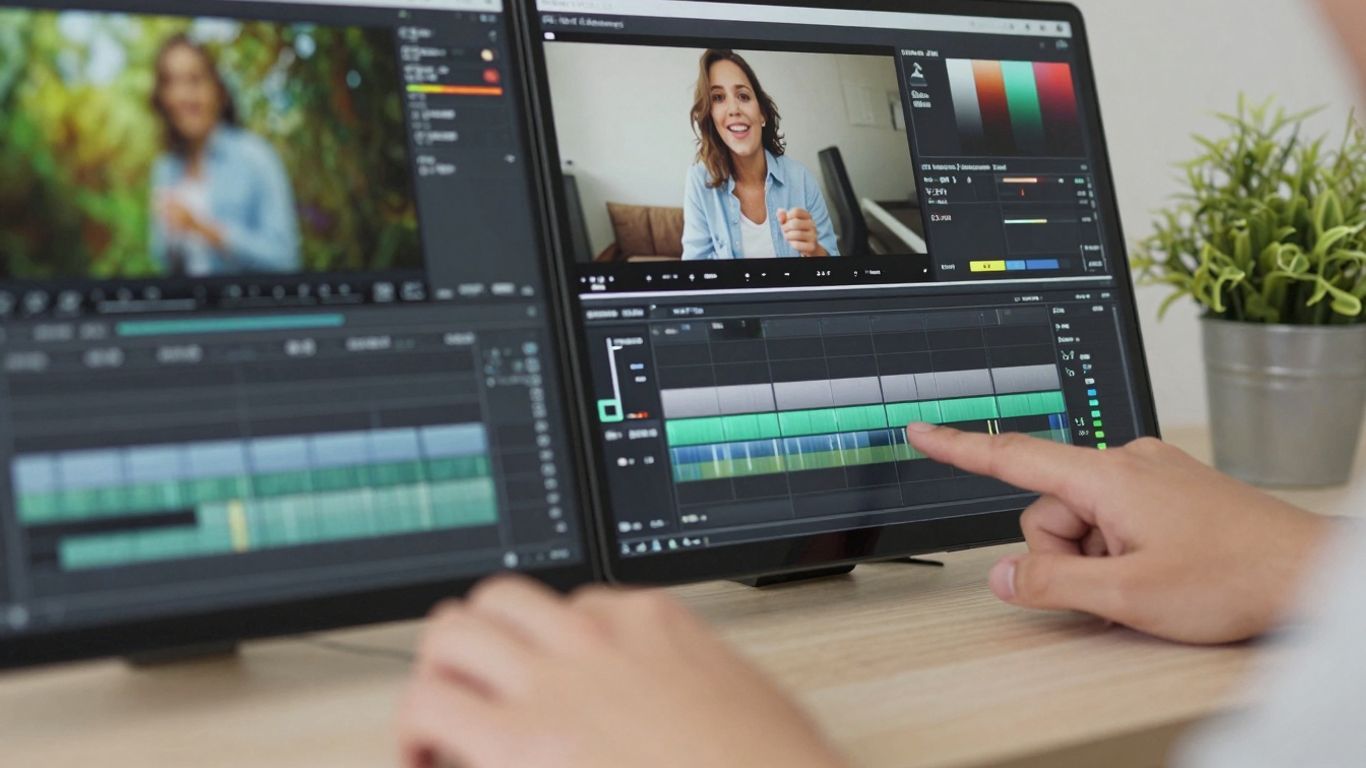
Making a lot of videos can feel like a full-time job, right? You spend hours filming, then more hours editing. It’s easy to get bogged down in the details, especially when you’re trying to get content out regularly. That’s where a good highlight reel maker really shines. It’s like having a super-fast assistant who can sift through all your footage and pull out the best bits for you.
Reduce Editing Time Significantly
Think about how long it takes to rewatch hours of footage just to find a few good moments. It’s a huge time sink. With AI-powered tools, this process gets cut down dramatically. The software scans your video, identifies key points – maybe a funny moment, an important announcement, or a visually interesting scene – and suggests clips. This means you spend less time scrubbing through timelines and more time actually creating.
- AI scans footage automatically.
- Suggests clips based on activity or speech.
- Cuts down manual review time by hours.
Increase Content Output With Ease
When editing is faster, you can simply make more content. Instead of one polished video a week, maybe you can now do two or three shorter highlight clips. This is great for keeping your audience engaged across different platforms. You can take one longer video, like a webinar or a podcast, and turn it into several short, shareable clips for social media. It’s a smart way to get more mileage out of the content you’ve already created.
The ability to quickly generate multiple pieces of content from a single source means you can maintain a consistent presence online without burning yourself out. It’s about working smarter, not harder.
Maintain Brand Consistency Across Clips
It’s not just about speed; it’s also about keeping your brand looking the same everywhere. Many highlight reel makers let you set up brand kits. This means things like your logo, brand colors, and fonts can be automatically applied to all the clips you create. So, even though you’re making lots of short videos quickly, they all still look like they came from you. This helps build recognition and trust with your audience over time.
Choosing The Right Highlight Reel Maker

So, you've decided to jump into making highlight reels. That's awesome! But with so many tools out there, picking the right one can feel like a puzzle. Let's break down what to look for.
Understanding AI-Powered Tools
These aren't your grandpa's editing programs. AI tools are designed to do a lot of the heavy lifting for you. They can scan through hours of footage and automatically find the most interesting bits. Think of it like having a super-fast assistant who knows exactly what makes a clip pop. This technology is changing how quickly we can get content out the door. It's all about making the process smoother and faster, so you can focus on the creative side instead of the tedious stuff.
Key Features To Look For
When you're shopping around, keep an eye out for a few things. First, does it actually find the good parts on its own? You want something that can automatically scan for key moments, not just chop up your video randomly. Then, can you tweak what it finds? Being able to customize the clips is a big deal. You should also be able to preview everything before you commit. It’s also really helpful if the tool can automatically add subtitles, as videos with them tend to do better. Some tools even let you repurpose content from a URL, which is super handy.
Here’s a quick checklist:
- Automatic Highlight Detection: Does it find the best moments for you?
- Customization Options: Can you adjust the clips it finds?
- Preview Functionality: Can you see what you're getting before you export?
- Multi-Platform Export: Does it let you save in different formats (like vertical for TikTok, horizontal for YouTube)?
- Integration: Does it work with other tools you use, or can you import easily?
Accessibility and Ease of Use
Honestly, the fanciest tool isn't always the best. If it takes you a week to figure out how to make one clip, it's probably not worth it. Look for something that's straightforward. You want to be able to upload your video and get started pretty quickly. Many of these tools are browser-based, meaning you don't need to download big software, which is a plus. Some are even free to start, though they might have watermarks or limits. For serious creators, investing in a good video editing software that offers these AI features can really speed things up. The goal is to spend less time wrestling with software and more time creating great content.
Keep Creating Those Awesome Moments
So there you have it. Making highlight reels doesn't have to be a huge chore anymore. With the tools we've talked about, you can take those long videos and pull out all the best bits without spending ages in front of your computer. It's all about making your content work harder for you, getting those key moments out there, and keeping your audience hooked. Give it a try, play around with it, and see how much easier it is to share your best stuff. Happy clipping!
Frequently Asked Questions
What exactly is a highlight reel maker, and how does it help me?
Think of a highlight reel maker as your video's personal assistant! It's a tool that helps you find and cut the best parts of your longer videos really fast. Instead of spending hours watching your whole video, it uses smart technology to spot exciting moments, like big wins in a game or important points in a talk. This saves you tons of time and lets you share awesome short clips on social media easily.
Can this tool really make highlights automatically?
Yes, it can! Many highlight reel makers use something called AI, which is like a computer brain. You upload your video, and the AI scans through it, looking for action, sound changes, or other cues that signal something interesting is happening. It then suggests these moments as clips, so you don't have to search through everything yourself.
What kind of videos can I use this for?
You can use it for almost any kind of video! Whether you're a gamer streaming your latest match, a vlogger sharing your day, a business person presenting an idea, or a teacher explaining a lesson, this tool can help. It's great for turning long videos into short, catchy clips perfect for platforms like Instagram, TikTok, or YouTube Shorts.
Do I need to be a video editing expert to use this?
Not at all! These tools are designed to be super easy to use, even if you've never edited a video before. They often have simple buttons and clear steps. You can usually drag and drop clips, add music with a click, and put text on the screen without any complicated training. It's made for everyone!
Can I change the clips the tool makes?
Absolutely! While the tool does a lot of the heavy lifting, you always have the final say. You can preview the clips the AI finds and choose which ones you like best. Plus, most makers let you trim them a little, add music, put text on them, or even change how they look before you share them.
Why is making highlight clips a good idea?
Making highlight clips is smart because people online have short attention spans. Short, exciting videos grab their attention much faster than long ones. Plus, you can share these little clips on lots of different social media sites, reaching more people. It's also a great way to get more views on your original, longer videos by teasing them with awesome highlights.









Privacy is important to us, so you have the option of disabling certain types of storage that may not be necessary for the basic functioning of the website. Blocking categories may impact your experience on the website. View Our Privacy Policy


