
Top 5 Best AI TikTok Video Generators for Viral Content in 2025
Okay, so TikTok is kind of a big deal, right? Everyone's scrolling, and if you want your brand or content to get noticed, you really need to be making videos. But honestly, who has the time to constantly come up with new ideas and edit them perfectly? That's where these AI tools come in. They're making it way easier to whip up videos that actually stand a chance of going viral. We've checked out a bunch, and here are the top 5 best AI TikTok video generators that could seriously help you out in 2025.
Key Takeaways
- AI is changing how we make TikTok videos, helping create trend-ready content fast.
- When picking a generator, look at TikTok's video rules, how quick it is, trend ideas, customization, quality, and if it's clear about being AI-made.
- Top choices include Revid.ai for trends, Opus Clip for short clips from long videos, CapCut for editing, InVideo AI for storyboards, and Clipyard.ai for realistic UGC.
- To do well on TikTok, be open about using AI, test videos quickly, keep your brand look consistent, focus on sound, and mix AI videos with real ones.
- Using the best AI TikTok video generator can really speed up how you create and share videos that might go viral.
1. Design.com
Alright, let’s talk about Design.com. This platform is built for creators and businesses that want to produce TikTok content quickly without getting stuck in complicated editing tools. Its TikTok video maker lets you generate ready-to-use video designs just by entering a keyword or business name, which is perfect when you need content fast.

So how does it work? You type in your idea, and the platform instantly generates multiple TikTok-ready video options using a library of over 9,000 templates. From there, you can tweak colors, fonts, layouts, and visuals to match your brand. Everything is already optimized for vertical viewing, so your videos are ready for TikTok without extra formatting.
What’s nice is how easy it is to experiment. You can create multiple variations, test different styles, and refine your content without starting over. It also integrates with other branding tools, so your TikTok videos can match your social posts, logos, and marketing assets seamlessly.
2. BrandCrowd
Now let’s look at BrandCrowd. This tool keeps things simple and efficient, making it a great option if you want to create TikTok videos without a steep learning curve. Its TikTok video generator produces video designs instantly based on your keywords, so you can jump straight into content creation.
People seem to really like it. They say it saves a ton of time, like up to 90% on editing, which is wild. Imagine turning a 30-minute Q&A into a bunch of TikTok teasers without pulling your hair out. It’s a solid option for getting more mileage out of your existing content.
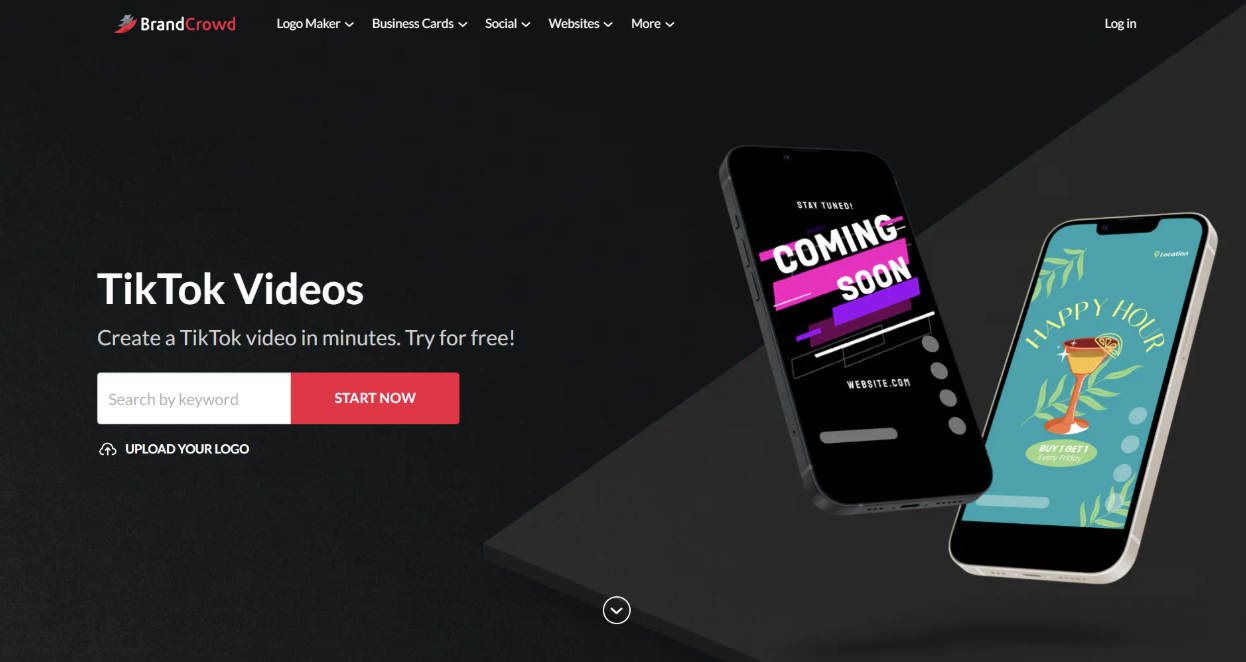
Here’s how it works: you enter a business name or idea, and BrandCrowd generates a range of video templates tailored to your niche. You can then customize text, colors, and layout elements using a straightforward editor. The process is quick, which makes it ideal for testing different content styles or posting consistently.
What stands out is how beginner-friendly it is. You don’t need editing experience to create polished videos, and the templates are already designed to fit TikTok’s format. Plus, since it’s part of a broader branding platform, you can keep your videos aligned with your overall visual identity.
3. CapCut
Okay, so if you're really trying to make waves on TikTok or Reels, CapCut is pretty much your go-to. It’s like the app was built with these platforms in mind. You just toss in your idea, and it whips up videos with all the cuts, captions, and even trending music and effects you need. Seriously, you don't need to be a video editing wizard to get something decent out of it.
What's cool is that it's not just a generator; it's a full-blown editor too. This means you can tweak things after the AI does its thing. You can adjust the AI captions, make the audio sound better, and use all sorts of TikTok-specific tools. It’s a solid choice for messing around with new trends and formats without a huge learning curve.
CapCut offers a bunch of free TikTok templates that can really speed things up. They help you make videos that look professional and have that viral feel, making your whole video creation process way easier.
It’s also pretty budget-friendly. The main app is free, and the AI features start at a reasonable price, making it accessible for most creators. If you want to get your content noticed on short-form video platforms, CapCut is definitely worth checking out. You can find free TikTok templates right within the app to get started even faster.
4. InVideo AI
Okay, so let's talk about InVideo AI. If you're looking to whip up social media videos without spending ages digging through stock footage, this one's worth a look. It's designed to take a single prompt and basically build a whole video for you, from the script right down to finding those engaging clips.
Here's the general idea:
- Just give it a prompt: Tell InVideo AI what you want your video to be about.
- It finds the footage: The AI digs through its stock media library to find relevant visuals.
- It assembles the video: It puts the script, visuals, and sometimes even voiceovers together.
The big selling point here is ditching the manual search for B-roll. You know, those extra clips that make your video more interesting? Instead of hours spent scrolling, you just type your idea, tweak some settings for style or audience, and hit generate. It does take a bit of time to build the video, so you can work on something else while it churns away.
It's not perfect, though. Some folks find the interface a little confusing at first, and it might take some getting used to. But for quickly getting a video made, especially for social media, it cuts down a lot of the usual hassle.
5. Clipyard.ai
Clipyard.ai is a solid choice if you're aiming for that super realistic, user-generated content (UGC) look that really grabs attention on TikTok. It uses some pretty advanced image tech, mixing it with tools like Cling and Seeddream to make avatars that look surprisingly real. This is great for making videos that feel authentic, which is key for hooking viewers.
One of the standout features is its batch generation. Basically, you can set up a bunch of videos to be made all at once. This is a lifesaver if you need to produce a lot of content quickly for different campaigns or just want to scale up your posting.
Here's a quick look at what it offers:
- Hyper-realistic avatars: They really do look like actual people.
- Top-tier lip sync: The mouth movements match the audio really well.
- Faceless video modes: Good if you don't want to use an avatar at all.
- Scheduling & analytics: Helps you plan your posts and see how they're doing.
The pricing starts around £24 a month for about 5 videos, going up to £147 a month for more. It’s a bit pricier than some others, but if the realism of the avatars is what you're after, it might be worth the investment. The ability to create multiple videos efficiently makes it a strong contender for businesses looking to ramp up their social media presence without hiring a whole video team.
Wrapping It Up
So, there you have it. AI video generators are really changing the game for TikTok. It used to take ages to get a video ready, but now you can whip something up pretty fast. We looked at some cool tools that can help you jump on trends, make things look good, and even talk in different languages. Just remember to keep it real, be clear about what's AI-made, and mix these new tools with your own ideas. Using them smart means you can make more videos, test what works, and maybe even go viral without pulling all-nighters. It’s all about finding what fits your style and your audience.
Frequently Asked Questions
What exactly is an AI TikTok video generator?
Think of it as a super-smart computer program that helps you make cool TikTok videos really fast. You can give it ideas, text, or even a longer video, and it helps turn them into short, catchy clips perfect for TikTok. It's like having a video-making assistant that knows all the latest trends.
How can these AI tools help my videos go viral?
These tools are designed to understand what's popular on TikTok right now. They can suggest trending sounds, hashtags, and video styles that people love. By using these suggestions, your videos have a better chance of being seen by more people and becoming a hit.
Do I need to be a video editing expert to use these?
Nope! That's the best part. These AI generators are made for everyone, even if you've never edited a video before. They have simple steps and helpful guides, so you can create awesome videos without needing fancy skills.
Can I make my videos look unique with AI?
Absolutely! While AI helps speed things up, you can still add your own special touch. Most tools let you change colors, fonts, and add your own style, so your videos don't look exactly like everyone else's. It's about blending AI power with your own creativity.
Are AI-generated videos honest and trustworthy?
It's important to be upfront. Many platforms now have ways to show that a video was made with AI. Being honest helps build trust with your audience. It's good to mix AI videos with real ones you make yourself to keep things authentic.
How quickly can I make videos with these tools?
Super quickly! Some tools can turn your ideas into a video in just a few minutes. This means you can try out lots of different video ideas much faster than before, helping you find what works best for your audience.









Privacy is important to us, so you have the option of disabling certain types of storage that may not be necessary for the basic functioning of the website. Blocking categories may impact your experience on the website. View Our Privacy Policy


