
Mastering the Art: Your Comprehensive Guide on How to Create Facebook Ads in 2025

Thinking about how to create Facebook ads in 2025? It can feel like a lot, especially with all the options. But really, it's about taking it step-by-step. You don't need to be a tech wizard to get started. This guide breaks down what you need to know, from setting things up right to making ads that actually get noticed. We'll cover the basics and some smarter ways to do things so you're not just guessing.
Key Takeaways
- Understand the three levels of a Facebook ad campaign: Campaign, Ad Set, and Ad.
- Define clear goals and know your audience before you start spending money.
- Use Facebook's targeting tools to reach the right people, including custom and lookalike audiences.
- Create eye-catching visuals and clear, simple ad copy that tells people what to do.
- Track your results and make changes based on what the data tells you to improve your ads over time.
Laying The Foundation For Your Facebook Ad Campaigns
Alright, let's get down to business. Before you even think about making an ad, you need to get the basics sorted. It’s like building a house; you wouldn't start putting up walls without a solid foundation, right? The same goes for your Facebook ads. Getting this part right means your campaigns have a much better shot at actually working.
Facebook's ad system, now part of Meta, has a structure that might seem a bit much at first, but it's actually pretty straightforward once you break it down. It's organized into three main levels, and knowing this is key to managing your ads effectively.
- Campaign: This is the top level. Think of it as the main goal for your entire advertising effort. Here, you decide what you want to achieve overall, like getting more website visitors or increasing sales. You pick your main objective here.
- Ad Set: Inside each campaign, you can have one or more ad sets. This is where you get specific. You decide who sees your ads (your audience), how much you want to spend (your budget), and where your ads will show up (like on Facebook's feed or Instagram Stories). You can also set your schedule here.
- Ad: This is the actual ad your audience sees. It's the creative part – the image or video, the text, and the button that tells people what to do next. Each ad set can have multiple ads, letting you test different versions.
This hierarchical setup helps Meta's algorithm understand your goals and deliver your ads to the right people at the right time. It's all about organization to make sure your money is spent wisely.
So, what do you actually want your ads to do? This is your campaign objective. Facebook offers a bunch of options, and picking the right one is super important. Are you trying to get people to buy something, sign up for a newsletter, or just become more aware of your brand? Your objective guides everything else. You can find more details on selecting the right objective in the 2025 Facebook Ad Playbook.
Once you know your goal, you need to figure out who you're trying to reach. Who is your ideal customer? Think about their age, where they live, what they're interested in, and their online habits. The more specific you are, the better your ads will perform. Trying to show your ad for fancy dog collars to someone who hates dogs? That's just a waste of money.
Before you can even start creating ads, you need the right tools. You'll need a Facebook Business Manager account. If you don't have one, it's free to set up and it's where you'll manage everything related to your business on Facebook, including your pages and ad accounts. It's like your central command center.
Within Business Manager, you'll create your ad account. This is where you'll link your payment method and where all your ad spending will be tracked. Make sure your payment details are correct and that you have the right permissions set up, especially if you have a team working with you. This step is non-negotiable for running any paid advertising on the platform.
Mastering Audience Targeting On Facebook
Conducting In-Depth Audience Research
Before you even think about spending a dime on ads, you really need to know who you're trying to reach. It sounds obvious, right? But so many people skip this part and end up showing ads to folks who just aren't interested. Think about your ideal customer. What are they into? What problems do they have that your product or service can fix? What other brands do they like? What kind of stuff do they buy online? Jotting down a few customer personas can really help focus your efforts. It's like drawing a map before you start a road trip – you know where you're going.
Leveraging Demographic, Interest, And Behavior Targeting
Facebook's ad platform gives you a ton of ways to narrow down who sees your ads. You can get pretty specific.
- Demographics: This is the basic stuff – age, where they live, what language they speak, their education level, even their job title. If you're selling snow gear, you probably don't want to show ads to people living in tropical climates.
- Interests: This is where it gets fun. You can target people based on things they've liked, pages they follow, or topics they engage with. Instead of just 'fitness,' maybe you target people interested in 'Peloton' or 'CrossFit.' The more specific, the better.
- Behaviors: This looks at what people actually do on Facebook and beyond. Are they frequent travelers? Do they tend to buy things online? Facebook has categories like 'Engaged Shoppers' that can be super useful.
The key here is to layer these options. Don't just pick one interest. Combine demographics, interests, and behaviors to create a really tight audience. It's about finding that sweet spot where your ad is relevant to the person seeing it.
Utilizing Custom And Lookalike Audiences For Precision
Okay, so you've got your basic targeting down. Now, let's talk about the really powerful stuff: Custom Audiences and Lookalike Audiences. These can seriously boost your ad performance.
- Custom Audiences: This is for people who already know you. Think about folks who have visited your website, watched your videos, or are on your email list. You can upload your customer list directly to Facebook. Advertising to these people is usually way more effective because they've already shown some interest in what you offer. You'll need the Meta Pixel installed on your website for this to work smoothly.
- Lookalike Audiences: Once you have a good Custom Audience (like your best customers), Facebook can help you find new people who are similar to them. You tell Facebook, 'Find me people who are like my existing customers,' and its algorithm does the heavy lifting. This is a fantastic way to expand your reach to people who are likely to be interested in your business.
These advanced audience types are where you really start to see a return on your ad spend. They move you from guessing to knowing you're reaching people who are already warm to your brand or very similar to those who are.
Crafting Compelling Facebook Ad Creative
Alright, so you've figured out who you're talking to and what you want them to do. Now comes the fun part: making something they'll actually look at and, hopefully, click on. This is where your ad's visuals and words come into play. Think of it as your digital storefront window – it needs to be attractive and tell people what you're selling, fast.
Developing Engaging Ad Copy And Headlines
Your headline is the first thing people see, so it needs to grab their attention. It should be short, punchy, and hint at the benefit the user will get. Something like "Tired of [Problem]? We Have the Solution!" or "Get [Desired Outcome] in Just [Timeframe]." The body copy needs to expand on that, explaining what you offer and why it's good for them. Keep it simple, direct, and focus on what's in it for the customer. A clear call to action (CTA) is non-negotiable; tell people exactly what you want them to do next, like "Shop Now," "Learn More," or "Sign Up Today."
Selecting High-Quality Visuals: Images Versus Videos
This is a big one. People are visual creatures, and a blurry, amateur-looking image or video will just get scrolled past. High-quality visuals are a must.
- Images: Great for showcasing a product clearly or conveying a simple message. They're usually quicker to create and can be very effective if the image itself tells a story or highlights a key feature.
- Videos: Often perform better because they can capture attention more effectively and allow for more storytelling. You can demonstrate a product in action, show customer testimonials, or create a more emotional connection. Think about showing how your product solves a problem or the experience of using it.
It's usually best to test both. What works really depends on your product and your audience. A slick product shot might work for one business, while a behind-the-scenes video might be better for another.
Choosing The Right Ad Format For Your Goals
Facebook offers a bunch of different ad formats, and picking the right one can make a difference. Here are a few common ones:
- Single Image/Video Ads: The most basic, good for straightforward messages.
- Carousel Ads: Lets you show multiple images or videos, each with its own link. Great for showcasing different products, features, or telling a story step-by-step.
- Collection Ads: Designed for mobile, they show a main image or video with smaller product images below. It's like a mini-catalog right in the feed.
- Slideshow Ads: You can create video-like ads using a series of still images, which is a good option if you don't have video assets readily available.
Think about what you're trying to achieve. If you want to drive traffic to a specific product page, a single image or video might be best. If you have a range of products to show off, a carousel or collection ad could be more effective. It's all about matching the format to your objective and what you're advertising.
Don't overthink it too much at first. Start with what feels right and what you can produce well. The key is to get something out there and then use the data to figure out what's actually working. You can always tweak and try different formats later on.
Setting Budgets And Bidding Strategies

Alright, so you've got your campaign objective locked in and your audience all figured out. Now comes the part where we talk about money: budgets and bidding. This is where things can get a little tricky if you're not careful, but it's also where you control how much you spend and how efficiently you spend it.
Determining Your Advertising Budget Wisely
First off, deciding on your budget. This isn't just picking a random number. You need to think about what you can realistically afford and what you want to achieve. Are you trying to get a lot of people to see your ad (awareness), or do you want them to actually buy something (sales)? Your goal will heavily influence how much you need to spend.
- Daily Budget: This is pretty straightforward. You set a maximum amount you're willing to spend each day. Facebook will try to spend this amount evenly over the day. It's good for keeping your spending consistent.
- Lifetime Budget: Here, you set a total amount for the entire campaign. Facebook then figures out the best times to show your ads to get you the most results within that total spend. This can be good if you have a fixed amount for a specific promotion.
It's generally a good idea to start with a smaller budget and see how things go before committing to a larger amount. You can always increase it later if your ads are performing well.
Understanding Cost Per Click (CPC) And Cost Per Mille (CPM)
When you're looking at your ad performance, you'll see a couple of common terms: CPC and CPM.
- Cost Per Click (CPC): This is how much you pay each time someone clicks on your ad. If your goal is to drive traffic to your website, you'll want to keep an eye on your CPC. A lower CPC means you're getting clicks for less money.
- Cost Per Mille (CPM): 'Mille' is Latin for thousand, so CPM is the cost you pay for every thousand times your ad is shown. If your goal is brand awareness, you might focus more on CPM, aiming to get your ad in front of as many eyes as possible for a reasonable price.
These metrics help you understand the cost-effectiveness of your ad spend. They can vary a lot depending on your audience, your ad creative, and even the time of year.
Selecting The Optimal Bidding Strategy For Your Objectives
Facebook offers different ways to bid on ad placements. The one you choose should match what you're trying to achieve with your campaign.
- Lowest Cost (Automatic Bidding): This is the default and usually the best place to start. Facebook's system tries to get you the most results for your budget. It automatically adjusts bids to find the cheapest opportunities.
- Cost Cap (Manual Bidding): With this, you set a maximum amount you're willing to pay for a specific result (like a click or a conversion). This gives you more control but can sometimes limit how many people you reach if your cap is too low.
- Bid Cap (Manual Bidding): Similar to Cost Cap, but you set the maximum bid you're willing to place in the ad auction. This is more advanced and usually for experienced advertisers.
For most campaigns, especially when you're starting out, letting Facebook's algorithm handle the bidding with the 'Lowest Cost' option is the way to go. It takes a lot of the guesswork out of it and lets Meta's AI work to find the best deals for you. You can always switch to manual bidding later if you have very specific needs or want tighter control over your spending.
Using Advantage+ campaign budget (formerly known as Campaign Budget Optimization or CBO) is also a smart move. Instead of setting budgets for each ad set individually, you set one budget at the campaign level, and Facebook's AI distributes it to the ad sets that are performing best. This can really help maximize your results without you having to constantly tweak individual ad set budgets.
Implementing Conversion Tracking And Optimization
So, you've put together your ads, picked your audience, and set your budget. That's awesome! But here's the thing: launching the ad is really just the starting point. The magic, the real money-making part, happens after the launch. It's all about knowing what's working and what's not, and then tweaking things to make them better. This is where conversion tracking and optimization come in.
Setting Up The Facebook Pixel For Accurate Tracking
Think of the Facebook Pixel (now Meta Pixel) as your website's little detective. It's a small piece of code you put on your website that tells Facebook what people are doing after they click on your ad. Did they buy something? Did they sign up for a newsletter? Did they just look at a product page for a while? The Pixel tracks all of this. Without it, you're basically flying blind, not knowing if your ads are actually leading to sales or just clicks.
Here's why it's a big deal:
- Measures Ad Effectiveness: You can see which ads are actually driving actions, not just views.
- Builds Custom Audiences: You can create lists of people who visited specific pages or took certain actions, so you can show them more targeted ads later (like reminding them about items left in their cart).
- Optimizes for Conversions: Facebook's algorithm can use Pixel data to find more people who are likely to complete your desired action.
Getting it set up involves adding a code snippet to your website's header. Most website platforms have easy ways to integrate it, sometimes with just a few clicks.
Defining And Monitoring Key Conversion Events
Once the Pixel is humming along, you need to tell Facebook what actions are important to your business. These are your 'conversion events'. For an online store, this might be 'Purchase' or 'Add to Cart'. For a service business, it could be 'Lead' (someone filling out a contact form) or 'Schedule Appointment'.
You'll set these up within Facebook Ads Manager. It's important to be specific. Don't just track 'Page View' if your goal is sales; track 'Purchase'.
Monitoring these events regularly is key. You'll want to keep an eye on:
- Cost Per Acquisition (CPA): How much does it cost, on average, to get one of these desired actions? If your CPA is higher than the profit you make from that action, you've got a problem.
- Return on Ad Spend (ROAS): For e-commerce, this is huge. It tells you how much money you're making for every dollar you spend on ads. A 3x ROAS means you made $3 for every $1 spent.
- Conversion Rate: What percentage of people who clicked your ad actually completed the desired action?
You're not just looking at numbers; you're looking at the health of your business. If your CPA is creeping up or your ROAS is dropping, it's a clear signal that something needs attention. Ignoring these metrics is like driving a car without a dashboard – you might be moving, but you have no idea if you're about to run out of gas or hit a wall.
Leveraging Data For Continuous Campaign Improvement
This is where the real art of Facebook advertising comes in. You've got the data from your Pixel and your tracked events. Now what? You use it to make your ads better. If your Click-Through Rate (CTR) is low, maybe your ad image or headline isn't grabbing people. If your conversion rate is poor even with a good CTR, the problem might be on your website – maybe the landing page isn't clear or the checkout process is too complicated.
This is where A/B testing becomes your best friend. You can test different images, different headlines, different calls to action, or even different audiences to see what performs best. Start small, test one thing at a time, and let the data guide your decisions. It’s not about guessing; it’s about letting the numbers tell you what works. Keep tweaking, keep testing, and your campaigns will get better over time.
Launching, Monitoring, And Scaling Your Ads
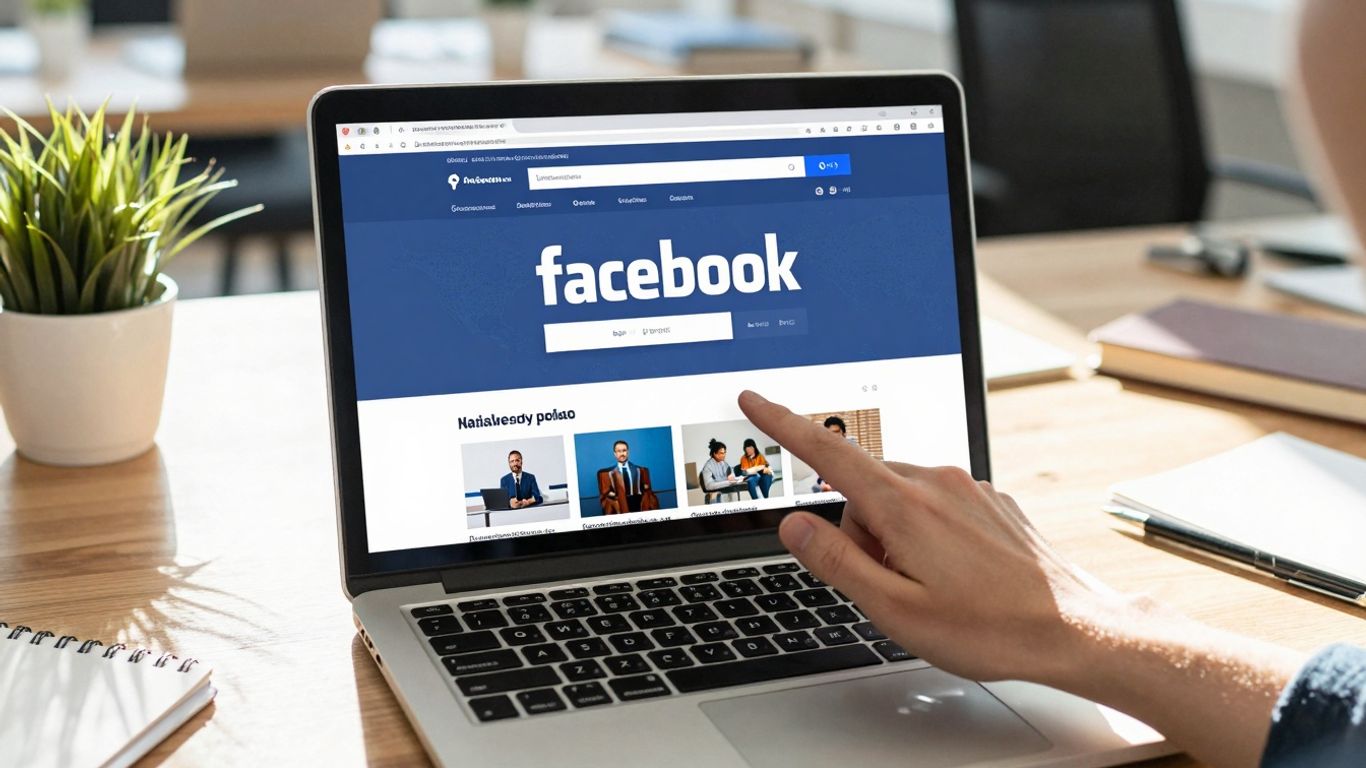
So, you've put in the work: the audience is defined, the creative is polished, and the budget is set. Now comes the exciting part – hitting that launch button! But remember, launching your Facebook ad campaign isn't the finish line; it's really just the starting pistol. The real magic happens in the ongoing management and smart adjustments.
Launching Your Facebook Ad Campaign
Once everything is set up in Ads Manager, you'll find a prominent 'Publish' or 'Go Live' button. Give it a final once-over – check your dates, budget, and targeting one last time. After you hit publish, your ads will go into a review process by Meta. This usually takes a few hours, but sometimes it can take longer, especially if your ad touches on sensitive topics or is for a new account. Once approved, your ads will start running according to your schedule.
Monitoring Key Performance Metrics
This is where you become a detective. You can't just set and forget. Regularly checking your Ads Manager dashboard is key. You'll want to keep an eye on several metrics to see how things are performing. Don't get overwhelmed by all the numbers; focus on what matters for your specific goals.
Here are the metrics you should be watching:
- CTR (Click-Through Rate): How many people are clicking your ad after seeing it? A low CTR might mean your ad isn't grabbing attention.
- CPC (Cost Per Click): How much are you paying for each click? This is important, but it's not the whole story.
- CPA (Cost Per Action/Conversion): This is often the most important one. How much does it cost to get the result you want, like a lead or a sale? A low CPC is no good if your CPA is too high to make a profit.
- ROAS (Return On Ad Spend): For businesses selling products, this tells you how much money you're making for every dollar you spend on ads. A 3x ROAS means you earned $3 for every $1 spent.
It’s easy to get caught up in vanity metrics that look good but don’t actually move the needle for your business. Always tie your ad performance back to your core business objectives. Are you getting more sales? More qualified leads? That’s what truly counts.
Strategies For Scaling Successful Campaigns
When you find an ad set that's performing exceptionally well – meaning it's hitting your CPA or ROAS targets consistently – it's time to think about scaling. But you have to be careful; scaling too fast or incorrectly can mess up the algorithm and tank your results. There are two main ways to scale:
- Vertical Scaling: This means increasing the budget of your existing winning ad set. Do this gradually. Try increasing the budget by no more than 20% every couple of days. Watch your CPA or ROAS closely after each increase. A sudden, big jump can confuse the algorithm.
- Horizontal Scaling: This involves duplicating your successful ad set and targeting new audiences with your proven ad creative. You could take your winning ad set and create a new one targeting a Lookalike Audience or a different interest group. This expands your reach without disrupting what's already working. You can also use your successful ad creative in new ad sets targeting different audiences. This is a great way to expand your reach without breaking what’s already performing.
Remember, consistent monitoring and smart scaling are what turn a decent Facebook ad campaign into a powerhouse for your business.
Staying Ahead With Facebook Ads Best Practices
So, you've built your campaigns, targeted your audiences, and crafted some killer ads. That's awesome! But here's the thing: Facebook's advertising world doesn't stand still. It's always shifting, with new features popping up and algorithms getting tweaked. To keep your ads working hard for you, you've got to stay in the loop.
The Importance Of Continuous Learning And Adaptation
Think of it like this: if you stopped learning how to use your smartphone the day you bought it, you'd miss out on all the cool updates and new apps, right? Facebook ads are kind of the same. Policies change, what works today might not work tomorrow, and new tools can make your life way easier. Keeping up with these changes is how you stop wasting money and start seeing better results. It means checking in with the official Facebook Business Help Center now and then, maybe subscribing to a few industry blogs that actually talk about what's new, and just generally being curious about how things are evolving. It’s not about chasing every shiny new object, but about understanding the bigger picture and adapting your strategy when it makes sense.
Mastering A/B Testing For Optimal Results
Okay, so you've got an ad running. How do you know if it's the best it can be? You don't, unless you test it. This is where A/B testing comes in. It’s basically showing two versions of something to different parts of your audience to see which one performs better. You can test almost anything:
- Different headlines
- Various images or videos
- Different calls to action (like "Shop Now" versus "Learn More")
- Slight tweaks to your audience targeting
- Even different bidding strategies
By splitting your audience and seeing which ad gets more clicks, more conversions, or a lower cost, you get real data to work with. This isn't guesswork; it's science. You can use this information to make your ads more effective, which means better returns on your ad spend. For example, testing different aspect ratios like 4:5 and 1:1 can significantly impact engagement [d7a9].
Troubleshooting Common Facebook Ad Issues
Sometimes, things just don't go as planned. Your ads might not be getting approved, your costs could be sky-high, or you're just not seeing any sales. Don't panic! Most common issues have straightforward solutions. For instance, if your ads are getting rejected, re-read Facebook's advertising policies carefully – often it's a simple mistake with an image or text. If your costs are too high, it might be time to refine your audience targeting or look at your bidding strategy. Maybe your ad creative just isn't grabbing attention. Regularly checking your campaign performance metrics in Ads Manager is your first step to spotting problems early. It’s about being methodical and not afraid to tweak things based on the data you’re seeing.
The key to long-term success with Facebook ads isn't just about setting them up and walking away. It's about a commitment to ongoing learning, smart testing, and being ready to adjust your approach. Treat your campaigns like a living thing that needs regular care and attention to thrive.
Wrapping Up Your Facebook Ad Journey
So, we've walked through the whole process, from figuring out who you're even trying to talk to, to actually getting your ads in front of them. It might seem like a lot at first, and honestly, sometimes it feels like you're just guessing. But by taking it step-by-step, really looking at your audience, and not being afraid to tweak things, you can start seeing some real movement. Remember, the ads you see today might not be the ads that work tomorrow, so keep an eye on what's happening and don't be afraid to try something new. You've got this.
Frequently Asked Questions
What's the very first thing I need to do before making a Facebook ad?
Before you even think about creating an ad, you need to figure out what you want to achieve. Are you trying to get more people to know about your brand, visit your website, or buy something? Once you know your main goal, you can start thinking about who you want to see your ad. Knowing your goal helps you measure if your ad is successful later on.
How can I make sure my ad is shown to the right people?
Facebook has super powerful tools to help you find your perfect customers. You can tell it things like their age, where they live, what they like, and even things they do online. It's like having a special radar to find exactly who you want to reach. You can also make special lists of people who already know your business, like those who visited your website before.
What makes a Facebook ad look good and grab attention?
Your ad needs to stand out! Use really cool pictures or videos that catch the eye. Your words, or 'ad copy,' should be short, clear, and tell people why they should care. Always include a clear instruction, like 'Shop Now' or 'Learn More,' so people know what to do next. Think about what would make *you* stop scrolling.
How much money should I spend on Facebook ads?
Start with an amount you feel comfortable spending. You don't have to break the bank! Facebook lets you set daily or total budgets. It's smart to watch how your ads are doing and then decide if you want to spend more on the ones that are working really well, or less on the ones that aren't.
How do I know if my Facebook ads are actually working?
You need to track what's happening! The Facebook Pixel is a small piece of code you put on your website that tells you when people do things, like buy something or sign up for a newsletter after seeing your ad. Watching these numbers helps you see what's working and what's not, so you can make your ads even better.
What if my ad isn't doing very well? What should I do?
Don't worry, it happens! The best thing to do is test different things. Try changing the picture, the words you use, or who you're trying to reach. Even small changes can make a big difference. Keep testing and watching your results. Facebook also has tools to help you fix common problems if your ad gets rejected.









Privacy is important to us, so you have the option of disabling certain types of storage that may not be necessary for the basic functioning of the website. Blocking categories may impact your experience on the website. View Our Privacy Policy


