
Create Video Ads With AI That Actually Convert

At its core, creating a video ad with AI is about giving a smart tool a few simple text prompts and watching it generate the script, visuals, and even the voiceover. You then take those pieces and stitch them together into a finished, polished ad. It’s a process that slashes production time and costs, putting powerful video advertising in reach for just about anyone.
Why Your Next Video Ad Should Be AI-Powered
Not long ago, video advertising was a game of big budgets, drawn-out production schedules, and logistical headaches. This reality kept it out of reach for most small businesses and solo entrepreneurs. Artificial intelligence has completely flipped that script, leveling the playing field and kicking off a new era of creative efficiency.
The real magic here isn't just about saving money; it's about gaining incredible agility. Forget spending weeks agonizing over a single ad concept. Now, you can create, test, and iterate dozens of variations in just a few hours. This rapid-fire approach lets you quickly find out which message, visual, or call-to-action actually connects with your audience.
The New Standard in Ad Creation
This shift isn't just a passing trend—it's fast becoming the new normal. Recent data reveals that over 50% of advertisers are already using generative AI for video creation or have plans to start. Some analysts even predict that by 2026, a staggering 40% of all digital video ads will be made or touched up with AI. That’s how fast this is moving.
This modern workflow opens the door to a more strategic, data-backed way of thinking. Let's break down the key benefits:
- Unmatched Speed: You can go from a simple idea to a finished ad in minutes, not weeks. This means you can launch timely campaigns that react to market shifts almost instantly.
- Serious Cost Savings: Say goodbye to the high costs of video shoots, hiring actors, and paying post-production crews. The savings are dramatic.
- Effortless Scaling: Need different ad versions for TikTok, YouTube, and Instagram? No problem. You can produce countless variations for A/B testing without multiplying your effort.
To really get a handle on what's possible, it helps to understand what AI-generated content truly is. It’s less about robots taking over and more about a partnership—your strategic vision guiding powerful tools that do the creative heavy lifting. Consider this your primer for a smarter, faster way to make video ads that actually work.
2. Nail Down Your Ad Strategy Before Hitting 'Generate'
Diving headfirst into an AI tool without a plan is a recipe for disaster. It's like trying to build a house without a blueprint—you'll get something, but probably not what you wanted. The AI is incredibly powerful, but it's not a mind reader. It needs clear, specific direction.
This initial strategy phase is what separates a high-converting ad from just another piece of digital noise. It’s the non-negotiable first step.
So, where do you start? Simple. Who are you actually talking to? I don't mean vague demographics like "women, 25-40." I mean getting deep into their mindset. What's the one big frustration they deal with every day that your product completely eliminates? A great ad doesn't sell features; it sells a solution to a nagging problem.
Defining Your Core Message
Once you've zeroed in on that problem, your message becomes the bridge connecting their pain to your solution. This isn't the time to list every single feature you offer. The goal is to craft a single, powerful hook that grabs their attention within the first 3 seconds. That’s your entire window before they scroll away.
A classic, battle-tested framework for this is the Problem-Agitate-Solve (PAS) model. It just works.
- Problem: Hit them with the pain point right away. "Tired of spending hours creating social media content?"
- Agitate: Pour a little salt in the wound. Remind them why it's so frustrating. "It's a constant drain, pulling you away from what really matters—running your business."
- Solve: Present your product as the hero. "Now, you can generate a week's worth of posts in just a few minutes."
This structure is effective because it's built on empathy. You're showing them you get it before you ask for anything in return.
My Two Cents: Your goal isn't just to be seen; it's to be remembered. A message focused on one compelling idea will stick in someone's mind far longer than an ad that throws ten different benefits at them.
Simple Storyboarding for a Clear Vision
You don't need to be a Hollywood director to storyboard. Seriously, a simple text document with a few notes is all it takes to outline the flow of your ad. For a standard 15-30 second ad, you're really only looking at a three-to-five scene structure.
Just think through the visuals for each part of your PAS script.
- What image screams "frustration" for the Problem scene?
- What shot perfectly demonstrates the relief of your Solution?
Mapping this out beforehand makes writing your AI prompts a thousand times easier. It ensures all your AI-generated clips come together to tell a cohesive story, turning the actual creation process into a smooth and efficient workflow.
Picking Your AI Tools for Visuals and Voiceovers
Okay, you've got your strategy and storyboard locked in. Now for the fun part: bringing your ad to life. This is where we jump from paper plans to actually creating the sights and sounds that will make up your video. Using AI here isn't just a shortcut; it's like having a bottomless well of creative assets ready to go.
The secret to getting what you want from these tools? It all comes down to the prompts. Think of a prompt as your creative brief for the AI. If you're vague, you'll get generic, forgettable results. But if you get specific and descriptive, you can generate assets that look and feel completely custom.
Getting Your Core Visuals with AI
The visuals are your scroll-stopper. They’re the first thing people see, so they have to be compelling. Whether you're aiming for a photorealistic image or a sweeping video clip, the quality of your output is directly tied to the quality of your input.
Don't just ask for "a person using a laptop." That's a recipe for bland stock-photo-style results. You need to paint a full picture for the AI.
I always tell people to think like a film director. What's in the shot? What's the feeling? For every prompt, consider these angles:
- Subject and Action: Be precise about who's in the frame and what they’re doing. For instance, "A young female entrepreneur, looking determined, quickly typing on a sleek laptop..."
- Environment and Setting: Where is this happening? Describe the background. Is it a modern, minimalist home office or a bustling coffee shop?
- Lighting and Mood: Light dictates the mood. Is it "warm, morning sunlight streaming through a window" or "dramatic, high-contrast lighting"?
- Style and Aesthetics: Give it an artistic direction. Use terms like "photorealistic," "cinematic," "4K high detail," or "soft, dreamy aesthetic."
Let's say you're creating a visual for the "Problem" part of your ad. A lazy prompt like "frustrated business owner" won't cut it. A much better prompt would be: "Photorealistic image of a stressed small business owner in his late 30s, head in his hands, sitting at a cluttered desk late at night, illuminated only by the glow of a laptop screen, conveying a sense of being overwhelmed."
See the difference? That level of detail gives the AI exactly what it needs to produce something powerful. If you're looking for the right tool to bring these prompts to life, you can explore this list of the 10 best AI video generators of 2024.
Finding the Right AI Voice for Your Brand
The voiceover is your ad's personality. It’s what builds trust and guides the story. Today's AI voice generators are shockingly realistic, but you have to pick a voice that actually fits your brand, or you'll lose the viewer's trust instantly.
A voice that doesn't match your brand's personality can create an instant disconnect with the viewer. A tech startup might need a confident and energetic voice, while a wellness brand would benefit from a calm and reassuring tone.
When you’re auditioning AI voices, listen for these characteristics:
- Tone: Does it need to be conversational and friendly, or more authoritative and direct? Maybe urgent?
- Pacing: Are you going for a slow, thoughtful delivery or something fast-paced and high-energy?
- Gender and Age: Who is your target customer? Which demographic voice will connect best with them?
Most AI voice platforms let you paste your script and test out dozens of voices in minutes. Don't rush this. Listen to a handful of options before you decide. Once you've got your script in there, you can even add little performance notes like (pause) or tell the AI to emphasize specific words. This gives you a surprising amount of director-level control over the final read. When you create video ads with AI, never treat the audio as an afterthought.
Crafting effective prompts is a skill, but it's one you can learn quickly. The key is to be descriptive and provide context for every element you want to generate.
Effective AI Prompting for Video Ad Elements
Ad ComponentPrompt GoalExample PromptOpening Hook VisualCreate a scroll-stopping, high-emotion video clip."Ultra-realistic 4K video, cinematic shot of a person looking exhausted at their desk, papers scattered everywhere, slow zoom in on their tired face, moody, dramatic lighting."Product ShotGenerate a clean, appealing image of the product."Studio photograph of a sleek, white skincare bottle with a silver cap, sitting on a marble surface next to a green leaf, soft natural lighting, minimalist aesthetic.""Before" SceneShow the customer's pain point visually."Image of a frustrated home cook in a messy kitchen, pots and pans overflowing from the sink, looking defeated. Over-the-shoulder shot, photorealistic, warm but slightly chaotic lighting.""After" SceneShowcase the positive outcome after using the product."Bright, airy shot of the same person from the 'before' scene, now smiling and effortlessly cooking in a clean, organized kitchen. Golden hour sunlight streaming in."Call-to-Action VisualCreate a simple visual that reinforces the CTA."Minimalist graphic, a smartphone screen displaying our app's logo, a finger is about to tap the 'Download Now' button, clean background, brand colors."VoiceoverGenerate a voiceover with a specific tone and pace."(Upbeat and friendly) Are you tired of spending hours planning your meals? (Pause) With MealPrep Magic, you can create a full week's menu in just five minutes! (Emphasize) Five minutes."
Getting comfortable with this kind of detailed prompting will make a night-and-day difference in the quality of the ad assets you're able to create. It's the bridge between a generic, robotic-looking ad and one that feels genuinely compelling.
Bringing It All Together: Assembling and Polishing Your AI-Generated Ad
You've prompted your way to a great collection of visuals and a solid voiceover. That's a huge part of the battle, but these are still just the raw ingredients. Now comes the most important part: turning those assets into a scroll-stopping ad that actually converts.
This is where your human touch is non-negotiable. It's time to shift from being a content generator to a storyteller. You'll need to weave everything together, make sure the pacing is spot on, and get the message across loud and clear.
It really boils down to combining your visuals with the voiceover and then putting on the final polish.
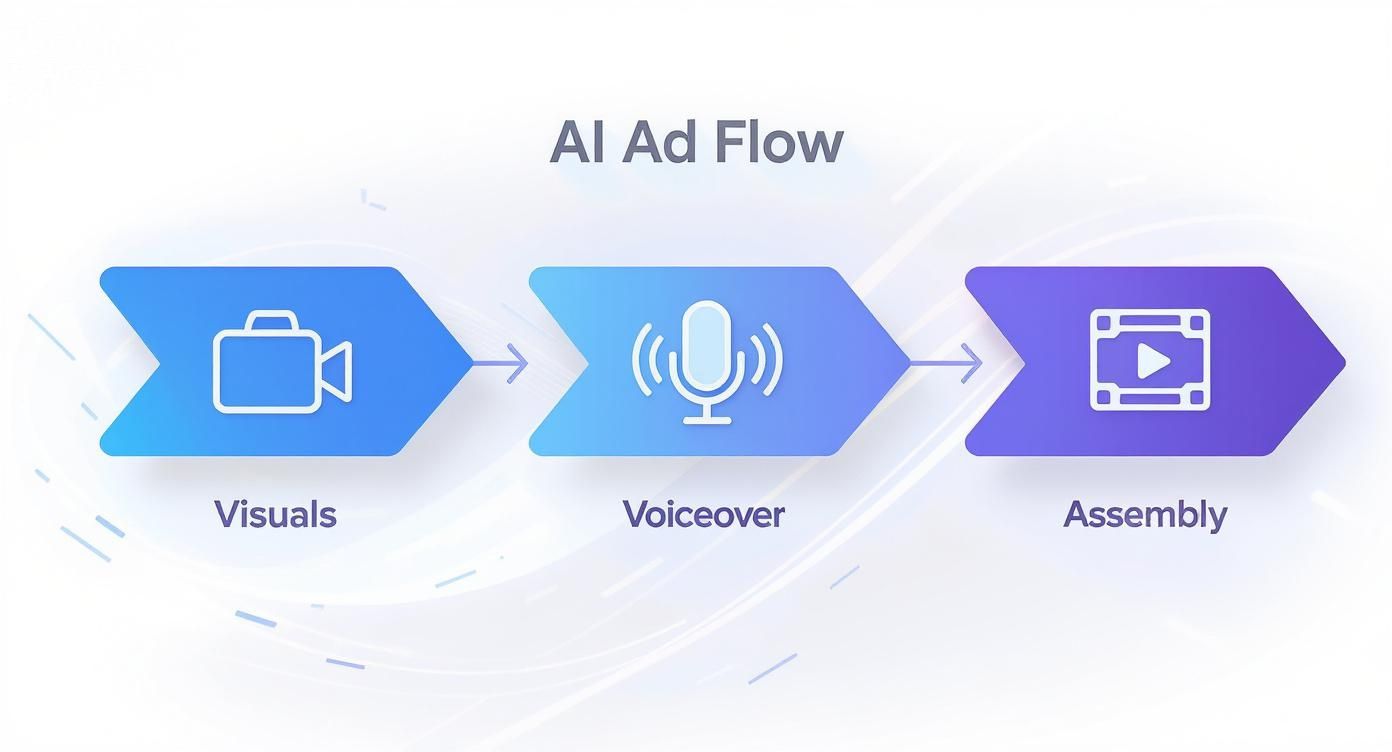
This simple flow—visuals, voiceover, and assembly—is the blueprint for taking your raw AI assets and transforming them into a high-performing ad.
Fine-Tuning the Pace and Flow
The rhythm of your ad is everything, especially in those first three seconds. You have to combine your video clips and images in a way that feels dynamic and keeps people watching. One of the most common mistakes I see is letting scenes drag on for too long—it's a surefire way to kill momentum and get someone to swipe away.
Keep your edits snappy and intentional. A good rule of thumb is to change scenes every 1.5 to 3 seconds to hold visual interest. Try timing your cuts to the beat of the background music or to land on key words in the voiceover. This kind of synchronization gives the ad a much more professional, polished feel and just makes it more satisfying to watch.
Pro Tip: You absolutely need captions. It's estimated that 85% of social media videos are watched with the sound off. Adding clear, dynamic captions isn't just an accessibility nice-to-have; it's a non-negotiable for ad performance.
Optimizing for Every Platform
That perfect square video for your Instagram feed is going to look awkward and out of place as a YouTube pre-roll ad. Every platform has its own set of rules, both written and unwritten. If you want to get the most out of your ad spend, you have to tailor your creative to fit each platform's native environment.
- Facebook & Instagram Feeds: Stick to 1:1 (square) or 4:5 (vertical) aspect ratios. Keep the ad under 60 seconds, but make sure your main point is delivered within the first 15.
- Instagram Reels & TikTok: Full vertical is the only way to go here—9:16 aspect ratio. These platforms are all about speed, so your ad needs to be punchy, ideally between 15-30 seconds. After the AI generates the core assets, it's worth adapting your video to fit the style of popular short-form video ads on TikTok and Reels to get the best results.
- YouTube Shorts: Just like Reels, 9:16 vertical video is the standard. Keep it under the 60-second mark to make sure it gets placed on the Shorts shelf.
- YouTube In-Stream (Pre-Roll): This is where the classic 16:9 (horizontal) format lives. While your ad can be longer, the skippable format means you have about five seconds to hook someone before they click away.
Don't underestimate how ready consumers are for this. Recent data shows that roughly 65% of consumers are open to watching AI-generated videos from brands. This number jumps even higher with younger audiences, as 76% of Gen Z and 78% of millennials are on board. When you adapt your AI-generated ads for each platform, you're not just improving performance—you're respecting the user's experience, which always pays off.
How to Measure and Iterate Your AI Ad Campaigns
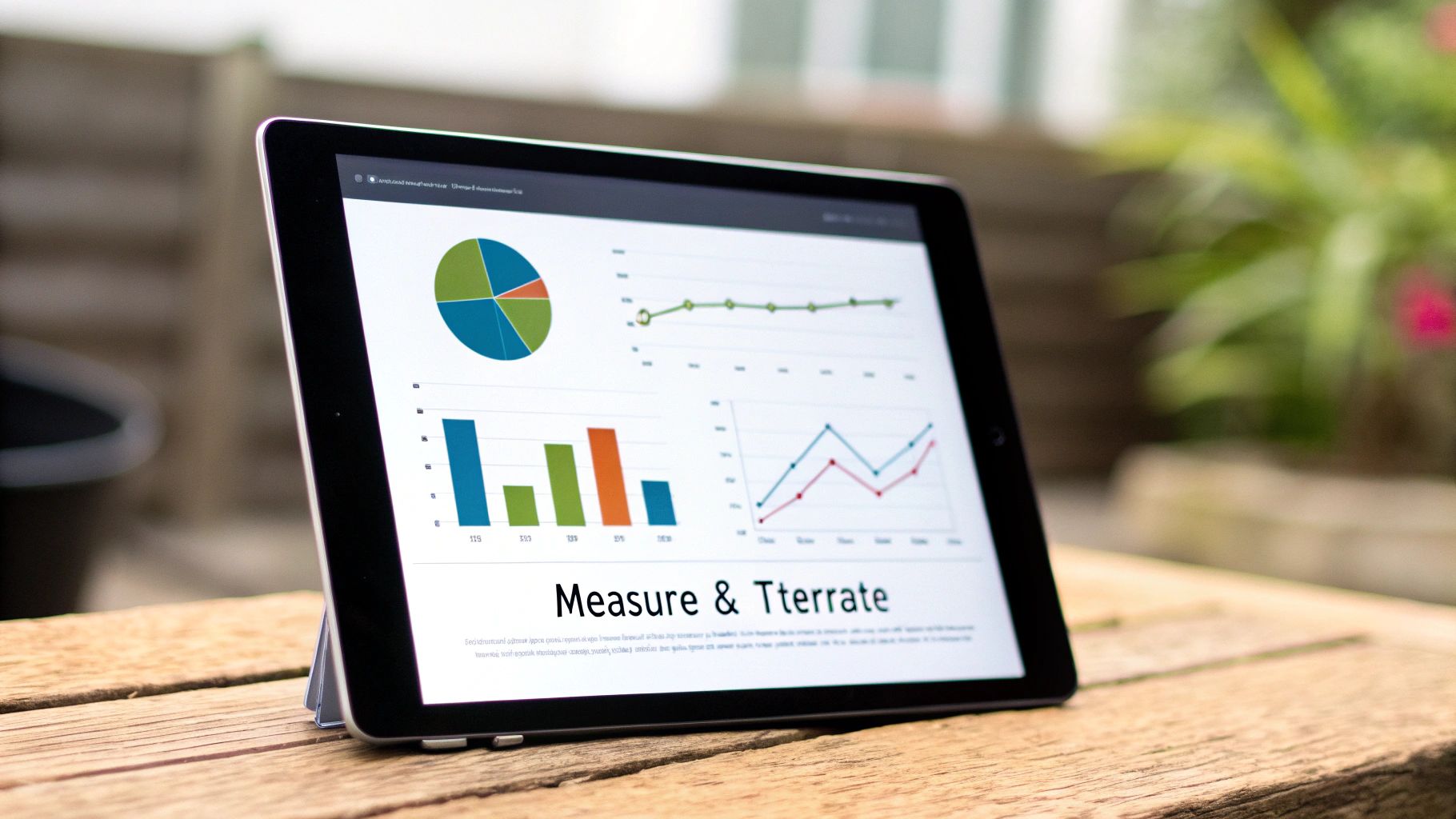
Getting your AI-powered ad live isn't the finish line—it's the starting gun. The real work begins now. Collecting and understanding performance data is the only way to turn an ad that gets views into one that actually drives revenue.
Too many marketers get hung up on "vanity metrics" like views, likes, and shares. They look nice on a report, but they don't tell you if the ad is actually making you money. To get a real sense of performance, you have to dig deeper into the numbers that directly affect your bottom line.
Here’s what I always focus on:
- Click-Through Rate (CTR): This is your first gut check. Out of everyone who sees your ad, what percentage is actually clicking? A low CTR tells you the hook or visuals aren't grabbing attention.
- Conversion Rate: Of the people who do click, how many follow through and buy something or sign up? This metric reveals if your ad’s promise lines up with what they find on your landing page.
- Cost Per Acquisition (CPA): Simply put, how much are you paying to get one new customer? Your goal is to drive this number down as low as possible.
- Return on Ad Spend (ROAS): This is the ultimate report card. For every $1 you spend, how many dollars are you getting back in sales? A ROAS of 3:1 or higher is a great place to be.
Leveraging AI for Rapid A/B Testing
This is where AI gives you a massive, almost unfair, advantage. The sheer speed of AI tools means you can run powerful A/B tests at a scale that was just a fantasy a few years ago. You can stop guessing what works and start knowing.
With just a few tweaks to your prompts, you can spit out multiple ad variations to test different hooks, visuals, or offers.
The iterative process is what turns a good ad into a consistent, revenue-generating machine. Never settle for the first version; always be testing a new hypothesis to find what moves the needle for your business.
Not sure where to start? Try testing these elements against each other:
- The Hook: Change the first 3 seconds. Test different opening lines or visuals to see what stops the scroll.
- The Visuals: Pit a live-action shot of a person using your product against a clean, animated graphic.
- The Call-to-Action (CTA): Does "Shop Now" outperform "Learn More"? You won't know until you test it.
If you're looking for tools to help manage these experiments, this guide on the 10 best A/B testing tools for video ads is a fantastic resource.
Making Data-Informed Decisions
The results from these tests give you the concrete feedback you need to make smart changes. This create-measure-learn cycle is the engine of any successful ad strategy.
It's also why you can't just set and forget your AI ads. Recent industry data shows that while many marketers have tried AI video tools, some have pulled back, citing quality concerns. This just proves how critical it is to use AI as a tool guided by human strategy and validated by hard data. Your numbers will always tell you the truth about whether your AI-generated ad is hitting the mark.
Common Questions About Creating AI Video Ads
Jumping into AI ad creation? You probably have some questions. It's totally normal to wonder about which tools to use, how to avoid that "AI look," and what this is all going to cost. Let's clear up some of the most common questions I hear from people getting started.
Getting these things sorted out first will make the whole process smoother and help you get the most out of these incredible tools.
What Are the Best AI Tools for Creating Video Ads?
There's no single "best" tool—it really depends on what you need. Think of it less like finding one perfect hammer and more like building your ideal toolbox.
For most people, an all-in-one platform like Quickads.ai is the fastest way to get from idea to finished ad. It's designed specifically for this workflow, handling the script, visuals, and final video all in one place. It just makes life easier.
But if you like to have more granular control, you can absolutely piece together a custom workflow using specialized tools.
- For Killer Images: Midjourney or DALL-E 3 are the gold standard for creating stunning, photorealistic images from simple text prompts.
- For Believable Voiceovers: I'm consistently impressed by the quality from services like ElevenLabs or Play.ht. They deliver incredibly natural-sounding voices that don't scream "robot."
- For Turning Ideas into Motion: Tools like Runway or Pika Labs are leading the pack in generating actual video clips from text or still images.
The right path for you really boils down to your budget, how comfortable you are with tech, and just how deep you want to get into tweaking every single part of your ad.
Can AI-Generated Videos Look Unprofessional?
Oh, absolutely. And they often do when there isn't a solid creative strategy behind them. The AI is just a tool; it's your direction that makes the difference between a clunky, generic video and a polished, professional ad.
A well-thought-out script and incredibly detailed prompts are your best friends here.
The real magic happens in the final edit. This is where the human touch elevates the AI's output. Things like pacing, adding your own branded graphics, and getting the sound design just right are what turn raw AI footage into a truly effective ad.
Don't just tell the AI to create "a happy customer." That's too vague. For more advanced video generation, Kling AI prompts can provide detailed instructions for elements such as camera movement, lighting, subject action, and visual style, helping creators produce more controlled advertising content. Get specific. Describe the lighting, the exact camera angle, the emotion you want to convey, and the environment they're in. This level of detail is how you create video ads with AI that actually connect with people.
How Much Does It Cost to Create Ads with AI?
One of the biggest wins here is the cost. It's a fraction of what traditional video production costs, with options ranging from nearly free to a few hundred dollars a month. Most AI tools operate on a subscription model, where you pay for a certain number of credits or access to different features.
A basic plan on many platforms will land you in the $20-$50 per month range, which is often more than enough for a small business to create several ad campaigns. If you need higher-resolution outputs, team features, or more advanced capabilities, you might be looking at plans that cost $100 to $300+ a month.
When you compare that to the thousands—or even tens of thousands—of dollars a traditional video shoot can cost, the value is undeniable. The most important skill isn't being a tech wizard; it's being a good strategist. The AI executes, but your ability to understand your audience and translate your message into clear creative direction is what will truly drive your success.
Ready to stop wondering and start creating? Quickads.ai gives you an all-in-one platform to generate high-performing video ads in minutes.









Privacy is important to us, so you have the option of disabling certain types of storage that may not be necessary for the basic functioning of the website. Blocking categories may impact your experience on the website. View Our Privacy Policy


