On-model photography from one shoot. One model, six garments.
One set and one photo of each garment went in. The six looks come from one 60-garment shoot and share one model reference.
Tell us what you sell. We'll come back with a photoshoot plan for your catalog.
Free. No card. We reply within one working day.
On-model photography shows a garment worn by a person, so a shopper can judge fit, length and drape before buying. Generating it takes one photo of each garment and one model reference. In one 60-garment shoot, the six looks that shared a reference kept the model's face and framing.
- A model reference holds the face and framing across a shoot, and each frame still needs a look.
- The input can be a flat lay, a hanger shot or a photo of someone else wearing it.
- Pieces you didn't send are generated to match, so the product stays the focus.
- Prints, trims and construction are what to check first on a generated frame.
- On the default setting, garment images are color-measured against their input photo.
Last updated · QuickAds Editorial Team
Every look and result is generated. The garment photos behind them, including the six inputs, come from published product and campaign pages, and none of them is client work.
What does on-model photography look like across a range? Six garments, one model.
The first frame is the model reference, and the six looks beside it share it. Four kept her face, hair and framing. The skirt came back on a darker sweep and the joggers with longer hair.
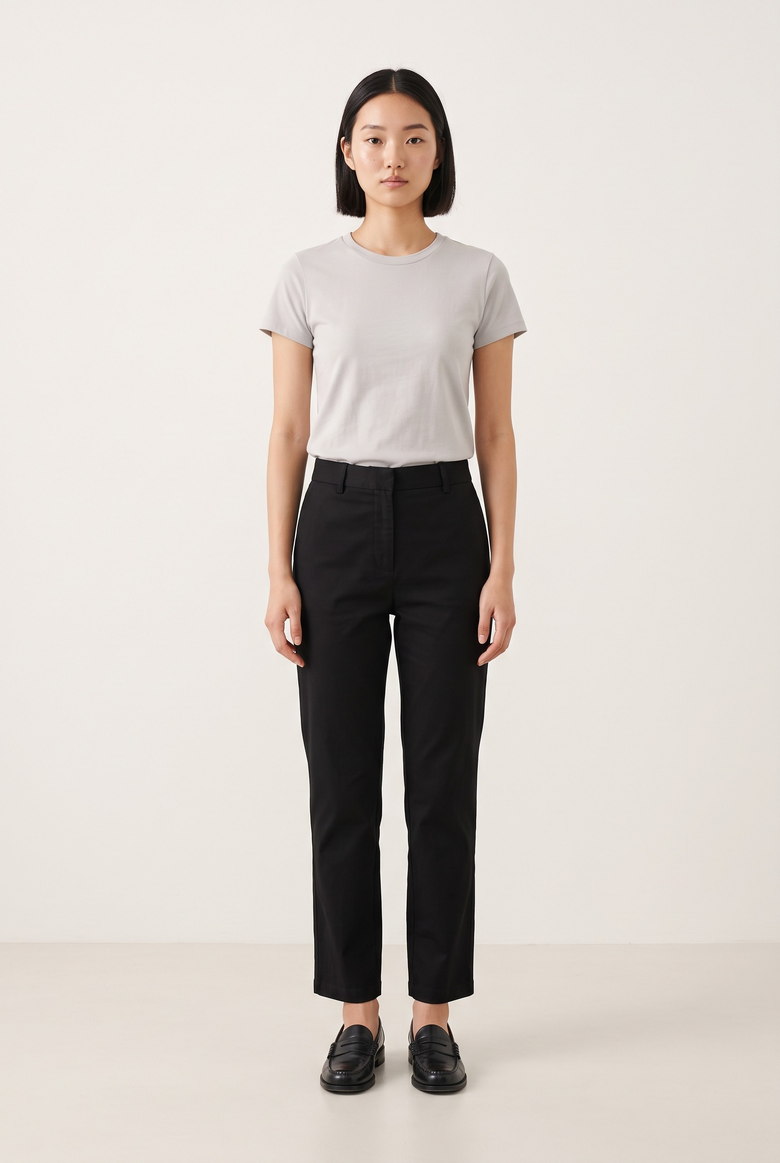 Model reference
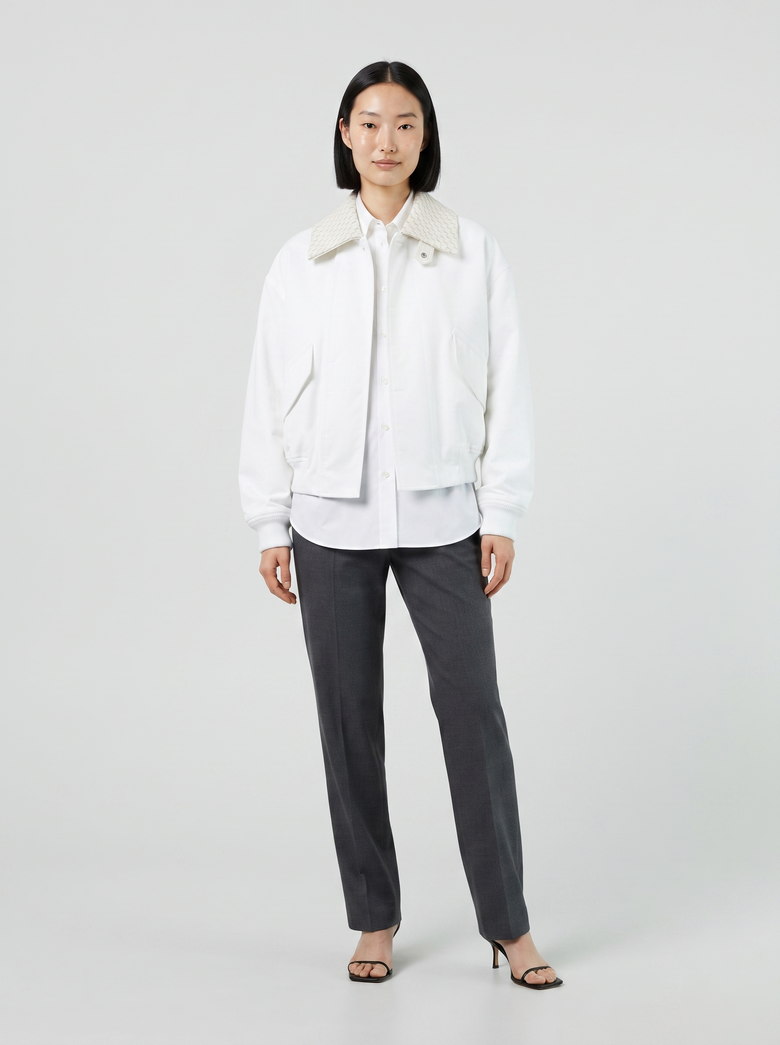 Generated
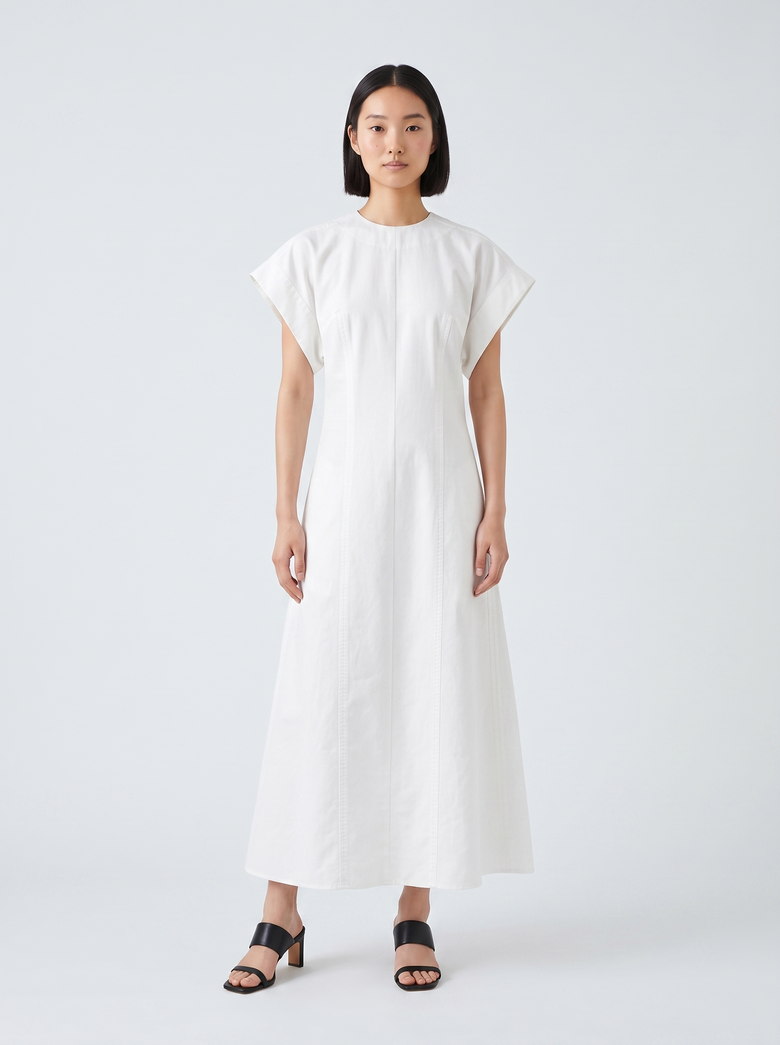 Generated
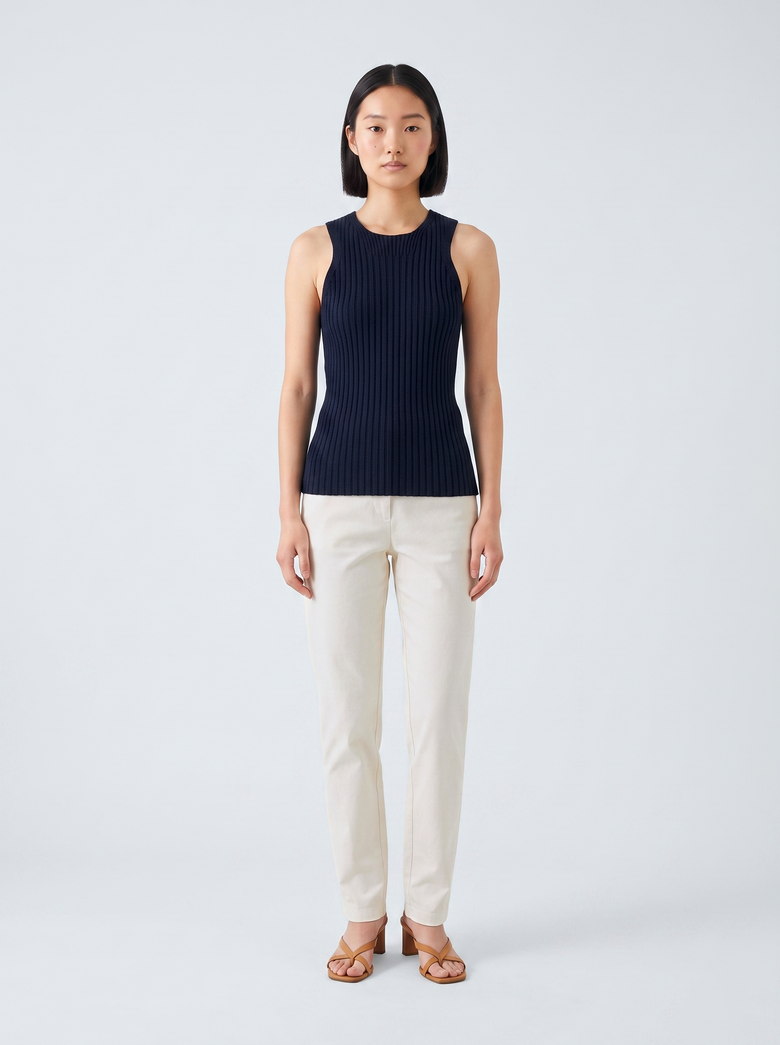 Generated
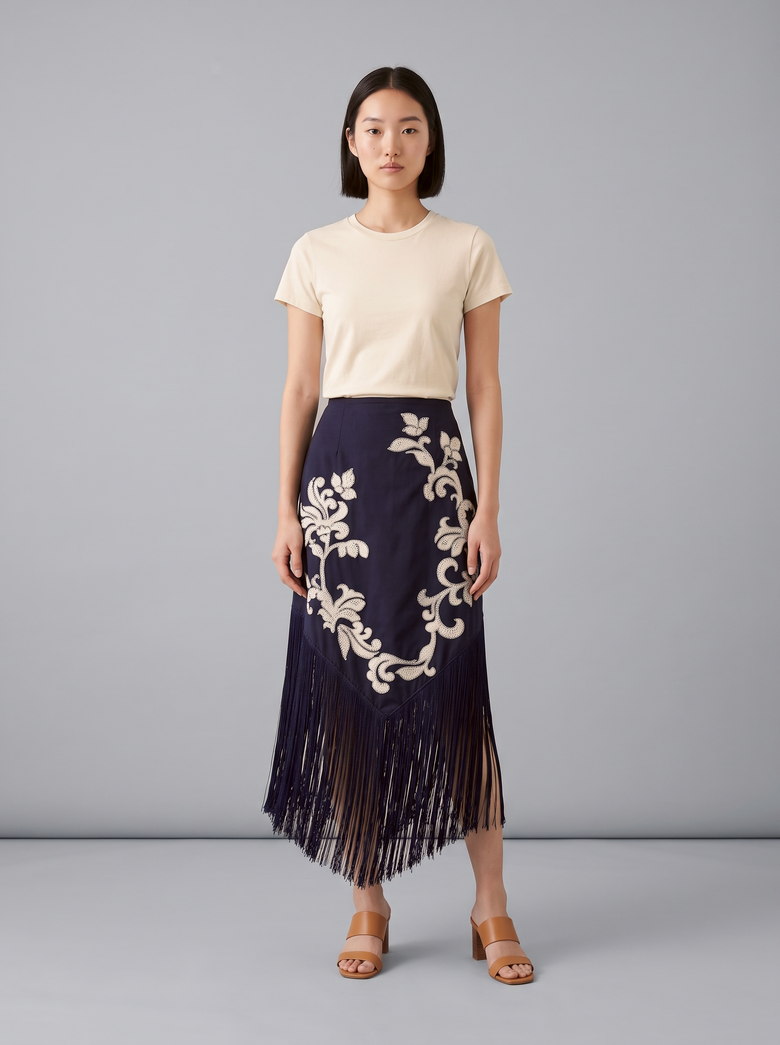 Generated
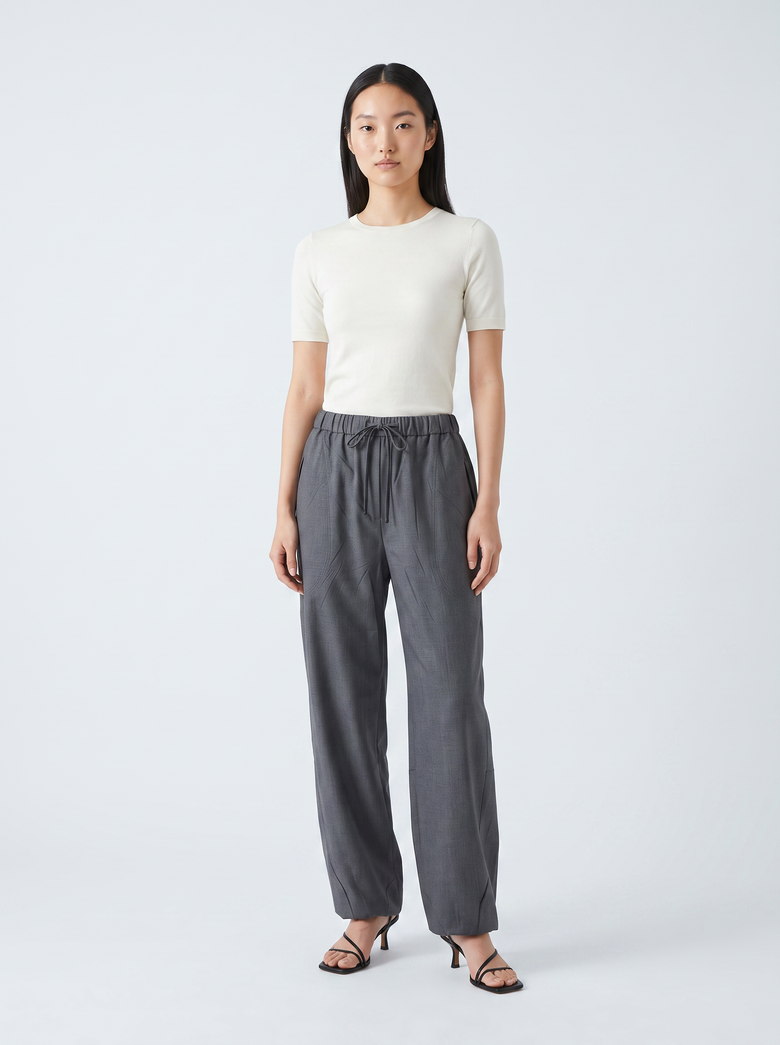 Generated
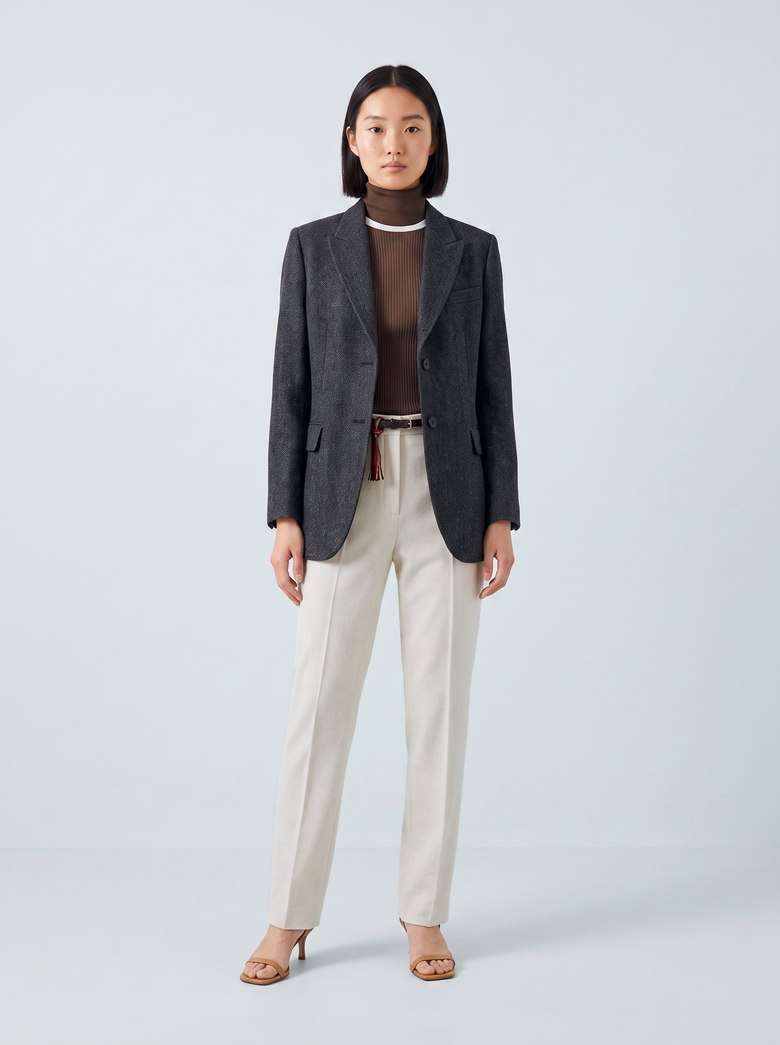 Generated
Start from the photo you already have. Six that were not flat lays.
One photo per garment is the whole input. None of these six is a flat lay or a garment-only product shot: each is worn, styled, cropped or shot on location. The model, set and light in each result were picked for the shoot, so the person changes while the garment should not.
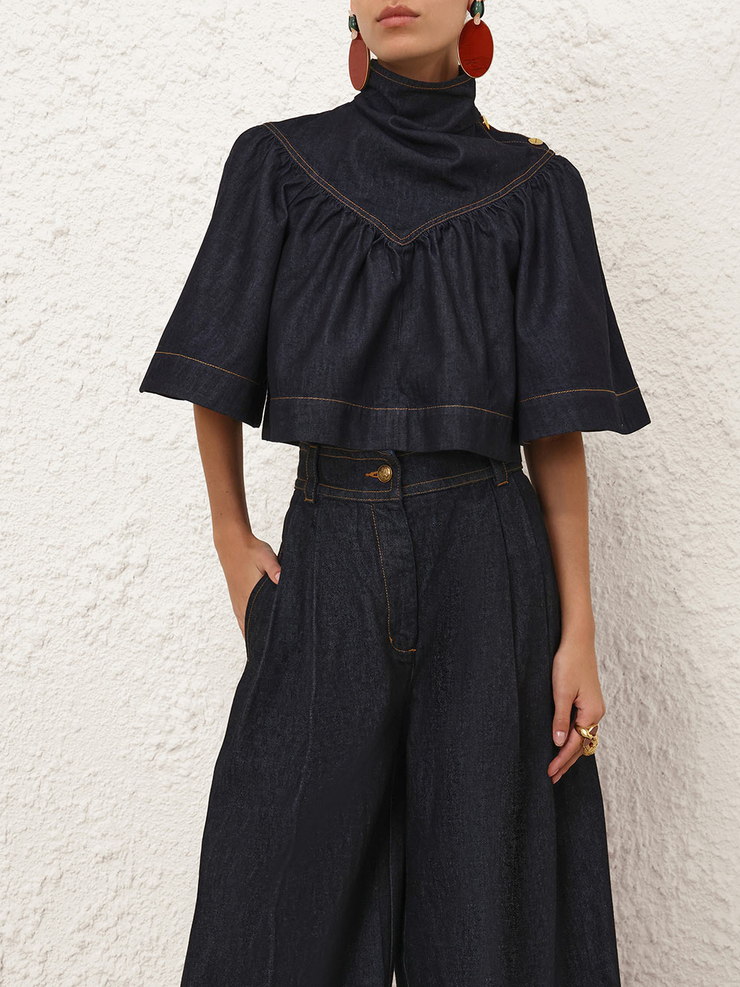 Demonstration input
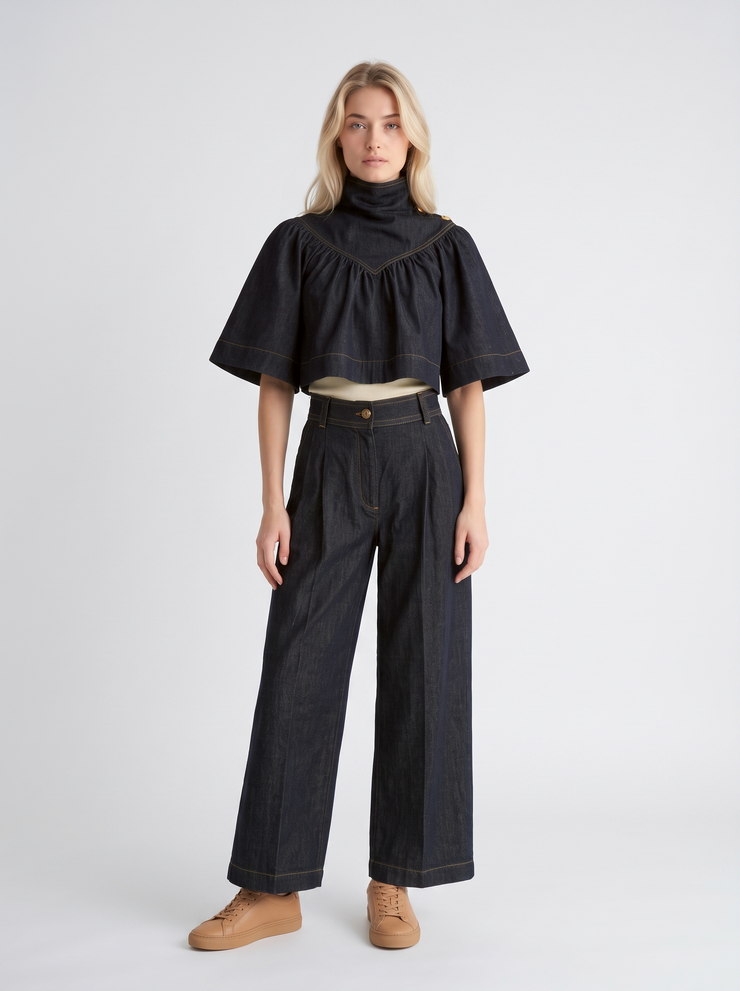 Generated
The photo stopped at the thigh. The gathered yoke and the half sleeve held, the wide leg was built down to the hem, and a cream layer appeared at the waist.
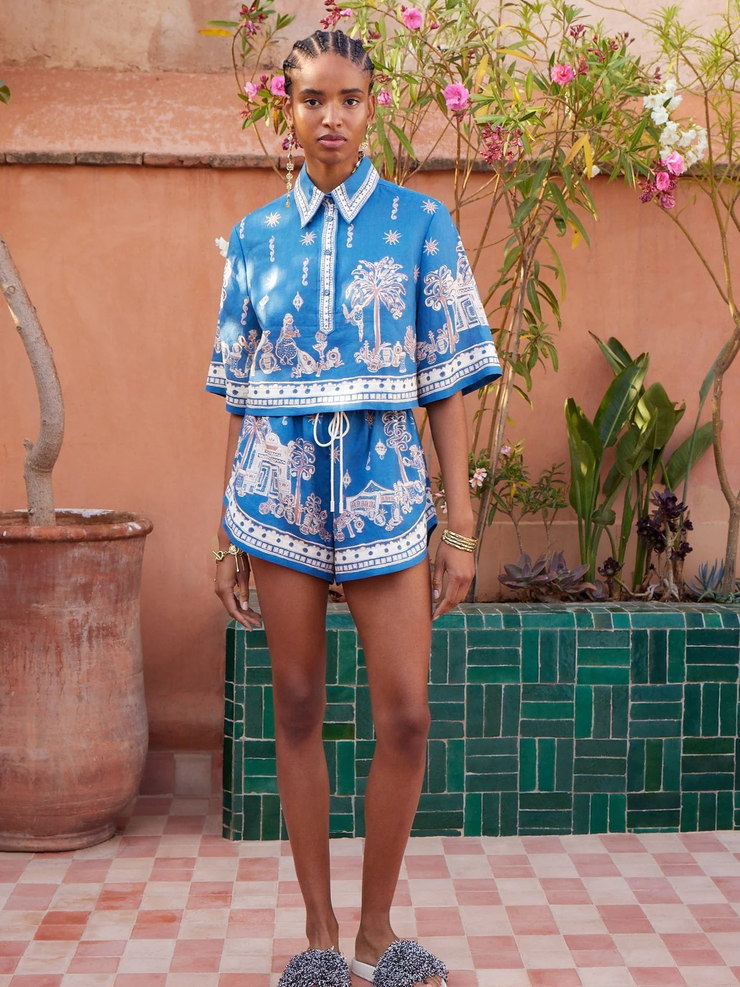 Demonstration input
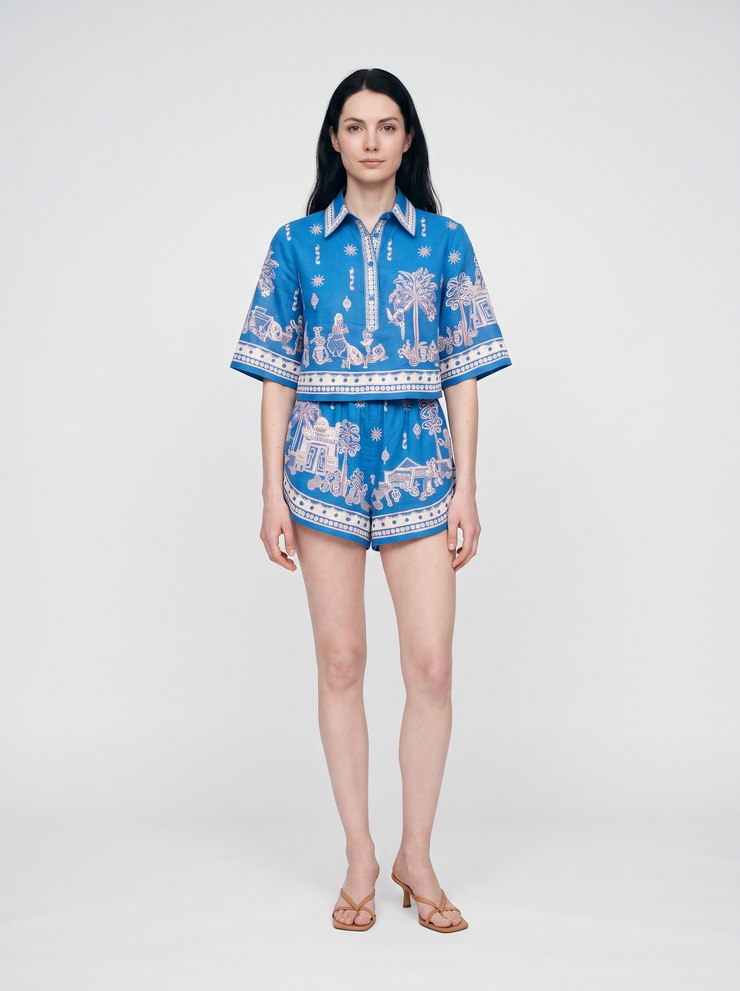 Generated
The palm and urn print and the collar band came through. The courtyard, the light and the model were swapped for the ones picked for the shoot.
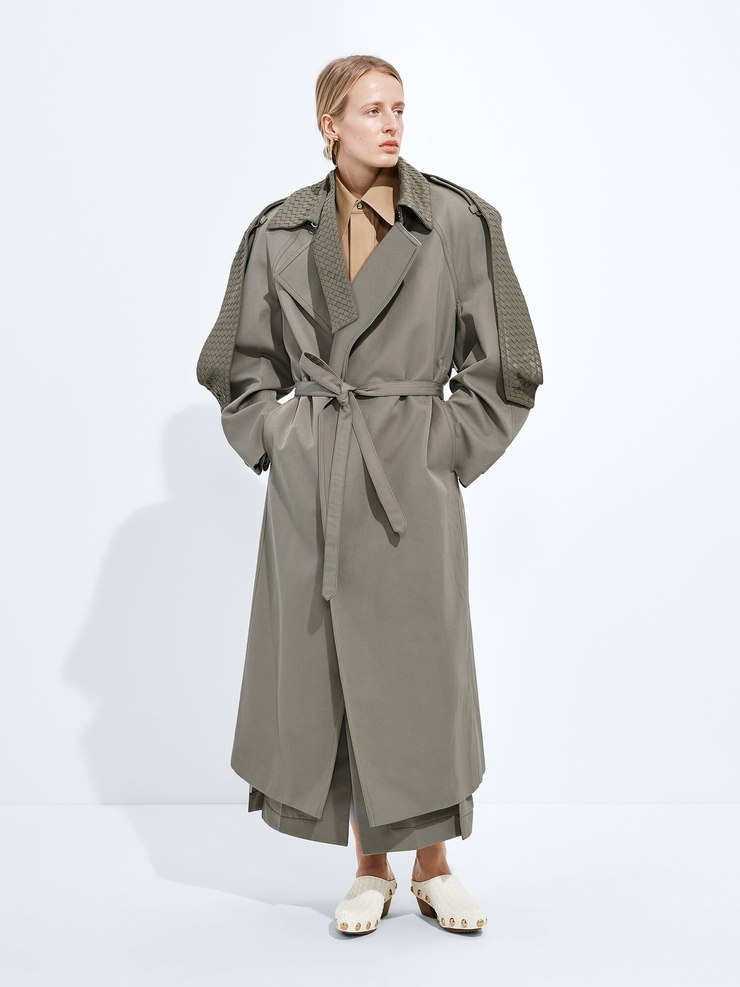 Demonstration input
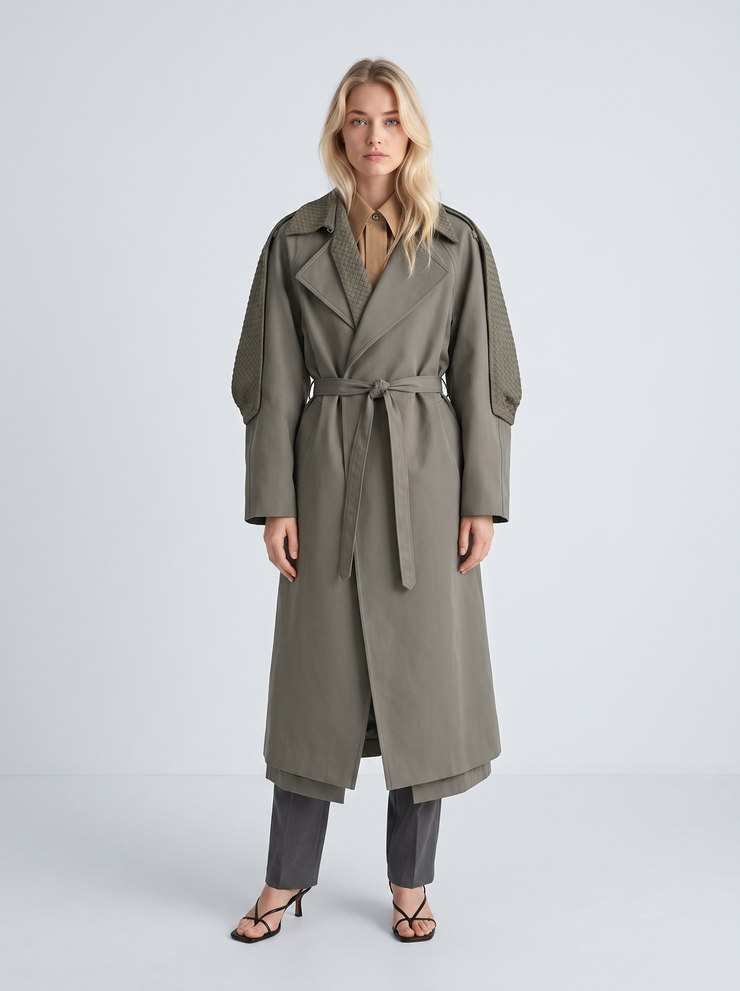 Generated
The woven shoulder panels, the tied belt and the drape held. The bottoms were restyled, because they are not the product.
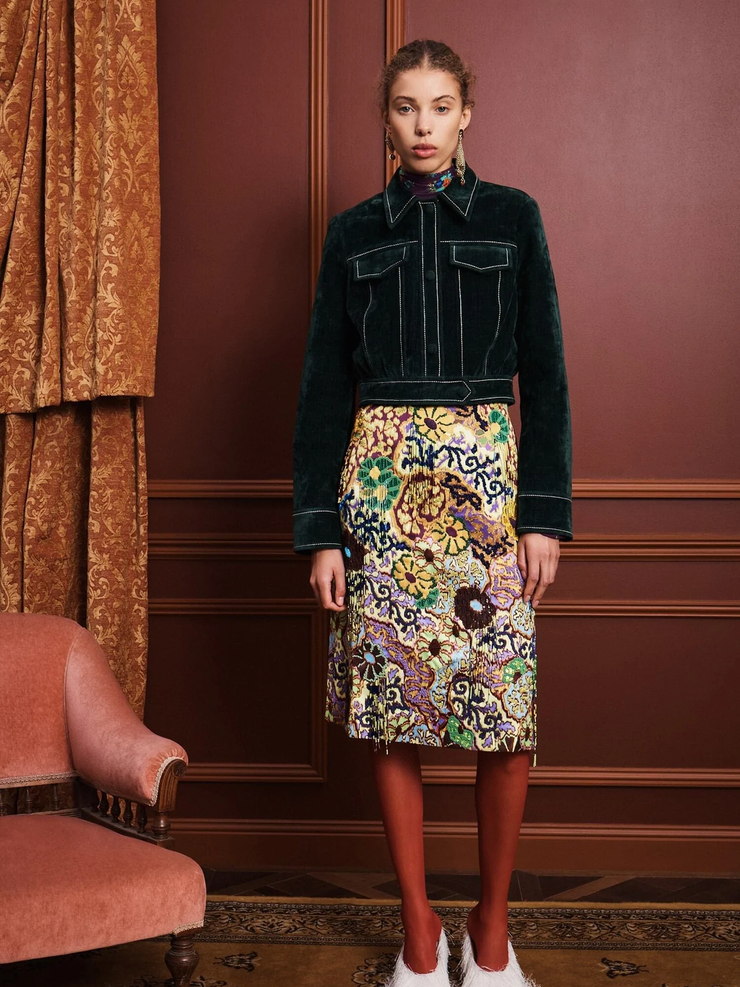 Demonstration input
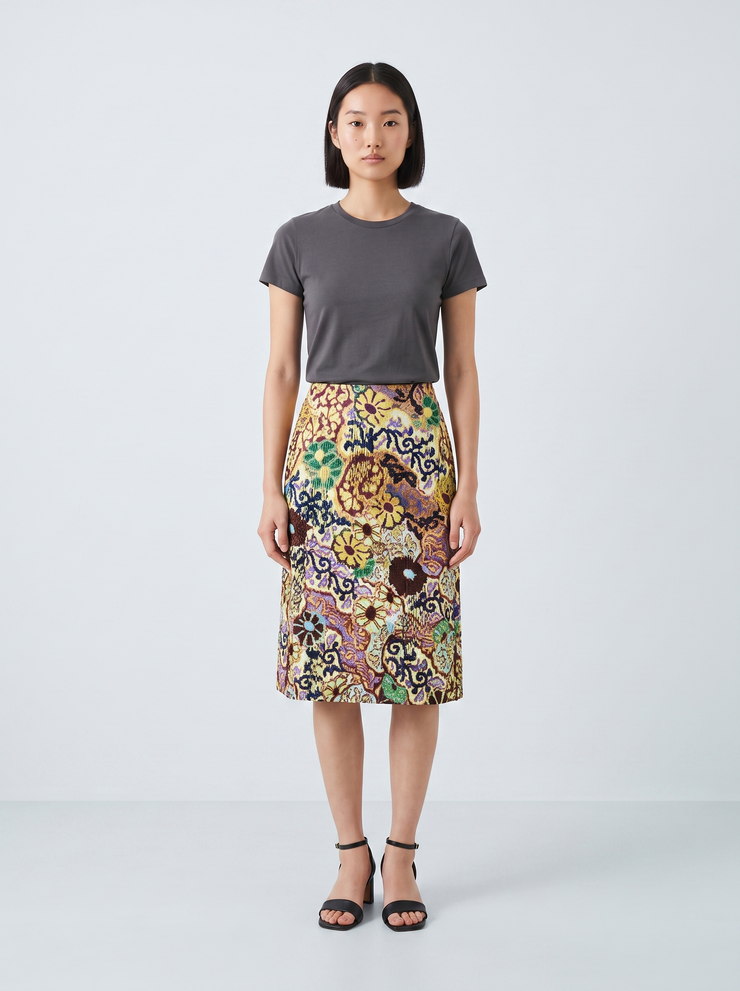 Generated
The color blocks and the hem length held, and a plain tee keeps the eye on the skirt. The hanging beads at the hem did not come back.
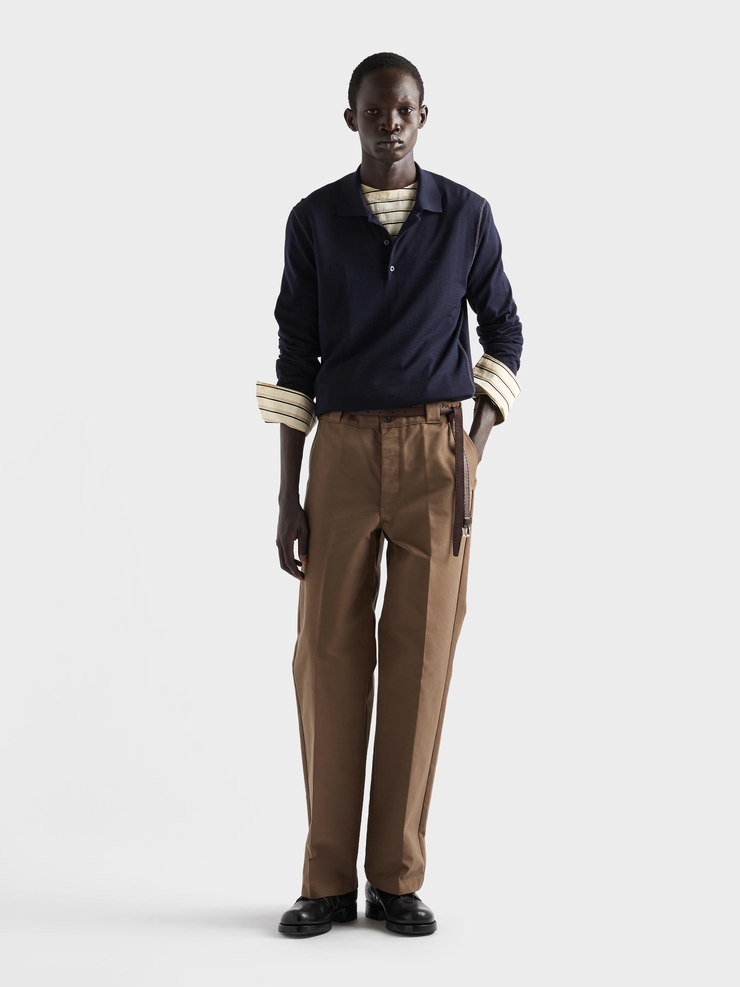 Demonstration input
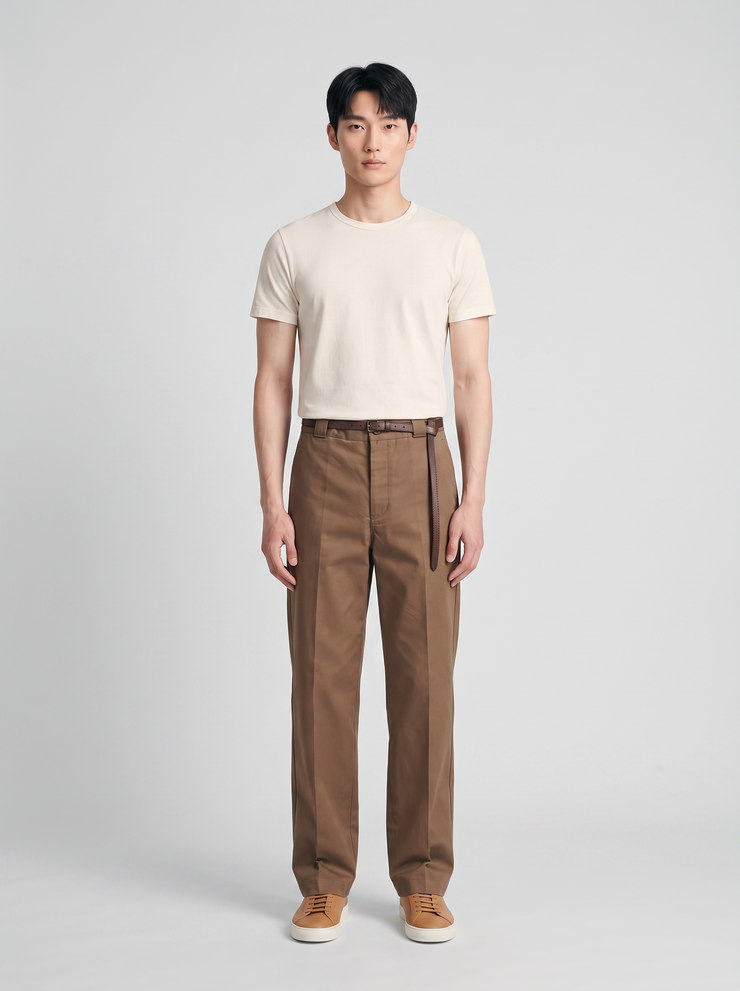 Generated
Only the pants are the product. The pleat, the rise and the canvas brown held, and everything from the waist up is plain on purpose.
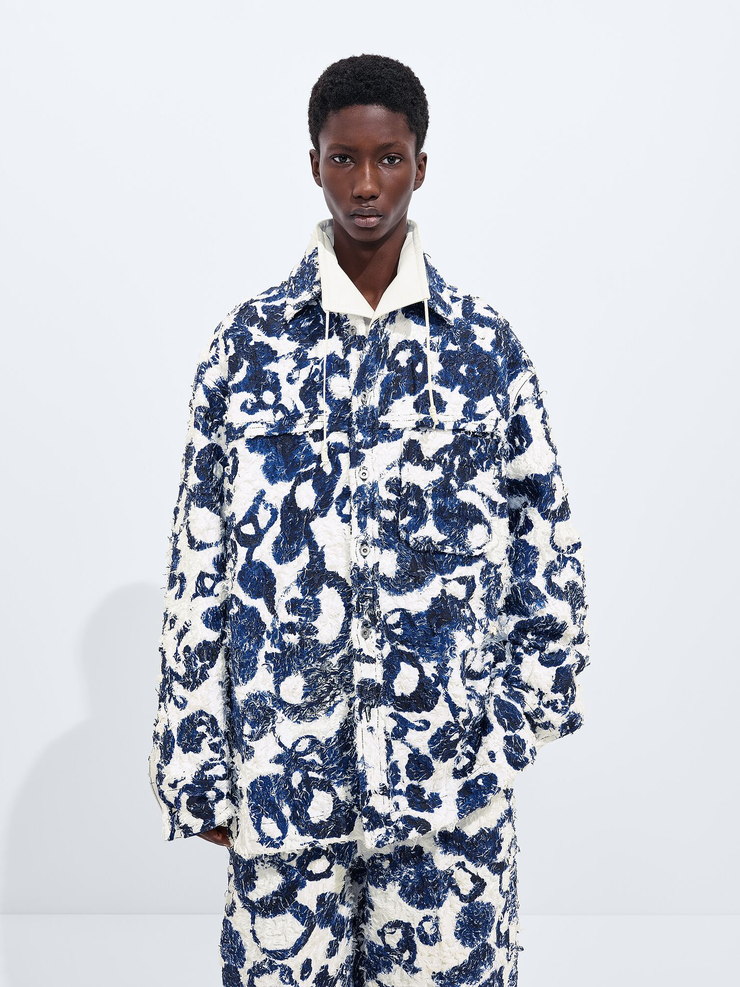 Demonstration input
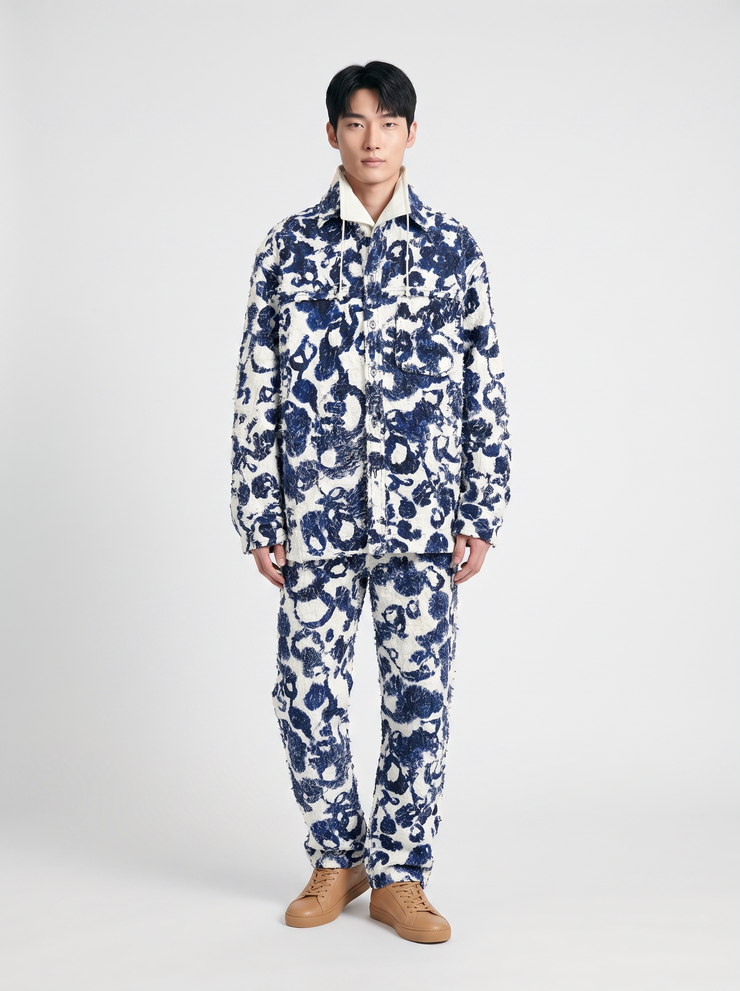 Generated
The motif and its two blues held. The cut-thread texture reads flatter than in the photo, and the print is close without being a stitch-for-stitch match.
Which photos work as input? What each one leaves to be generated.
Any of these works as the single photo per garment. The less the photo shows, the more has to be generated, and the more there is to check.
| Input | What the photo shows | What gets generated | Check first |
|---|---|---|---|
| Flat lay | Shows the whole garment, its outline and its color | Generates the fit, the drape and the person | Check the length and how the fabric falls |
| Hanger shot | Shows the garment hanging, front on | Generates the body under it and the set | Check the shoulder line and the sleeve length |
| Folded | Shows part of the garment and its fabric | Generates most of the shape | Check the proportions and any print repeat |
| Worn, cropped | Shows the garment on someone, cut off by the frame | Generates everything past the crop | Check the hem, the cuffs and the length |
| Worn, styled | Shows the garment among other pieces and props | Generates a plain outfit around it | Check that the right piece was kept |
Google Merchant Center asks for clothing to be shown worn by a person. Source
What people ask about on-model photos.
What is on-model photography?
On-model photography shows a garment worn by a person instead of laid flat or on a form. It lets a shopper judge fit, length and drape before buying, which is why stores use it for the main product image and for ads. It can be shot with a model in a studio, or generated from one photo of the garment.
Is on-model photography better than flat lay for product pages?
For the main image it usually is, because a shopper can see how the garment fits, and Google Merchant Center asks for clothing to be shown worn by a person. A flat lay still earns its place as a detail view. It is also the easiest photo to start from when the on-model image is generated.
Can I use my own model for on-model photos?
A photo of your own model works as the model reference, and every garment in the shoot is put on that person. If you would rather not cast anyone, QuickAds has 16 ready-made models, eight womenswear and eight menswear. Either way, the reference is what keeps the same face across the range.
How many garments can one model wear in a shoot?
One shoot on the software takes up to 60 garments, from a spreadsheet, a sheet link or a Drive folder. With one model picked, every garment goes on that model, and with several, the garments are shared out between up to eight. A bigger range runs as several shoots with the same model and set.
Will the model look the same in every photo?
The model reference holds the person steady: in one of our shoots, the six looks that shared a reference kept the same face and framing. It is not perfect every time, since one came back on a darker sweep and one with longer hair. On the default setting, each garment image also gets a keep-or-retry score with its reasons.
Are the on-model examples real photos or generated?
The six looks in our on-model shoot are generated, each from one photo of the garment and one model reference. The six harder inputs are demonstration photos from published product and campaign pages, and every result made from them is generated too. None of the garment photos is client work.
Your own garments, on your own model.
QuickAds is a performance creative company that runs the whole chain: creative intelligence, creative strategy, creative production, influencer marketing and campaign management. Ecommerce fashion photography is the link that puts every garment in your range on the model you pick, from the photos you already have.
Tell us what you sell and roughly how many garments. We'll come back with which ones to shoot first, and the looks for each.
Free. No card. We reply within one working day.