AI product video generator that keeps your product the way you shot it.
Send the catalog sheet you have. Each product gets a video from its own photo, with your words on screen, checked before you approve it.
Tell us what you sell and where you advertise. We'll come back with which products to start with and the video style for each.
Free. No card. We reply within one working day.
An AI product video generator turns a product photo into a short video of the product being worn or used. QuickAds makes one for every product in your catalog sheet. You pick a style, your words go on screen, each video is checked against its photo, and you approve it before the link goes into your feeds.
- Each video starts from the product photo in your sheet, so the dress in the video is the dress you sell.
- The words on screen come from your sheet's columns and are set by our renderer after the video is made. The video model never spells your product name.
- An automatic check compares every video with its product photo and remakes a clear miss once, free. A person approves each video before it ships.
- Approved videos go into your Meta, TikTok and Google Merchant Center feeds, or into a video pack for any other channel.
Last updated · QuickAds Editorial Team
What does it make? Three products, three generated videos.
Each one started as a single product photo in a catalog sheet: two garments and a necklace. The cargo trouser's words came from its sheet, set on screen after the video was made.
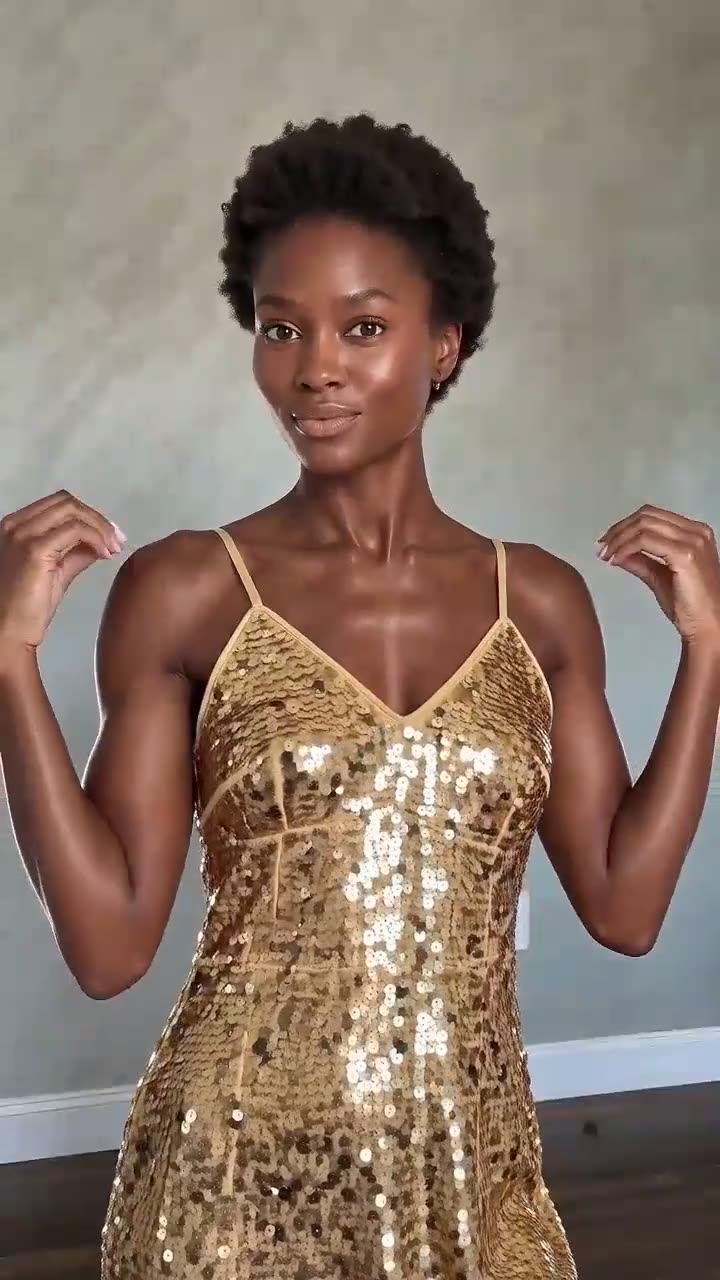 Sequin dress
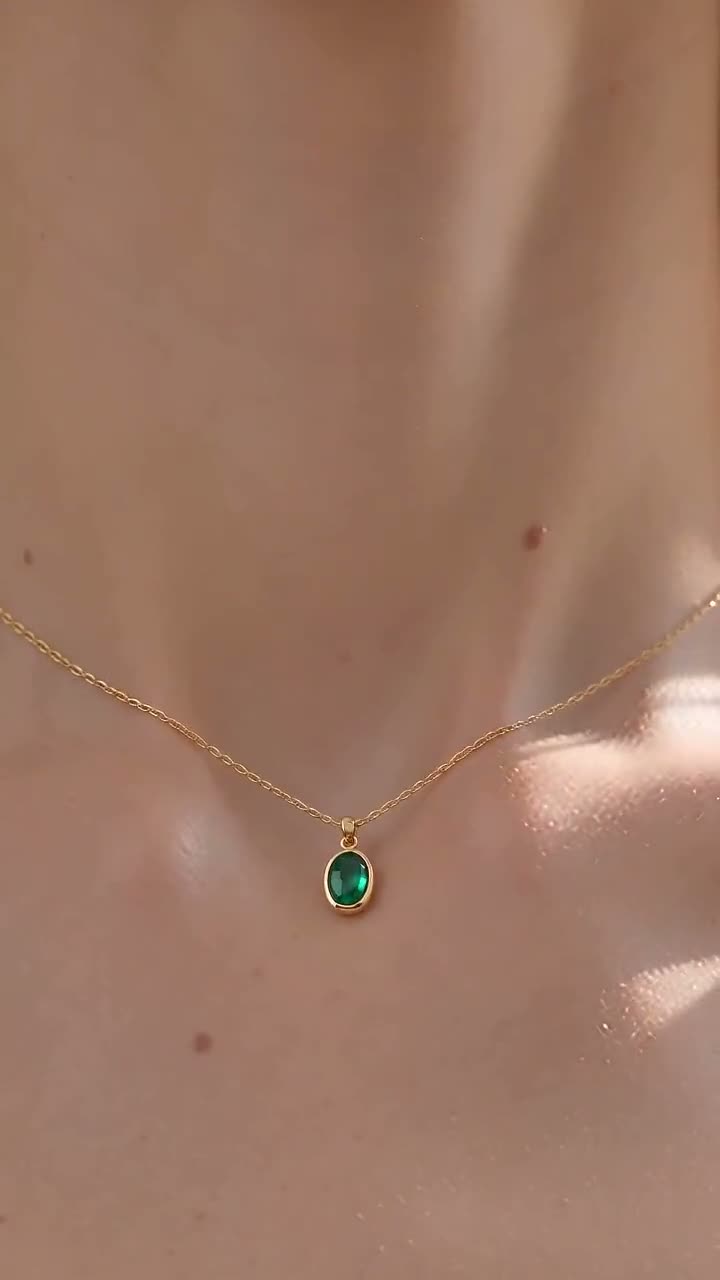 Emerald pendant
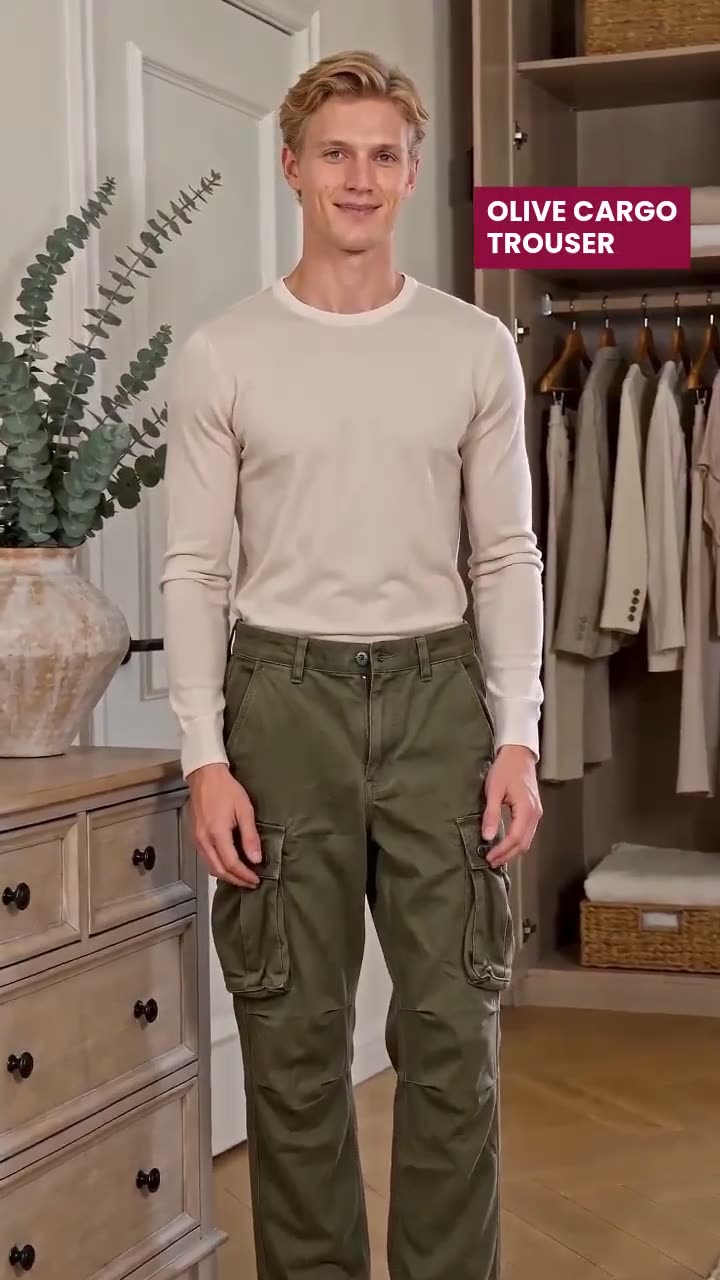 Cargo · words
Three ways to buy, priced on the page.
Product video runs on software you drive yourself from $199 a month, or, when our team runs the catalog for you, from $5,000 a month or 5% of ad spend, whichever is higher. We quote output and turnaround, never a return figure.
You run it: upload the sheet, pick a style, review each video and approve it into your feeds.
Our team runs the catalog for you and checks every video before it reaches you.
Creative plus campaign management, on a six-month minimum term.
How do you turn a catalog into product videos? Five steps, from the sheet to the feed.
Everything starts from the sheet you already keep for your ads. Nobody films anything, and nothing reaches a feed until you approve it.
Add your products
Upload a CSV or paste a feed link. Each row needs a product photo, a title and either a brand or a logo link.
A video shoot covers the ten best sellers, and the rest of the catalog stays still.
Software: upload the sheet, and the products that a style can take are listed with the reason for any left out.
Our team: we start from the feed you already run your catalog ads on.
Pick where they go
Meta, TikTok and Google Merchant Center take the video inside their feed. Every other channel gets a video pack to upload.
Videos land in a shared folder, and someone matches each file to its product by hand.
Software: each approved video is tied to its product, so the feed carries the right link on the right row.
Our team: we set up the feeds for the channels you advertise on.
Pick a style
A style sets the shots, the timing and the length. One style runs across the whole batch, and the default is the one that fits most of your products.
Each video gets its own one-off prompt, so no two products in the range look alike.
Software: dress reveals, walking showcases for dresses, skirts and trousers, kids' dresses and a jewelry film, each between about 12 and 15 seconds.
Our team: we pick the style per product line and pick who appears in it.
Put your words on it
For styles with words, the product name and two features come from your sheet. You see every line before anything is made, and you can edit it.
The video model is asked to write the text, and spells half of it wrong.
Software: the words are set by our renderer after the video is made, timed to the cuts, and the video ends on your logo.
Our team: we write the feature lines when your sheet doesn't have them.
Check it, then approve
Each video is compared with its product photo. A clear miss is made again once, free. Then you approve it, make it again or leave it out.
A video goes out with the wrong cut of trouser, and nobody looks until a shopper does.
Software: the check looks for the wrong garment, words drawn into the clip, a low resolution and a clip that runs short.
Our team: a person reviews every video against your photo before it reaches you.
TikTok links a video to each product in the catalog. Source Google Merchant Center takes up to ten product videos per item in its video_link column. Source
How do you know the product came out right? Every video is checked before it ships.
Each video is compared with its product photo, a clear miss is made again for free, and a person approves what's left. Here is one product from our own run, a charcoal tailored trouser, going through both checks.
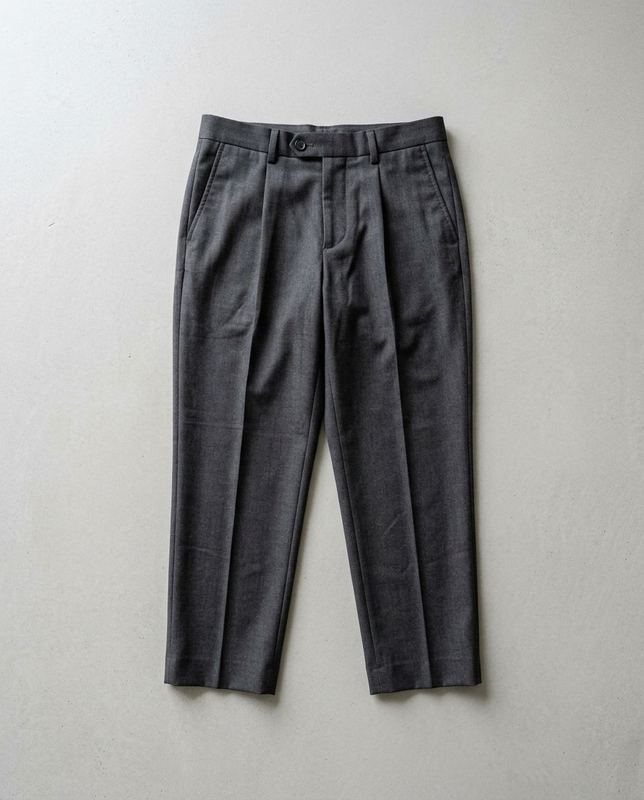 Generated stand-in
What went in
Pleated, pressed, cropped at the ankle.
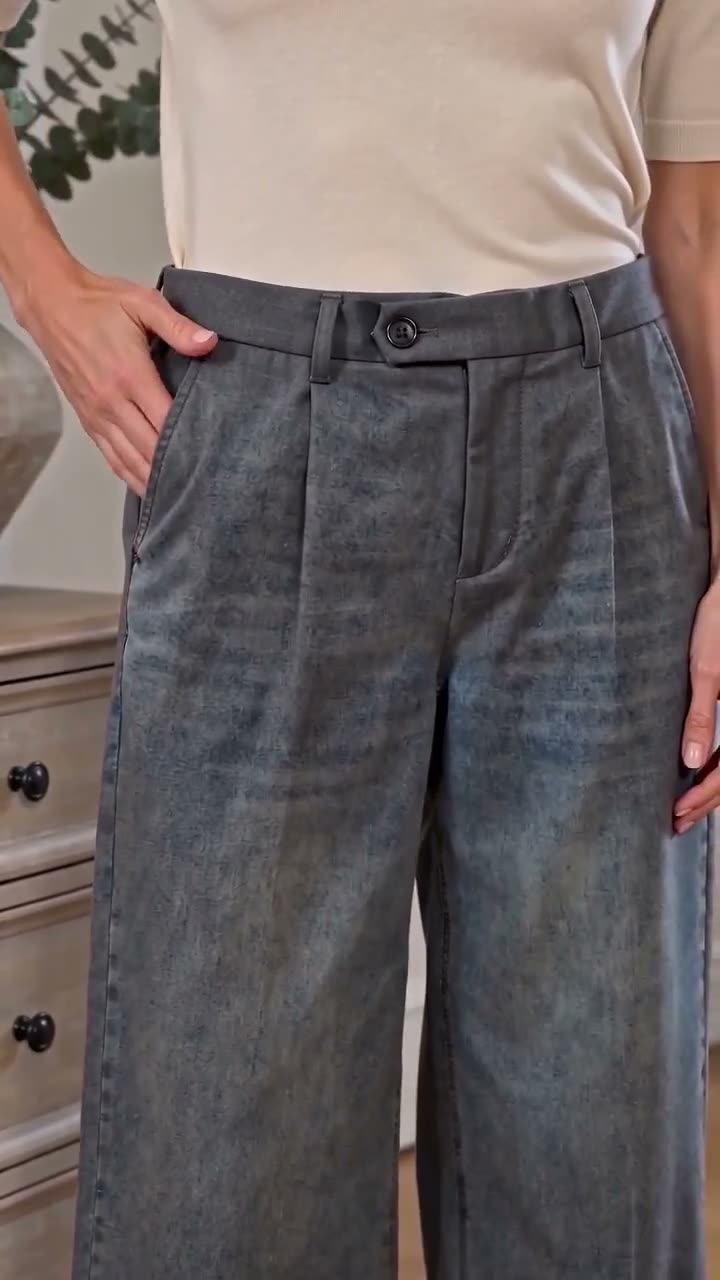 Take 1 · stopped by the check
Wrong cut, remade free
The check saw wide-leg trousers where the photo shows a tailored pair, marked it the wrong garment and made it again at no cost.
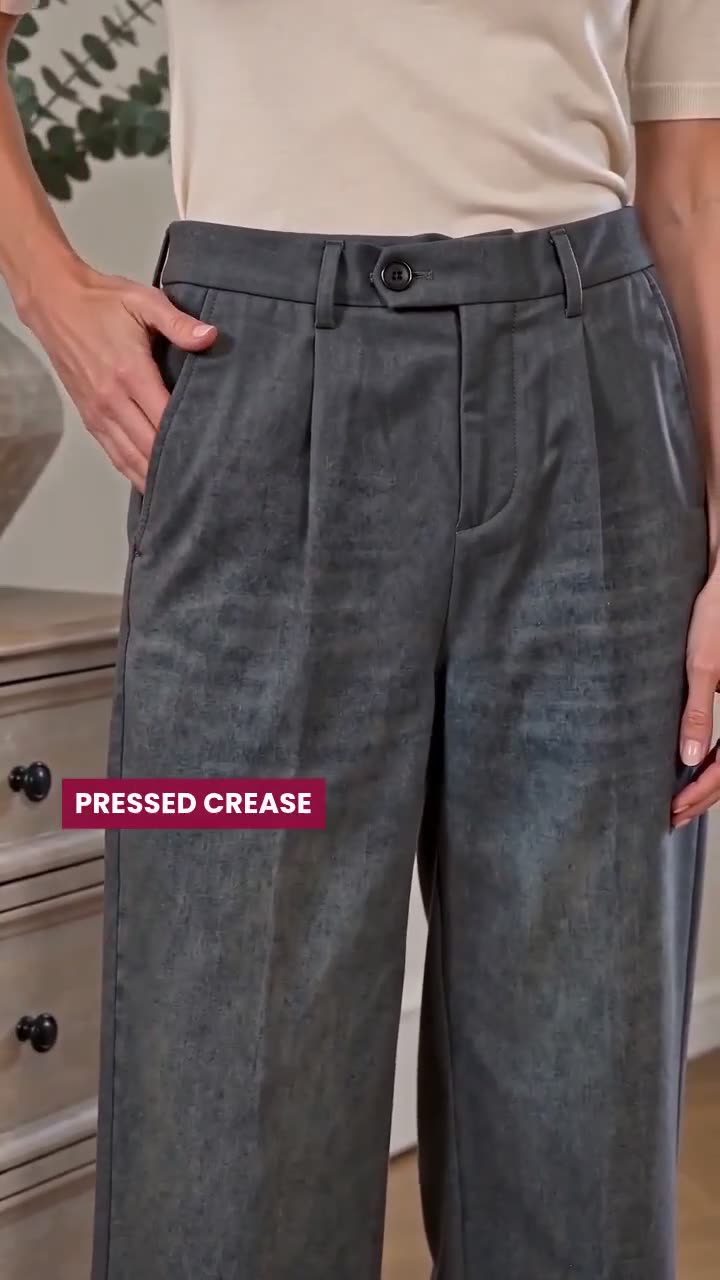 Take 2 · sent back in review
Finer detail, sent back
The remake came back tailored, with the pleat. Up close the finish looked washed rather than wool, so review sent it back before it reached a feed.
Where do the words in the video come from? Your sheet, set on screen after the video is made.
Video models can't spell. Ask one for a product name and it draws something close, plus a logo it made up. So the model is told to keep every frame free of words, and the words go on afterward.
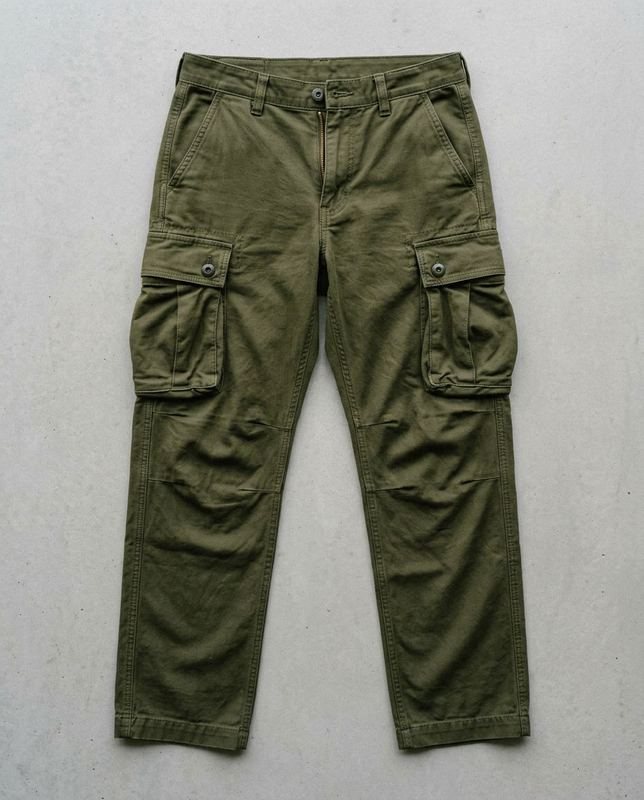 Generated stand-inWords from the sheet
Each line appears on the shot it describes, and the video ends on the logo and "Shop now".
- The product name and two features come from your sheet's columns. You can edit any line before the batch starts.
- Each line is timed to the cut it belongs to and kept inside the area Reels leaves clear of buttons. Source
- One look per catalog, with fonts and colors read from your brand guidelines PDF. Change it once and every video is set again, with no new video made.
How does this compare with other ways to get product video? Four options, side by side.
Most catalogs get video one of four ways. They differ most on two things: whether the motion is generated per product, and who checks that the product survived.
| Option | Motion | Per product | Who checks the product | Words on screen | Where it goes |
|---|---|---|---|---|---|
| Feed template tools | Animated templates over your photos | Yes, from the feed | Nobody needs to: the photo never changes | From feed fields | Your catalog feeds |
| One-at-a-time AI video apps | Generated | One product per run | You, by eye | Varies by app | Download, then upload |
| Free ad platform tools | Generated or stitched | Inside one platform | The platform | The platform's defaults | That platform only |
| QuickAds | Generated, per product | Yes, from your sheet or feed | An automatic check, then a person | From your columns, set by our renderer | Meta, TikTok and Google feeds, or a video pack |
These are categories of tool. A feed template is the safest choice when the product must never change and a still photo with motion graphics is enough. Meta takes a video per product through the catalog feed. Source
Product video is one link. We run the whole chain.
QuickAds is a performance creative company. Product video sits in the middle of the work we run for a brand, from reading what already works in its category to managing the campaigns the videos appear in.
Our computer-vision models read what runs in your category. You can search those ads in our ad library.
Deciding which products get video first, and the style each line takes.
The videos themselves, and the rest of the ad creative, 5 to 7 days a batch.
When a product needs a real person talking, the influencer agent finds and books the creator.
On the productized plan, our team runs the catalog campaigns the videos go into.
What people ask about AI product video.
What is an AI product video generator?
An AI product video generator makes a short video of a product being worn or used from a still photo of it, with no shoot. QuickAds runs one for every product in a catalog sheet, in a style you pick, and checks each video against its photo before you approve it.
What do I need to start?
A catalog sheet or feed link with a product photo, a title and either a brand or a logo link on each row. For styles with words on screen, two feature columns help, such as feature_1 and feature_2. You don't need new photos, models or a studio.
Which products does it work for today?
Clothing and jewelry. The styles cover dresses, skirts, trousers and jeans, kids' dresses and jewelry, each between about 12 and 15 seconds. One style runs across a batch of up to 20 videos, and products a style can't take are listed with the reason.
Will the product in the video match my photo?
Each video is checked against its product photo to make sure. A clear miss, such as the wrong garment, is made again once for free. A person then approves every video before it goes into a feed, which is where finer detail, like a fabric finish, gets checked.
Where do the words on screen come from?
From your sheet. The product name and two features are taken from your columns, and you can edit them before the batch starts. Our renderer sets them on the video afterward, timed to its cuts, so the video model never draws text of its own.
How much does AI product video cost?
QuickAds software is $199 a month, and you run it yourself. When our team runs the catalog, it is $5,000 a month or 5% of ad spend, whichever is higher. The productized plan adds campaign management on a six-month minimum term.
Where do the videos go?
Approved videos go into your Meta, TikTok and Google Merchant Center feeds, each on its own product's row, so catalog ads can show the video in place of the still. Any other channel, such as a marketplace, gets a video pack to upload. Nothing goes anywhere until you approve it.