Lifestyle product photography from one photo of the product.
A lifestyle image shows the product in use, in a real setting, often with a person. It answers what a white background can't.
Tell us what you sell and where. We'll come back with a plan for your product images, videos and creator content.
Free. No card. We reply within one working day.
Lifestyle product photography shows a product in use, in the place it belongs, often with a person holding or wearing it. It goes beside the white-background shot and never replaces it: marketplaces want the plain image first and the context after. A lifestyle image shows scale, the setting and who the product is for.
- Amazon suggests leading with a white-background image, then adding lifestyle shots that don't overpower the product.
- Google Merchant Center takes up to five lifestyle images per product in their own attribute, at 600 by 600 pixels or more.
- A scene must never change the product: the same color, shape, parts and labels in every frame.
- QuickAds software puts any product in a scene from one photo, and runs a whole catalog of bags or luggage from a sheet.
Last updated · QuickAds Editorial Team
Where do lifestyle product photos go? After the main image, on every channel.
Each channel takes the plain image first and lifestyle product images after it. The rules for that second slot are looser, though they still exist.
The product in use, after the pure-white main image. Amazon suggests scenes that don't overpower the product.
Up to five per product, 600 by 600 pixels or more, with no promotional text, borders or padding.
Any image in the product's gallery, up to 5,000 by 5,000 pixels and under 20 MB. See Shopify product photography.
A scene gives the product a setting at feed size, where a cutout on white can look like a placeholder.
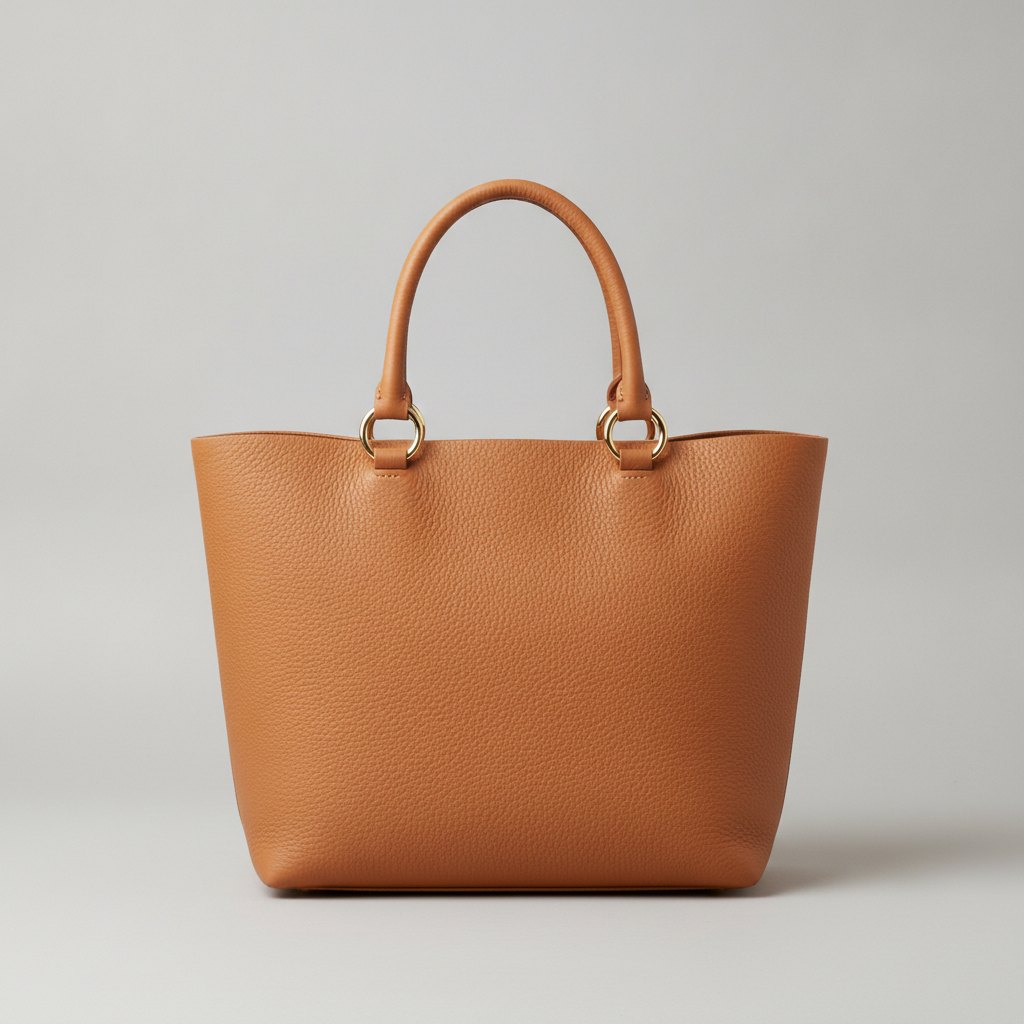 Generated stand-in
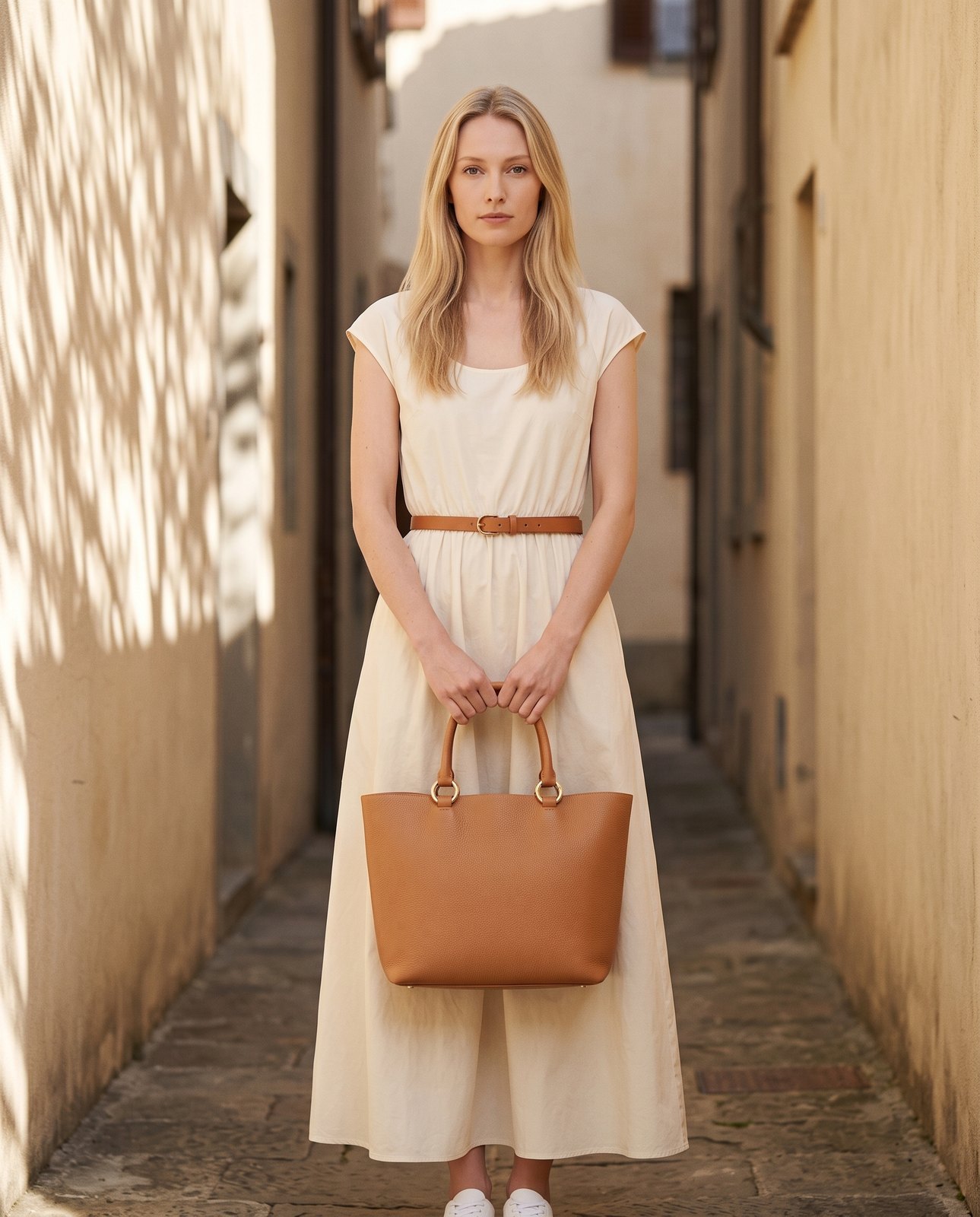 Generated
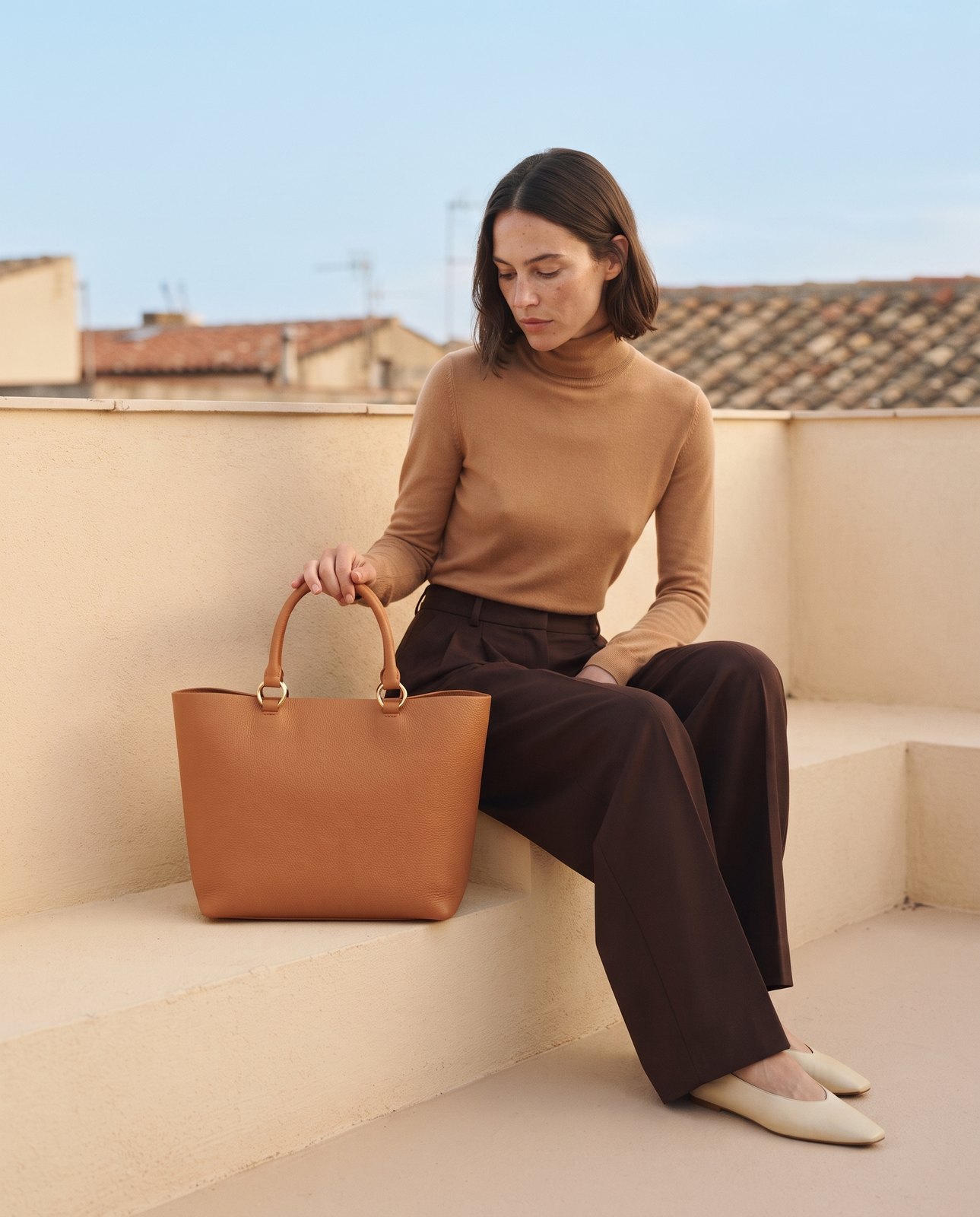 Generated
- The setting and the person change from scene to scene. The tote stays the same.
- The same color, shape, handles and rings in every frame.
- The plain image stays first on marketplaces, and the scenes go after it.
Amazon on lifestyle shots. Source Google's lifestyle image attribute. Source Shopify's image limits. Source
How do you make lifestyle product photos without a shoot? Four steps, from one photo to a scene.
Start from a clear photo of the product. The software builds the scene around it. Then check that the product came through unchanged.
Send the product
One clear photo per product, with its name and a line about what it is. For a catalog, a sheet or a Drive folder.
Samples ship to a studio, props get bought, and the shoot covers only the products that suit the set.
Software: upload one photo for a single product, or a CSV, an Excel file, a Google Sheet link or a Drive folder for a catalog of bags or luggage.
Our team: we work from the photos you already have.
Choose the scene
For one product, the software writes six scene ideas and you keep up to four. For a catalog, pick from 25 backdrops or describe your own.
One set for the whole range, whether the product belongs in a kitchen or on a trail.
Software: scene ideas for one product, or 25 default backdrops for a catalog run, or a background you write in a line. Catalog runs are built for bags and luggage today; other products go one photo at a time.
Our team: we match each scene to where your buyers use the product.
Add a person, or leave it empty
Lifestyle product photography with models, or only a hand, shows scale and use faster than any prop. On a catalog run, pick a model from the library or use your own model photos.
Model fees, usage terms, and a reshoot every time the range changes.
Software: on a catalog run, add a model from the character library or upload your own model photos, and set the outfit in a line of text.
Our team: we keep one model and one look across a range.
Check every frame, then publish
Look at each frame against the product photo: the color, the shape, the parts and the labels. Then pick the size each channel wants.
A generated scene changes the strap length or the logo, and nobody notices until the returns come in.
Software: catalog runs export at 1K, 2K or 4K in one of 14 aspect ratios, ready to download for each channel.
Our team: a person checks each image against your product photo before it reaches you.
What goes wrong in lifestyle product photos? Six problems and the fix for each.
Most of these are easy to miss on a laptop and obvious to a shopper who owns the product.
| Problem | Why it happens | The fix |
|---|---|---|
| The product changed | A generated scene redraws small parts: straps, ports, labels | Fix it by checking every frame against the product photo before it goes live |
| No sense of scale | Nothing in the frame shows the size | Fix it with a hand, a person or a familiar object beside the product |
| The scene takes over | The room is more interesting than the product | Fix it by keeping the product sharp and the setting plain |
| Words on the image | A price or a promo gets added for one channel | Fix it by keeping text off lifestyle images on Google and off the Amazon main image |
| One scene everywhere | The whole range was shot on one set | Fix it by matching each scene to where that product gets used |
| The scene goes first | The lifestyle image replaced the plain shot | Fix it by keeping the white-background image first on marketplaces |
Google's rules for lifestyle images, read on October 21, 2026: up to five per product, at least 600 by 600 pixels, no promotional text, borders or padding.
What people ask about lifestyle product photography.
What is lifestyle product photography?
Lifestyle product photography shows a product in use, in the setting it belongs to, often with a person holding, wearing or using it. Where a white-background shot shows exactly what the product is, a lifestyle image shows its scale, where it fits and who it's for. Marketplaces want both, with the plain image first.
What are lifestyle images?
Lifestyle images, or product lifestyle photography, show a product in a real-world setting instead of on a plain background: a kettle on a stove, a bag on a shoulder, a lamp lit in a room. Google Merchant Center has a separate attribute for them, lifestyle_image_link, which takes up to five per product and can show them in free listings.
How to generate lifestyle product photos?
Start with one clear photo of the product. On QuickAds software, upload it with the product's name and description, and the software writes six scene ideas, of which you keep up to four. For a catalog of bags or luggage, upload a sheet or a Drive folder and pick from 25 backdrops or write your own. Check every frame against the product before you publish it.
Can a lifestyle image be the main image on Amazon?
No. Amazon's main image has to show the product alone on a pure white background, filling at least 85% of the frame. Lifestyle images go in the secondary slots after it, and Amazon suggests scenes that don't overpower the product. Google Shopping also keeps lifestyle images in their own attribute, apart from the main image.
How much does lifestyle product photography cost?
A studio shoot is usually priced by the day, plus samples, props, models and editing, so the cost per image depends on how many products fit the set. At QuickAds, software starts at $199 a month and you run it yourself. Managed work starts at $5,000 a month, with our team making the images.
Do lifestyle photos need a person in them?
No, though a person or a hand often shows scale and use faster than a prop can. Clothing and bags read best when worn or held, and home goods often work in a room with nobody in it. On a QuickAds catalog run, a person is optional: pick a model from the library, upload your own model photos or leave the scene empty.
A scene for every product, from the photo you already have.
QuickAds is a performance creative company that runs the whole chain: creative intelligence, creative strategy, creative production, influencer marketing and campaign management. Lifestyle images are part of the production link. For clothing, on-model photography puts each garment on a model, and Amazon product photography covers the rest of the listing.