
Best AI Tools for Small Professional-Services Businesses

Run a small professional-services firm long enough, and you'll recognize the pattern. Client work fills the calendar. Everything else still fills the day:
- Meeting notes
- Follow-up drafts
- Ad creative
- Intake forms
- Admin
AI tools are starting to change that. Most small businesses now use AI-enabled tools somewhere in their operations, and adoption among those who haven't started yet continues to grow. These aren't enterprise tools or tech-company perks anymore.
This article organizes them by workflow instead of by hype. Each section covers a category that matches how professional-services businesses actually work, so you can find what fits without sorting through a generic product list.
What Makes Professional-Services Firms Different
Most AI tool roundups are built around product-based businesses, covering inventory systems, customer support queues, and e-commerce workflows. If you run a law firm, a financial advisory practice, or a boutique consultancy, that list won't get you far, especially when it comes to marketing, where a law firm SEO agency understands client acquisition rules and search intent that a generic e-commerce playbook simply doesn't cover.
That's because professional-services firms sell something fundamentally different: expertise, trust, and ongoing client relationships. And that difference changes what you need from AI.
Because client data is sensitive, advice-based work carries real accountability, and anything that reaches a client usually needs a human eye before it goes anywhere. Generic recommendations don't account for any of that, and this article does. Every tool covered here gets considered with those constraints in mind.
The AI Tool Categories Worth Building Around
Each section below covers a workflow category and the tools that actually serve it, instead of a list of every AI product on the market.
Marketing and Ad Creative
For professional-services firms running paid campaigns, this is where AI delivers the fastest return. Ad research, creative variation, and scheduling used to require either an agency or a dedicated in-house team, but AI tools now handle all three without the overhead.
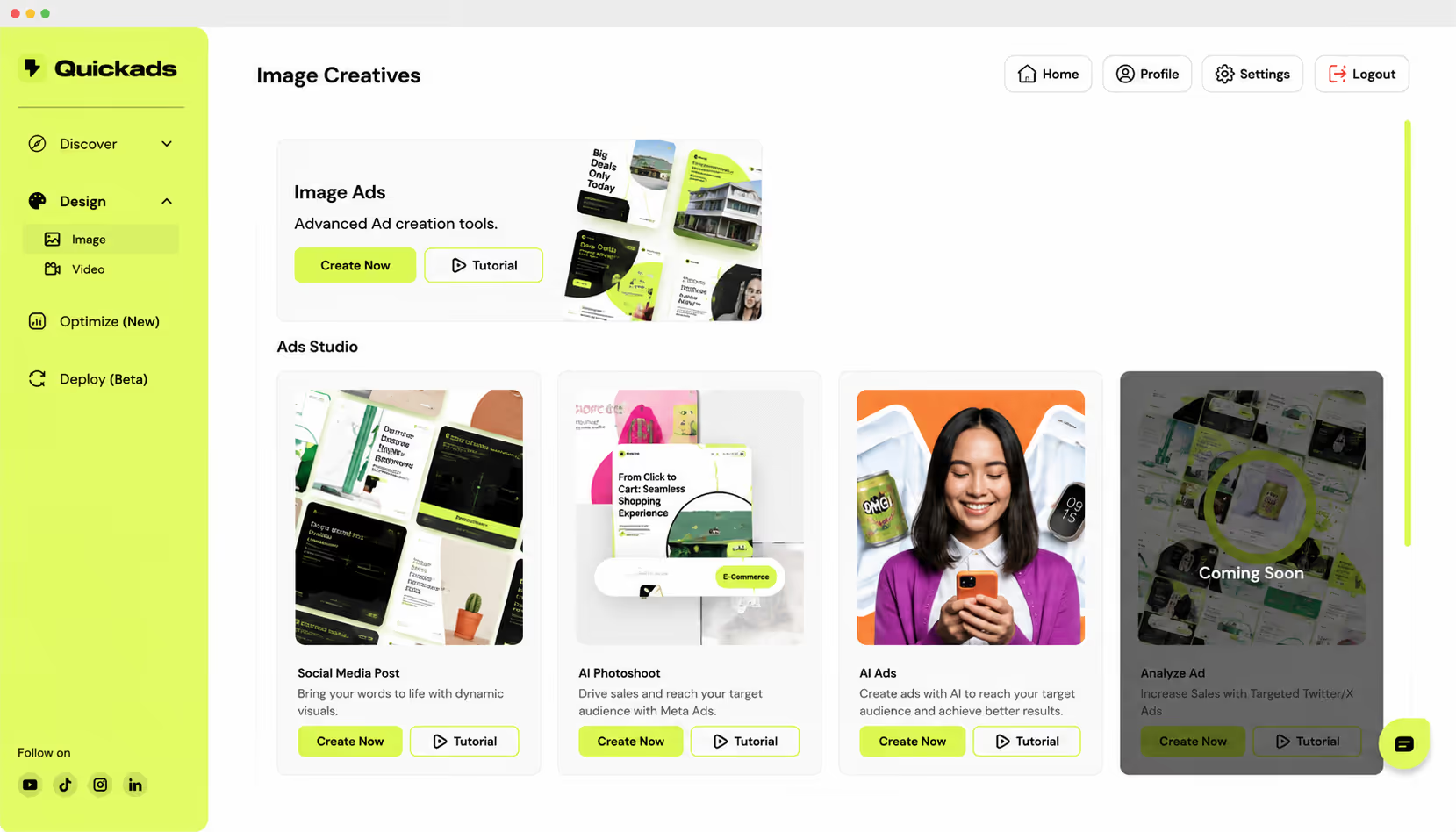
Platforms like QuickAds bring ad intelligence and AI-generated creative into a single workflow, so a small marketing team can test and iterate without slowing down. The goal isn't automation for its own sake, but getting in front of the right clients without burning hours on production.
Client Meetings and Follow-Up
Client conversations sit at the center of professional-services work — and since many begin with an inbound call, firms that can't pick up every time often rely on a phone answering service. Once a conversation is over, it produces a lot of output. Notes, action items, follow-up email drafts, and CRM updates can take nearly as long as the meeting itself. Fellow.ai helps take some of that work off your plate by turning conversations into clear notes, action items, and useful follow-ups.
AI tools now handle most of that documentation automatically. For firms with specific data requirements and regulatory context, though, a generic note-taker often won't cut it. Financial advisors, for example, tend to use tools like Zocks because they're built around advisor-client meeting workflows, not just transcription. AI tools now handle most of that documentation automatically — general-purpose notetakers like Fathom record, transcribe, and summarize client calls across Zoom, Google Meet, and Teams, then push action items straight into your CRM.
Writing, Content, and Admin
Consultants, accountants, and boutique agencies produce a lot of written content without a dedicated writer to handle it. AI writing tools close that gap across newsletters, proposal drafts, service page copy, blog posts, and social posts by getting you to a first draft fast. From there, the process stays consistent. Draft with AI, then review before anything goes out. For firms looking to keep these processes consistent, following financial best practice for small businesses can also help ensure that AI-driven efficiencies support sound financial management rather than simply reducing admin time.
When Generic AI Is Not Enough
General-purpose AI tools handle a lot of tasks well, and for low-risk internal work, they're often all you need. Brainstorming, first drafts, internal summaries, and quick copy variations all fall within what they do reliably and fast.
But the line shifts when client records are involved, when work carries regulatory weight, when it requires specialized terminology, or when it feeds into a CRM integration. Because in those situations, a purpose-built tool tends to handle the workflow with greater accuracy and less back-end cleanup. A purpose-built AI customer service agent can handle routine requests while recognizing when a case needs human attention. When the issue becomes too complex, sensitive, or uncertain, the agent can hand the conversation off to a human together with the relevant context and chat history. This creates a smoother support experience without forcing customers to repeat themselves. That difference tends to show up fastest where firms run their client comms through a CRM communication tool, since every call and message can be logged against the relevant contact without anyone retyping anything afterward. Organizations evaluating an aircall alternative often prioritize these CRM integrations to keep communication records accurate and workflows efficient. The same trade-off shows up in healthcare. Small medical practices dealing with sensitive patient data tend to consolidate scheduling, records, and billing in purpose-built practice management software rather than a patchwork of generic tools.
The principle worth holding on to is straightforward: automate the draft, not the judgment. Professional-services firms sell advice, accountability, and trust, so those aren't things any AI tool should deliver on its own. The goal is to use AI to reduce the time it takes to reach a decision, and not to make the decision for you.
What Not to Fully Automate
Some tasks still need a person behind them, and that's worth being specific about.
- Keep final legal, financial, or medical recommendations in human hands.
- Review all high-stakes client-facing communications where tone and accountability carry real weight.
- Make any decision that depends on relationship history or context the AI can't access.
- Run a human review on every output before it reaches a client.
How to Choose a Tool Without Adding More Admin
Adding a new AI tool to an already full workflow can create more admin than it removes, and the difference usually comes down to how well you vetted it before signing up. These are buying questions, so ask them before the trial starts.
- What specific workflow will this improve, and how does the current process handle it?
- Does it connect to the tools your team already uses?
- What kind of data will go into it, and how does the platform handle that data?
- Does the output need human review before it reaches a client or goes on the record?
- How will you measure time saved or ROI after the first month?
Ask them early, and the right answer usually becomes obvious fast.
Start With One Category and Expand From There
The full AI stack doesn't need to come together in a week, and trying to build it all at once usually means none of it sticks.
So start with the category that removes the most friction from your current workflow, whether that's ad creative, meeting notes, or content drafts, and prove the time savings before adding the next layer.
The firms that get the most from AI aren't running pilots and moving on. They're the ones embedding tools into how they actually work and building from there.






A privacidade é importante para nós, então você tem a opção de desativar certos tipos de armazenamento que podem não ser necessários para o funcionamento básico do site. O bloqueio de categorias pode afetar sua experiência no site. Mais informações


