
AI Image Prompt Structure:
The Six Layers of a Prompt That Sells
Six layers that turn vague prompts into sharp, on-brief images
Stop letting AI guess your brand identity. This framework gives brands a repeatable way to inject proprietary style into frontier models, for sharp, on-brief images that AI search engines can recognize as yours.
Four reasons your AI images miss
Type "a coffee mug on a table" and you get exactly that: a generic mug, on a generic table, in generic light. Not wrong. Just forgettable.
Modern models are extraordinary. They render skin, glass, fabric, and light with a realism that was impossible a year ago. The catch is that they only render what you describe. When an image misses, it is almost never the model's skill that failed; it is one of four things you left the model to decide. Here they are, worst to most fixable.
Issue 01The model made the decisions, not you
You typed a short prompt, hit generate, and got something plausible but not what you pictured. The gap is not the model's talent. It is everything you left blank.
A prompt has layers: subject, set, light, lens and framing, finish, format. Leave any one of them out and the model does not pause to ask; it fills the gap with whatever is most statistically likely. Skip the light layer and it picks flat, even light. Skip the set and your product floats on nothing. Leave a decision out and the model makes it for you, every time, so a vague prompt quietly hands the whole picture to the machine. A precise prompt keeps those decisions yours: the angle, the light, the mood, the exact product. The difference is not talent or luck. It is how much of the picture you actually spell out.
The shift. Name the layers you care about and the model stops guessing on your behalf. See the six layers →
Issue 02Competent, and completely forgettable
The image is clean, well-lit, technically fine, and it looks like a thousand others in the feed. Nothing about it stops the scroll.
When you do not specify the finish and the set, the model's default choice is almost always the average of everything it has seen: average lighting, average composition, average styling. That average is exactly what "looks AI," because it is the visual centre of gravity of the entire training set, the safest possible guess. Competent is the floor a good model gives you for free. It is not the same as distinctive, and distinctive is the only thing that earns attention. The more decisions you leave blank, the harder the image slides back toward that forgettable middle.
The shift. Distinctive lives in the finish and set layers: a named style, a specific scene, a deliberate mood. Set the finish and the scene →
Issue 03Nothing in the image says it's yours
Line up your last ten AI images next to a competitor's and you often cannot tell whose is whose. They are on-trend, on-brief, and completely interchangeable.
A generic prompt carries none of your brand into the frame: not your color language, not your materials, not your product's real proportions. So the model has no reason to make the image yours, and it does not. This is the cost that outlasts any single asset. When your images look like everyone else's, there is nothing for a person, or an AI search engine, to tie back to you. A consistent, describable visual language is the signal that makes a brand recognizable to people and models alike; interchangeable images send none. Precise, structured prompts do the opposite, giving your products a repeatable look that reads as one brand across every asset.
The shift. Fix the brand variables in the subject and finish layers, or lock them once so on-brand is the default. Lock your brand into the layers →
Issue 04You're rerolling instead of directing
The result is close but off, so you generate again. And again. Twenty near-misses later you ship the least-wrong one and tell yourself the tool is not there yet.
Rerolling changes the random seed, not the instructions, so you are paying, in time, credits, and momentum, to reshuffle the same underspecified prompt and hope the average lands better this time. It rarely does. Directing is the opposite: you decide which layer is wrong, the light, the angle, the framing, and change only that one thing. So instead of hoping, you stop rerolling the same disappointing image and start moving it, deliberately, toward the one you want. One considered edit beats ten hopeful rerolls, and it tells you exactly what moved the picture, which is knowledge you keep for the next shoot.
The shift. Change one layer at a time and watch the image come to you instead of past you. Direct with the six layers →
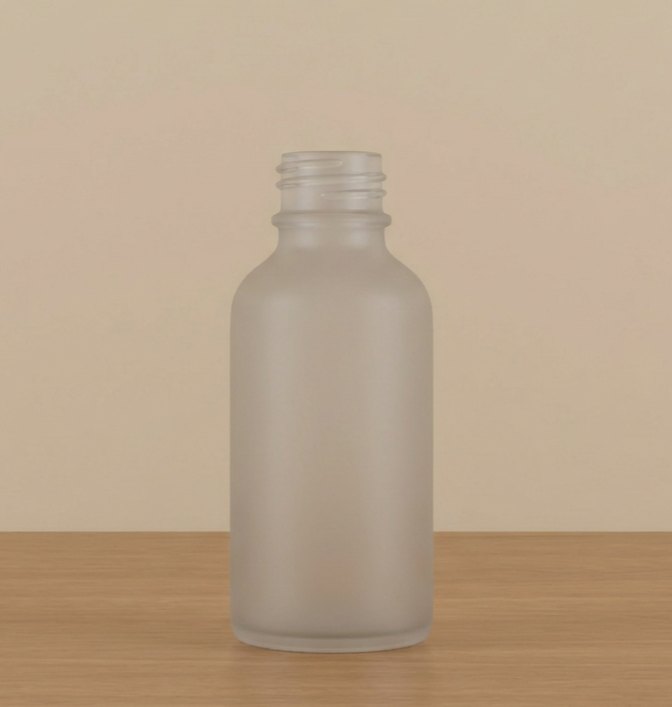
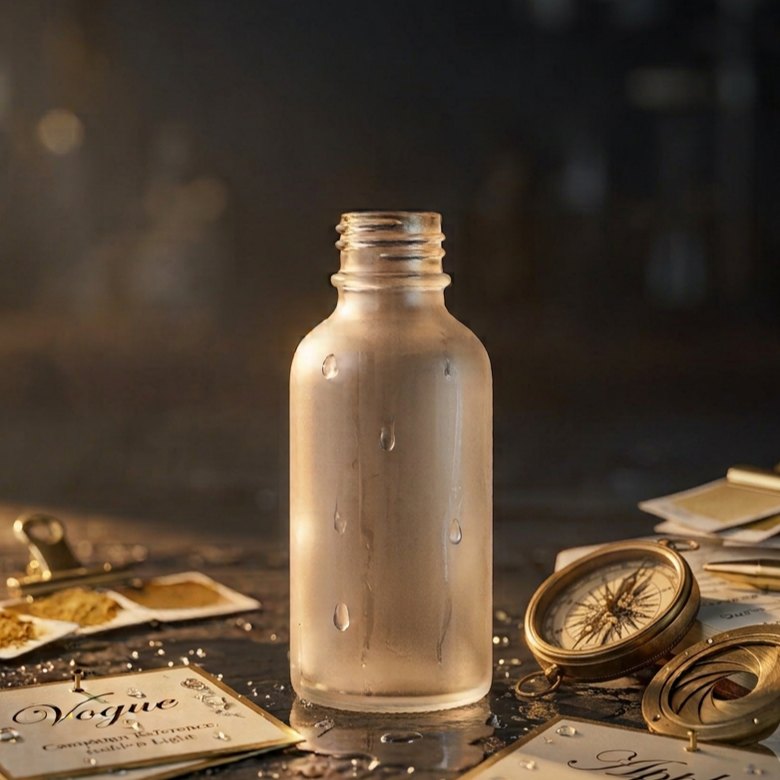
Same subject, same six-layer idea. The only thing that changes is how much the prompt decided. Illustrative comparison, drawn to show the difference rather than sampled from a single model run.
The model is not guessing what you want. It is filling in everything you did not say. Say more, and it guesses less.
The six layers of a prompt
Every strong image prompt answers six questions, in roughly this order. You do not need all six every time, but the more you cover, the less the model improvises.

| Layer | What it controls | Weak to strong |
|---|---|---|
| 1. Subject | Exactly what is in frame | "a shoe" → "a white leather low-top sneaker, laces loose" |
| 2. Set | Where it lives and the context around it | "outside" → "on wet city pavement after rain, blurred neon behind" |
| 3. Light | Direction, softness, and mood of the light | left to the model → "low golden-hour sun from the left, long soft shadows" |
| 4. Lens & framing | Angle, distance, and depth | "a photo of it" → "low three-quarter angle, 35mm, shallow depth of field" |
| 5. Finish | Style, era, and realism cues | left to the model → "editorial photography, subtle film grain, true-to-life color" |
| 6. Format & spec | Aspect ratio, resolution, and text | left to the model → "vertical 4:5, high resolution, no text" |
Notice the pattern. The weak side leaves the model to decide. The strong side decides for it.
Build one, layer by layer
Pick an option for each layer and watch a full prompt assemble below. Start from the defaults, swap pieces, and copy the result into any image tool. This is the six-layer structure in action.
Tip: keep the subject line concrete. "A ribbed ceramic mug, matte sage green" beats "a nice mug" every time.
What separates good from great
Layers give you a complete prompt. These habits make it a good one.
Don't just copy. Out-inform the model.
Templates are your starting line, not the finish. Use the six-layer format as a baseline, then inject your brand's own data: exact textures, color codes, material names, product dimensions. That is how you make something better than a generic prompt, and how you teach a model what your brand actually looks like.
Be specific, not longer
Detail is not word count. Every word should remove a decision the model would otherwise guess. Cut adjectives that do not change the picture.
Anchor the style
Name a reference the model knows: a genre like editorial product photography, an era, a film stock, a lighting setup. It gives the model something to aim at.
Say what to leave out
Models respond to exclusions. "No text, no extra hands, plain background" removes the artifacts you would otherwise clean up later.
One idea per prompt
Do not ask for a product shot, a lifestyle scene, and a logo in one go. Nail one, then branch. Crowded prompts produce muddy images.
Build in layers
For complex scenes, get the subject and light right first, then add the set and details in follow-up edits. Do not front-load everything at once.
Treat the first image as a draft
Your opening result is a starting point, not the answer. Change one variable at a time so you know exactly what moved the needle.
The tells that give it away
"Looks AI" is usually a short list of tells, and most of them are fixable in the prompt, not in post. Here are the common ones and the words that fix them.
The models are ready for this. Native high-resolution output is now standard across the leading engines, so you no longer need to generate small and upscale. Prompt for the final look directly.
Plastic, poreless skin
Fix. Ask for texture: "visible pores, natural skin texture, fine flyaway hairs." Add "candid, unretouched."
Melted hands and fingers
Fix. Keep hands simple or out of frame. If they matter: "hands relaxed, fingers clearly separated." Crop tighter when you can.
Gibberish text
Fix. Do not lean on the model for logos or long text. Ask for "no text," then add real type in an editor. For short labels, spell the exact words.
Flat, sourceless light
Fix. Give light a direction and quality: "single soft light from the upper left, gentle falloff." Flat light is the fastest way to look fake.
Wrong scale and physics
Fix. State relationships: "the mug is the height of the book beside it," plus "accurate proportions, grounded with a contact shadow."
Over-saturated, over-sharp
Fix. Dial it back: "natural color, true-to-life saturation, soft contrast." Add "subtle film grain" to break the digital sheen.
- Skin has texture, not plastic sheen.
- Hands are simple, separated, or out of frame.
- No gibberish text or fake logos.
- Light has one clear direction.
- Scale and proportions hold up.
- Color is true, not over-saturated.
Score your prompt
Paste a prompt you are working on. This checks it against the six layers and shows you what is missing. It grades structure, not taste, so treat it as a checklist, not a critic.
A high score means your prompt is complete, not that the image will be good. Complete prompts just leave far less to chance.
From prompt to finished
A good prompt gets you most of the way. A simple, repeatable process gets you the rest. Five steps, start to export.
Write and generate
Start from the six layers, or build a prompt with the tool in this guide. Generate a small batch so you have options, and read each result against your brief before you fall for one.
Edit, do not reroll
Close but not perfect? Edit in place. Modern tools let you fix one region, swap a background, or adjust the light without regenerating the whole image and losing what already worked.
Fix the tells
Patch the artifacts the model left behind: stray fingers, warped edges, odd text. This is retouching, not rebuilding, and it is where a good image becomes a shippable one.
Judge the frame
Step back. Does it match the brief, sit on brand, and read in two seconds at feed size? If not, change one layer of the prompt and generate again.
Export to spec
Save at the resolution and aspect ratio each channel wants, keep a master file, and save your best prompts so the next shoot starts ahead.
More than ads. Your creative engine.
The craft in this guide is engine-agnostic on purpose. Quickads is a performance creative-as-a-service partner: we run our own award-winning proprietary tooling alongside people trained across the best third-party models, so you are never locked into one stack. Give us your brand, and on-brand becomes the default across every format you ship, at roughly half the cost of building the same team in-house, with flexible scope and almost none of the risk.
Motion banners
Animated display and social units that hold attention where statics stall.
Lifestyle banners
Product-in-context imagery that makes the scene do the selling.
Email graphics
Header art and campaign visuals sized and styled for every send.
Web pages
Landing and PDP visuals built to convert, on brand end to end.
Ads & creator content
Paid social, UGC-style, and creator marketing built to test at volume.
And the rest
A whole content engine: whatever format the channel needs next, on demand.
Prompts to build on
Six starting points that already follow the six layers. Start from one, then make it yours: swap the bracketed part for your product and add your own detail.
Product on white
Product in context
Hero and dramatic
Flat lay
Portrait with product
Appetite shot
The questions we actually get
Straight answers about prompting, from people who make images every day.
How do I write a good AI image prompt?
Why do all my AI images look the same?
Why do my AI product images not look like my brand?
Why do my AI images look fake or AI-generated?
How long should an AI image prompt be?
Do I need a different prompt for each AI image tool?
How do I get consistent, on-brand AI images?
Does better prompting help my brand show up in AI search?
Should I generate at low resolution and upscale?
Stop rerolling. Start shipping.
Bring your brand. We turn the six layers into on-brand images, banners, and ads,
at a fraction of the time and cost of building it in-house.